FEATURE
Your Services
Add the services you sell. Intent, reports and matching use this list.
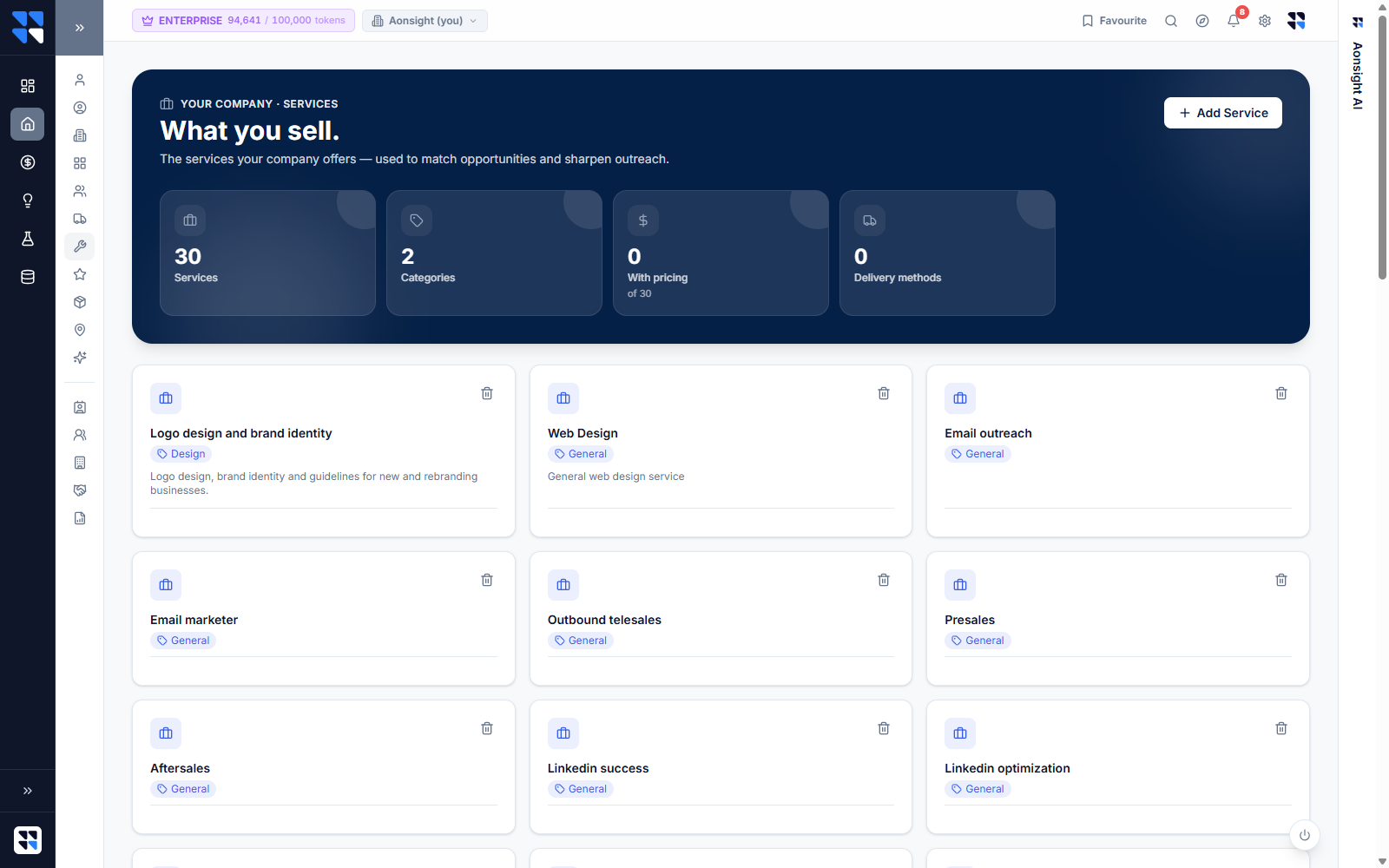
- Search the service taxonomy
- Add services from search
- Category shown on each service
- Remove a service at any time
Each part opens its own trail
Service list
Shows each service as a card with its category and description, plus a remove button.
Add Service
Opens a search of services by name or category, with an Add button beside each result.
Service counts
Counts services, categories, services with pricing and delivery methods.
Service details
A service can carry a category, pricing model, delivery method and duration.
From a question to a finished result in three steps
Step 1
Search for a service
Select Add Service and type a name or category to search the taxonomy.
Step 2
Check the matches
Aonsight lists matching services and marks the ones already on your list as added.
Step 3
Keep the list current
Add each match and remove what you stop selling, so intent signals and reports follow the offer.
IN THE APP
Your Services
- Add a service from the taxonomy rather than inventing a label.
- Update the list when the offer changes.
- An empty list is why Intent Signals and several reports stay blank.
One question, from first search to final list
Intent signals, market sizing and matching all read this list, and it can also be filled during onboarding.
Use Your Services in your own market
Open it when Intent Signals or reports stay blank, and leave with a service list that matches what you sell today.
Your Services is what you offer, chosen from the service taxonomy. Intent signals, market reports and matching all read this list. You can also pick services during onboarding.
What you can do with Your Services
- Add a service from the taxonomy rather than inventing a label.
- Update the list when the offer changes.
- An empty list is why Intent Signals and several reports stay blank.
Where to find it
In app.aonsight, open Your Company → Profile.
This sits with Company Profile.
Where to go next
- Intent Signals: Signals matched to these services.
- Market Sizing: Sizing reads the same list.
Questions
What is Your Services in Aonsight?
Your Services is what you offer, chosen from the service taxonomy.
Where do I open Your Services?
In app.aonsight, open Your Company → Profile.
Related
Pages and posts that share a category or tag.