FEATURE
Personas
Build buyer personas from your market and reuse them in reports and outreach.
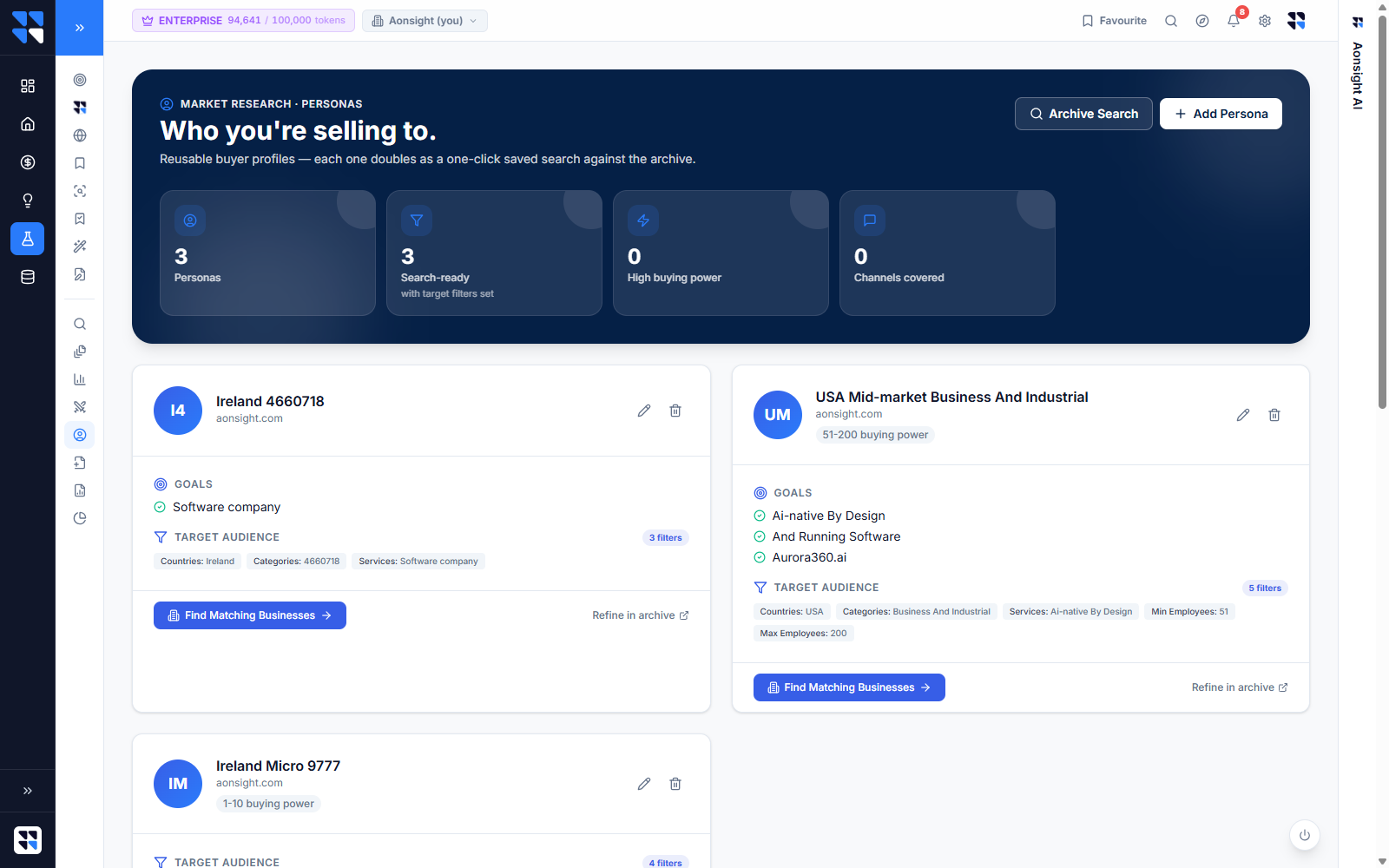
- Goals, pain points and channels
- Decision role and buying power
- Target filters saved per persona
- One click to matching businesses
Each part opens its own trail
Persona cards
Each card shows the buyer's decision role, buying power, goals, pain points and preferred channels.
Target audience filters
Set countries, categories, services, platforms and company size so the persona works as a search.
Find matching businesses
Open archive search with the persona's filters already applied, then refine the results there.
Persona editor
Add or edit a persona in one form covering identity, profile and target audience criteria.
From a question to a finished result in three steps
Step 1
Describe the buyer
Add a persona with a name, typical company, decision role, goals, pain points and channels.
Step 2
Get a search-ready persona
Aonsight saves the persona with its target filters and counts it as search-ready on the list.
Step 3
Find matching businesses
Open the matching businesses in archive search, or include the persona in a combined report.
IN THE APP
Personas
- Personas sit with market research, not in the address book.
- They draw on the services, locations and customers on your profile.
- Market sizing can also turn your serviceable market into a persona.
One question, from first search to final list
Personas are created here or from a market sizing's obtainable market, and they feed archive search and Combined Reports.
Use Personas in your own market
Marketers and sales teams defining an ideal buyer open it and leave with a reusable profile that opens a matching business list in one click.
Personas describe who you sell to. Generate or edit them here, then use them in reports and when you target outreach.
What you can do with Personas
- Personas sit with market research, not in the address book.
- They draw on the services, locations and customers on your profile.
- Market sizing can also turn your serviceable market into a persona.
Where to find it
In app.aonsight, open Research → Market Research.
This sits with Market Research.
Where to go next
- Market Expansion: Markets those personas have not entered.
- Intent Signals: Signals that match the profile.
Questions
What is Personas in Aonsight?
Personas describe who you sell to.
Where do I open Personas?
In app.aonsight, open Research → Market Research.
Related
Pages and posts that share a category or tag.