FEATURE
Pipeline
Move businesses from first contact to closed on Prospects, Leads, or a board you create.
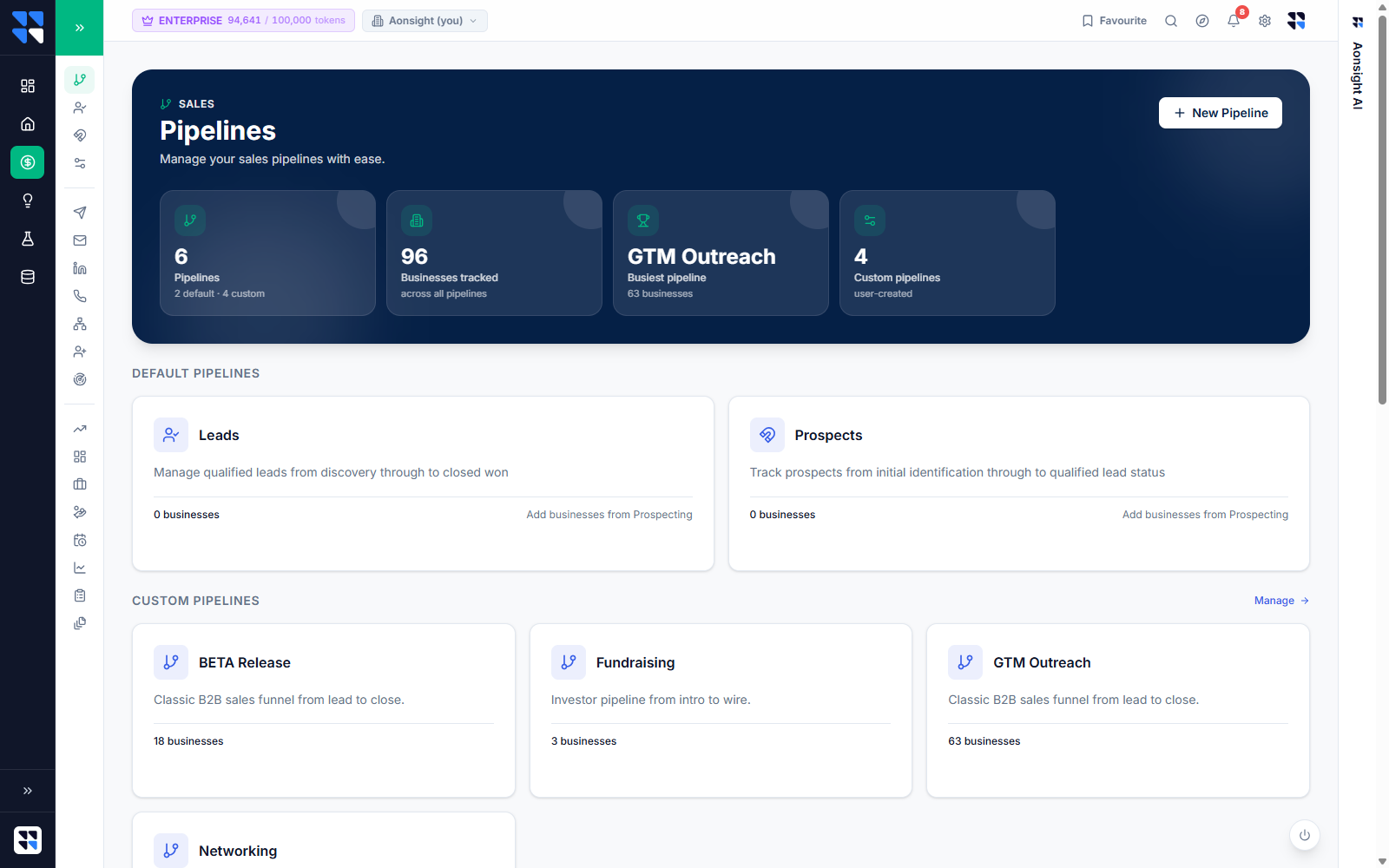
- Prospects and Leads boards by default
- Create pipelines with your own stages
- Business count on every pipeline
- Drag cards between stages
Each part opens its own trail
Prospects board
Track early accounts from first identification through to qualified lead status.
Leads board
Manage qualified leads from discovery through to closed won or closed lost.
Custom pipelines
Create a board with your own stages, starting from a template or from a blank pipeline.
Pipeline summary
See how many businesses each pipeline tracks and which pipeline is the busiest.
From a question to a finished result in three steps
Step 1
Open a pipeline
Choose Prospects, Leads or a custom pipeline from the hub, or create a new one.
Step 2
Review the board
Aonsight shows every card by stage, with its estimated value, probability and next step.
Step 3
Move deals forward
Drag a card when the conversation progresses, and open it to update value, owner and close date.
IN THE APP
Pipeline
- Add businesses from Search Archive or from an opportunity list.
- Open a card for value, owner, close date and next action.
- A side panel is the quick view. The full card is the detailed view.
One question, from first search to final list
Businesses arrive from Search Archive and opportunity lists, and the deals you work here feed Deals, forecasting and sales reports.
Use Pipeline in your own market
Open Pipeline when you run sales and want every board in one place, and leave knowing which pipeline needs attention.
Pipeline is where a business becomes a deal. Default boards are Prospects and Leads. You can add your own. Cards move between stages as the conversation progresses.
What you can do with Pipeline
- Add businesses from Search Archive or from an opportunity list.
- Open a card for value, owner, close date and next action.
- A side panel is the quick view. The full card is the detailed view.
Where to find it
In app.aonsight, open Sales.
Where to go next
- Pipeline Prospects: Early accounts.
- Leads: Qualified leads.
- Deals: Deals across every board.
Questions
What is Pipeline in Aonsight?
Pipeline is where a business becomes a deal.
Where do I open Pipeline?
In app.aonsight, open Sales.
Related
Pages and posts that share a category or tag.