FEATURE
Activities
Log calls, meetings, emails and follow-ups, and see what is due.
- Log calls, meetings and emails
- Filter by activity kind
- Show open items only
- Mark tasks complete
Each part opens its own trail
Activity counts
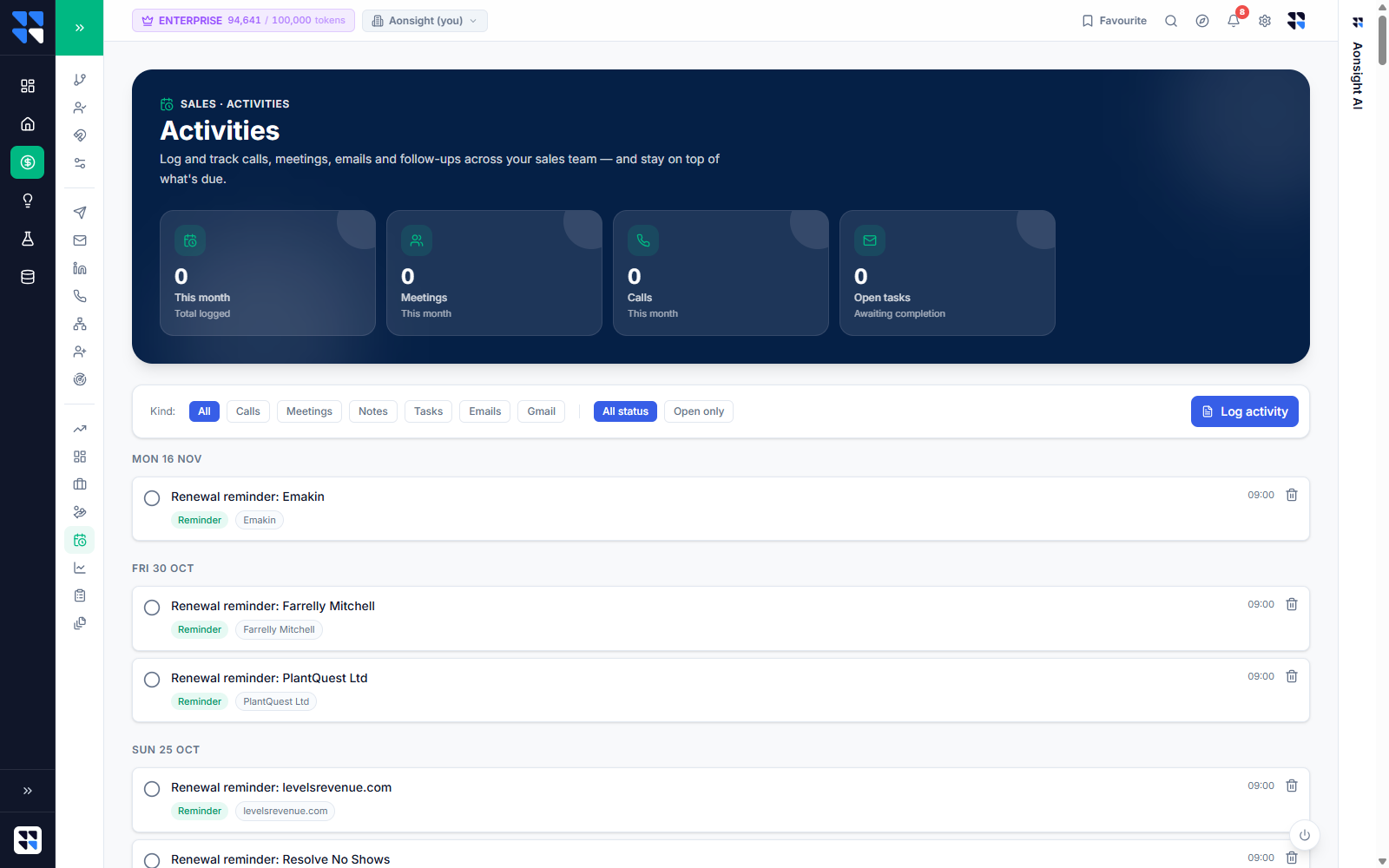
Shows activities, meetings and calls logged this month, plus open tasks.
Kind and status filters
Filters the feed to calls, meetings, notes, tasks, emails or Gmail, or to open items only.
Log activity
Records a call, meeting, note, task or email with a subject, notes and an optional deal and contact.
Activity feed
Groups items by day, with a tick box to complete a task and links to the deal and contact.
From a question to a finished result in three steps
Step 1
Log the activity
Choose a kind, add a subject and notes, set a due time for a task, and link a deal or contact.
Step 2
See it in the feed
Aonsight places it in the day-by-day feed with its kind, outcome, deal and contact.
Step 3
Complete what is due
Switch to open only, work through the list, and tick each task as it is done.
IN THE APP
Activities
- Due items stay visible so a follow-up is not only in someone's inbox.
- Activities can be created from a deal or from this page.
- Phone notes and outreach replies can land here as activity.
One question, from first search to final list
Activities link to deals on your pipelines and to people in Contacts, and they also appear on those records.
Use Activities in your own market
Reps with follow-ups to keep open Activities at the start of the day and leave with a clear list of what is due.
Activities is the list, board and calendar of sales follow-ups. Log a call, meeting, email or task, mark it done, and keep it tied to the right deal.
What you can do with Activities
- Due items stay visible so a follow-up is not only in someone's inbox.
- Activities can be created from a deal or from this page.
- Phone notes and outreach replies can land here as activity.
Where to find it
In app.aonsight, open Sales → Sales.
This sits with Sales.
Where to go next
- Deals: The deal an activity belongs to.
- Phone Outreach: Calls in the outreach section.
Questions
What is Activities in Aonsight?
Activities is the list, board and calendar of sales follow-ups.
Where do I open Activities?
In app.aonsight, open Sales → Sales.
Related
Pages and posts that share a category or tag.