FEATURE
Customers
List the archive businesses you already work with so reports and prospecting can use them.
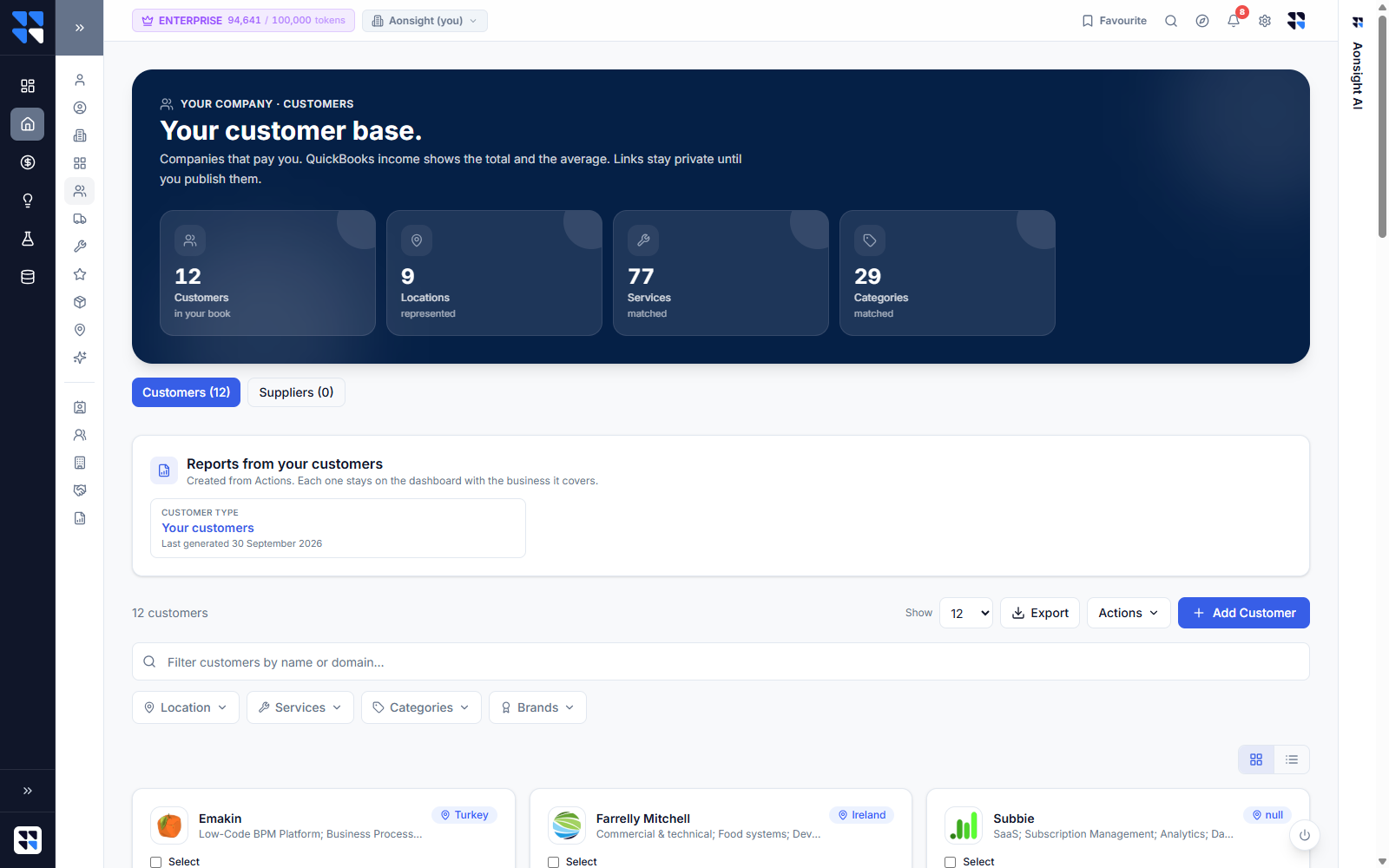
- Add customers from the archive
- Filter by location and services
- Export the customer list
- Customers and suppliers tabs
Each part opens its own trail
Customer list
Shows each customer with its location, in a card view or a list view.
Filter bar
Narrows the list by name or domain, location, services, categories and brands.
Add Customer
Searches the archive by name or domain and adds the business to your customers.
Customer reports
Lists the reports created from your customers, with the date each was last generated.
From a question to a finished result in three steps
Step 1
Add your customers
Select Add Customer, search the archive by name or domain, and add each business you sell to.
Step 2
Review the customer base
Aonsight shows the list with counts of the locations, services and categories it covers.
Step 3
Use the list in research
Filter the list, export it, or build customer reports and personas from it.
IN THE APP
Customers
- Add a customer from the archive, or import a CSV.
- This list is the commercial relationship. Contacts are the people.
- Renewals uses these accounts when a review date is due.
One question, from first search to final list
The list feeds customer reports, personas and Renewals, and can keep those companies out of prospecting.
Use Customers in your own market
Open it as an account manager or founder who knows the current book, and leave with a customer list that reports and personas can use.
Customers are archive businesses you already sell to. The list powers customer reports and personas, and it can keep those companies out of prospecting.
What you can do with Customers
- Add a customer from the archive, or import a CSV.
- This list is the commercial relationship. Contacts are the people.
- Renewals uses these accounts when a review date is due.
Where to find it
In app.aonsight, open Your Company → Profile.
This sits with Company Profile.
Where to go next
Questions
What is Customers in Aonsight?
Customers are archive businesses you already sell to.
Where do I open Customers?
In app.aonsight, open Your Company → Profile.
Related
Pages and posts that share a category or tag.