FEATURE
Referral Finder
Find people in your network who can introduce you to a company already on a pipeline.
- Suggestions for pipeline companies
- Filter by pipeline and location
- Track asked, introduced, converted
- Draft an introduction email
Each part opens its own trail
Company list
Each pipeline company shows how many people you could ask, sorted by most people to ask or by name.
People to ask
Open a company to see each contact and why they can introduce you, such as working at a known supplier.
Suggestion status
Mark a suggestion as asked, introduced or converted, or dismiss it, and filter the list by status.
Add to opportunity
Attach a suggestion to the deal so the introduction path shows on the pipeline card.
From a question to a finished result in three steps
Step 1
Choose a target company
Filter by pipeline, location, organisation or contact person, then open a company from the list.
Step 2
See who could introduce you
Aonsight lists the contacts linked to that company and the reason each one is a route in.
Step 3
Ask and track the intro
Draft the intro email, add the suggestion to the deal and mark it asked, introduced or converted.
IN THE APP
Referral Finder
- The target is a company you are already trying to reach.
- Paths come from your contacts, not from a bought introduction list.
- Pin a path onto the deal so the introduction stays with the card.
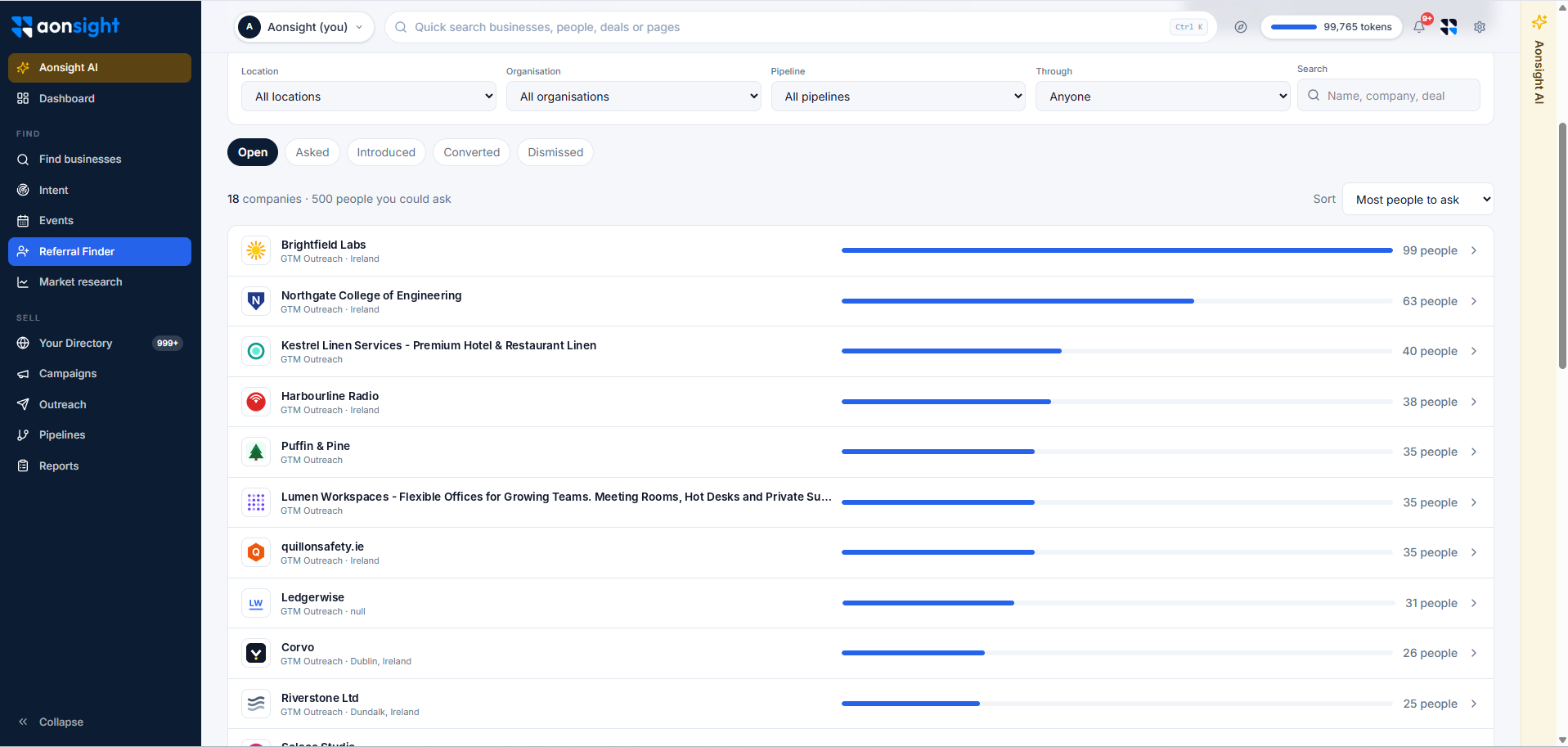
One question, from first search to final list
Referral Finder reads the companies on your pipelines and the people in Contacts, and saved suggestions appear on the deal card.
Use Referral Finder in your own market
Open Referral Finder when a pipeline company is hard to reach cold, and leave with a named contact to ask for the introduction.
Referral Finder starts from pipeline targets and your contacts. Open a company to see who can introduce you, then pin that path onto the deal.
What you can do with Referral Finder
- The target is a company you are already trying to reach.
- Paths come from your contacts, not from a bought introduction list.
- Pin a path onto the deal so the introduction stays with the card.
Where to find it
In app.aonsight, open Sales → Outreach.
This sits with Outreach.
Where to go next
- Referral Prospecting: Start from the person instead of the account.
- Contacts: The address book the intro comes from.
Questions
What is Referral Finder in Aonsight?
Referral Finder starts from pipeline targets and your contacts.
Where do I open Referral Finder?
In app.aonsight, open Sales → Outreach.
Related
Pages and posts that share a category or tag.