FEATURE
MCP
Connect Claude, ChatGPT, Cursor, Copilot, Windsurf, Gemini or Grok Bot to your Aonsight workspace.
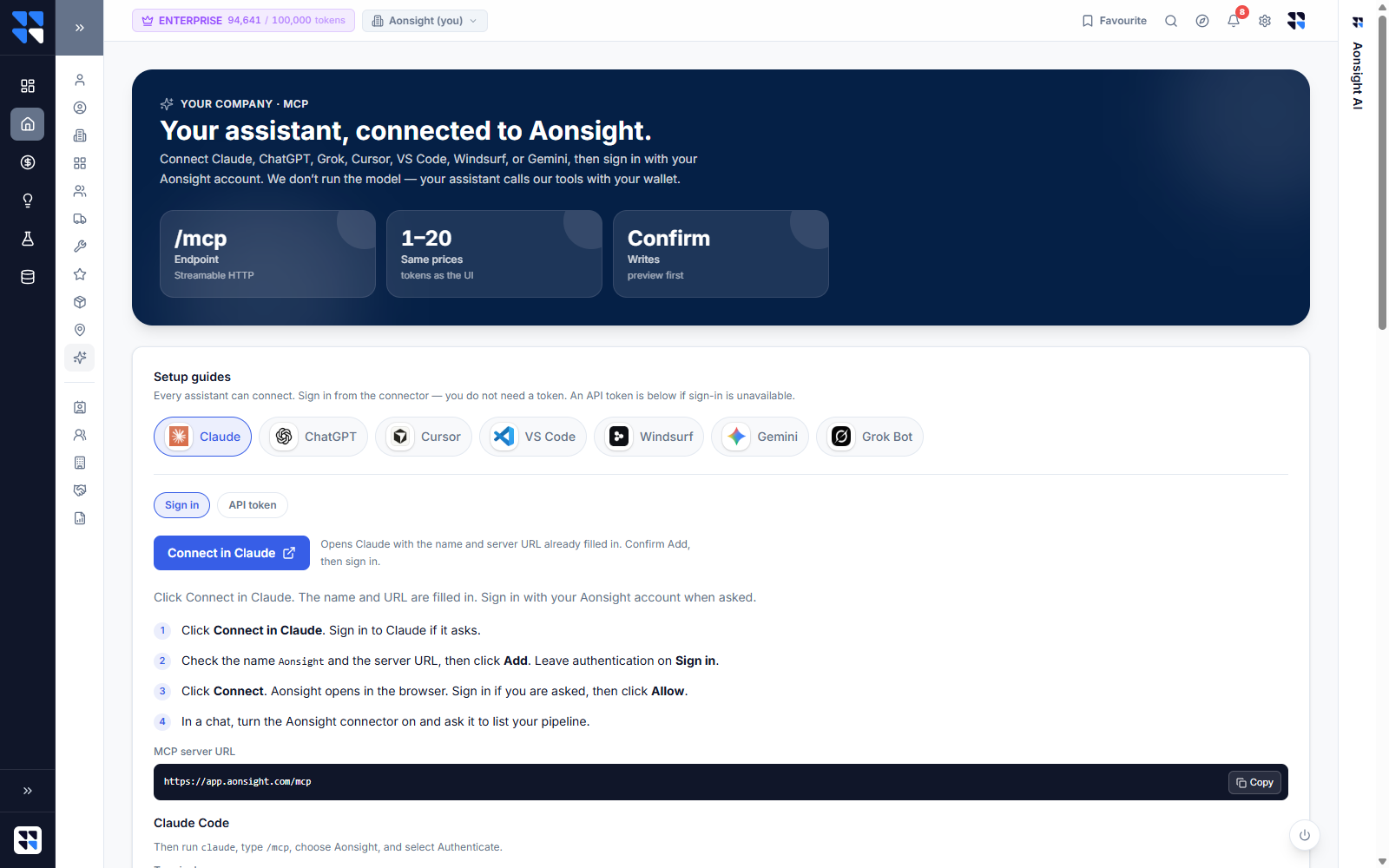
- Guides for seven assistants
- Sign in or use a token
- Writes preview before they run
- Billed on your Aonsight tokens
Each part opens its own trail
Setup guides
Step-by-step instructions for Claude, ChatGPT, Cursor, VS Code, Windsurf, Gemini and Grok Bot.
Sign in or token
Connect by signing in with your Aonsight account, or create an API token to paste instead.
Server URL
Shows the MCP server address with a Copy button, ready for your assistant's settings.
Assistant actions
Lists what the assistant can do: check the balance, search, read profiles and work the pipeline.
From a question to a finished result in three steps
Step 1
Pick your assistant
Choose your assistant under Setup guides and follow the steps to add Aonsight as a connector.
Step 2
Confirm the connection
Aonsight supplies the server URL and the sign-in or token step, and previews any write before it runs.
Step 3
Ask from your assistant
Ask it to search the archive, list your pipeline or add a company to Leads.
IN THE APP
MCP
- Connecting takes a token from this page, not a separate chatbot subscription.
- You can skip it during onboarding and come back later.
- The assistant can do the same archive and pipeline actions as the web app, at the same token prices.
One question, from first search to final list
MCP reads the same archive and pipelines as the web app and spends the same token balance, at the same token prices.
Use MCP in your own market
Open it if you already work in Claude, ChatGPT or Cursor, and leave with that assistant connected to your Aonsight workspace.
MCP lets the assistant you already use search the archive, fill a pipeline and unlock in-market leads. Mint a token on this page and paste it into Claude, ChatGPT, Cursor, Copilot, Windsurf, Gemini or Grok Bot. Usage is billed on your Aonsight tokens.
What you can do with MCP
- Connecting takes a token from this page, not a separate chatbot subscription.
- You can skip it during onboarding and come back later.
- The assistant can do the same archive and pipeline actions as the web app, at the same token prices.
Where to find it
In app.aonsight, open Your Company → Profile.
This sits with Company Profile.
Where to go next
- Aonsight AI: The chat inside the app.
- Integrations: The other connections.
Questions
What is MCP in Aonsight?
MCP lets the assistant you already use search the archive, fill a pipeline and unlock in-market leads.
Where do I open MCP?
In app.aonsight, open Your Company → Profile.
Related
Pages and posts that share a category or tag.