FEATURE
Research
Search the archive, then size the market, benchmark competitors and build reports from the same dataset.
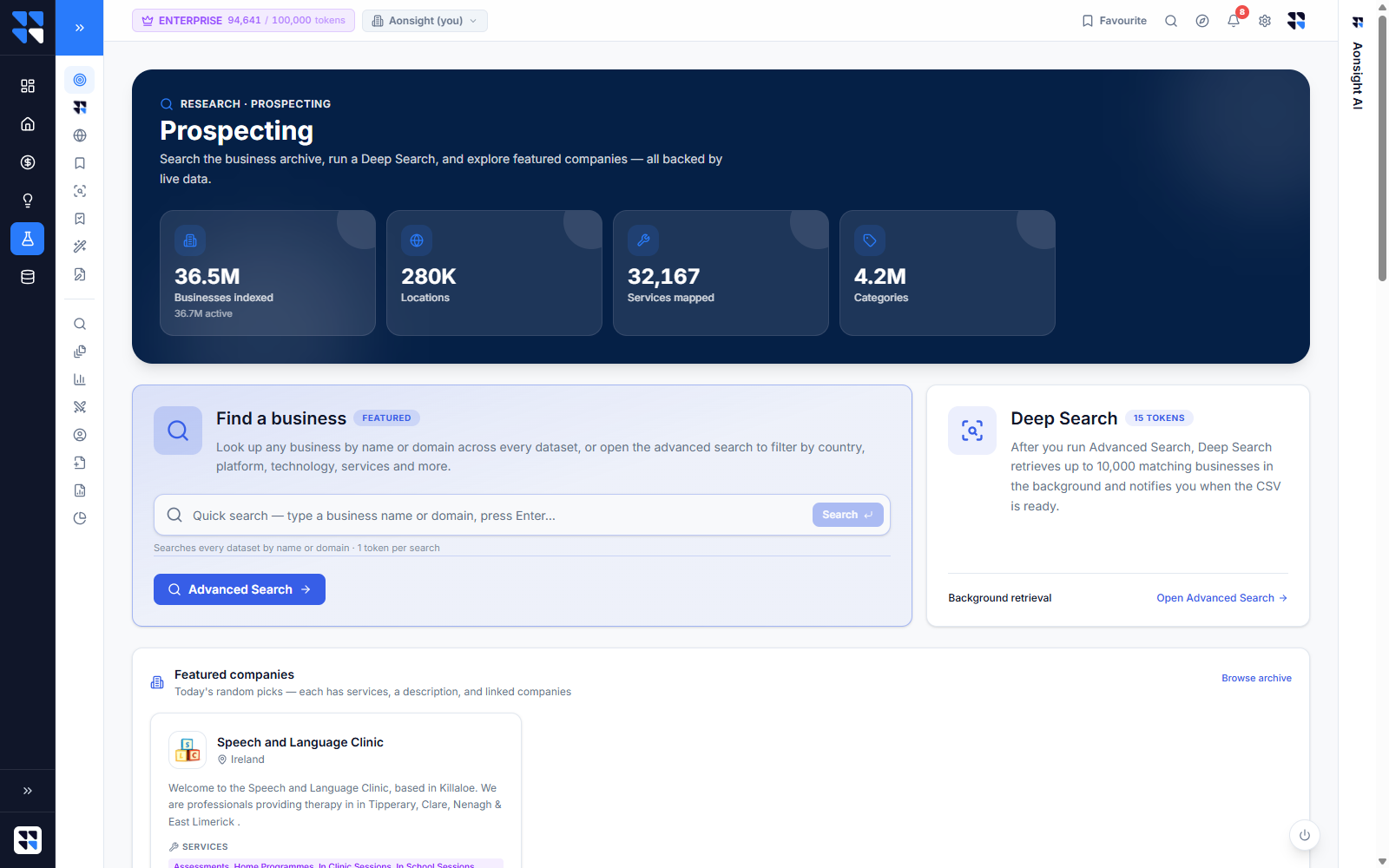
- Search the business archive
- Browse services, brands and places
- Estimate TAM, SAM and SOM
- Benchmark tracked competitors
Each part opens its own trail
Prospecting hub
Quick search, Deep Search and featured companies sit on one page alongside the archive totals.
Search Archive
Filter the archive by location, technology, services and financials, then open a business profile.
Market Research hub
Open combined reports, competitor benchmarks, personas, the report builder and market sizing.
Market Sizing
Estimate TAM, SAM and SOM from live business data and save each sizing as a report.
From a question to a finished result in three steps
Step 1
Search the archive
Start in Prospecting with a name, a domain or a set of filters for the market you sell into.
Step 2
Read the market
Aonsight returns matching businesses, and Market Research turns the same dataset into sizing and benchmarks.
Step 3
Build a report
Save the search, generate a report or a sizing, and add the businesses that fit to a pipeline.
IN THE APP
Research
- Prospecting covers search, saved searches and locations.
- Market Research covers sizing, competitor benchmarks, personas and reports.
- Open either hub from the Research section in the product.
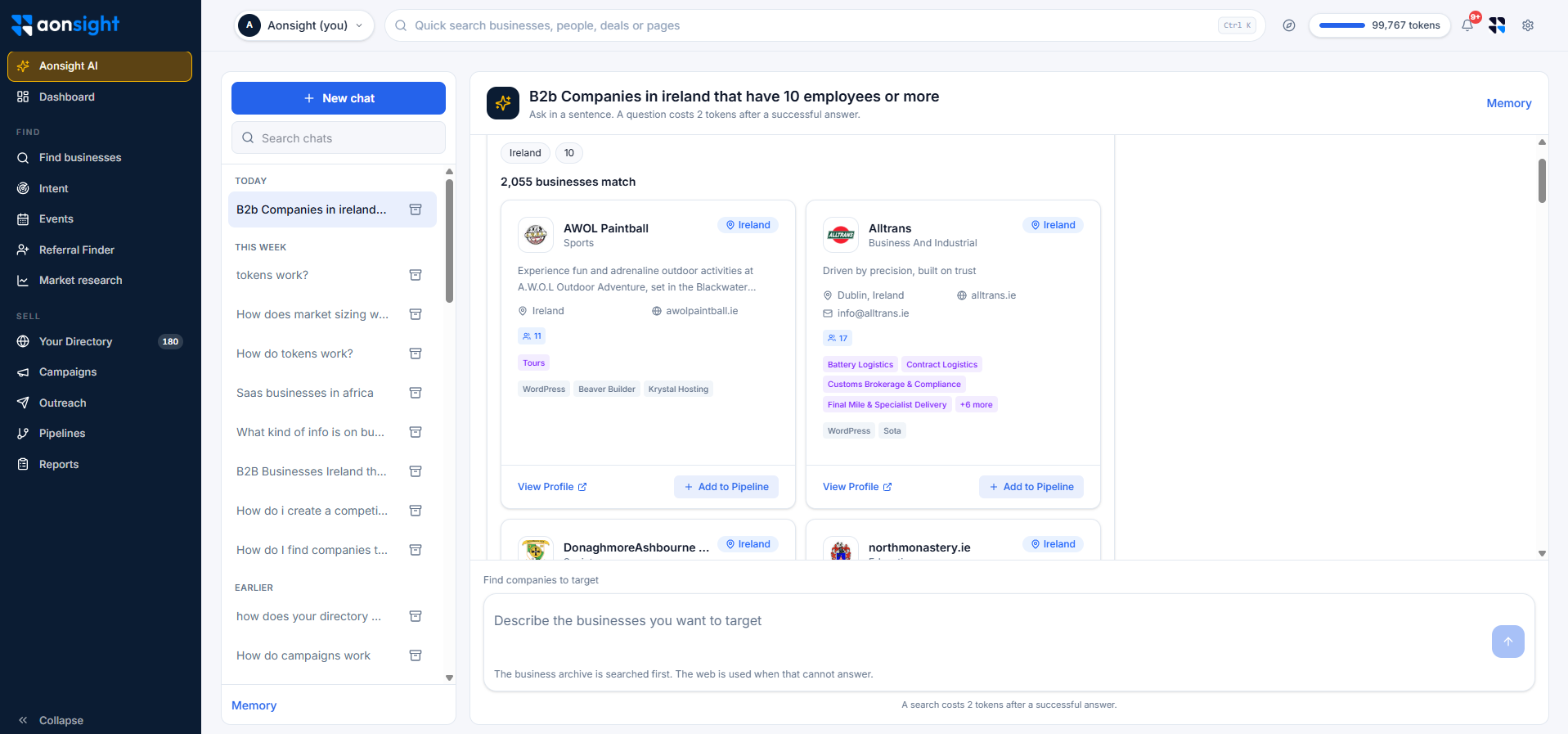
One question, from first search to final list
Prospecting and Market Research read the same dataset, and their results feed opportunities, pipelines and reports.
Use Research in your own market
Open Research when you are defining a target market and leave with a searched list, a market size and a report you can share.
Research is where you search the business archive and turn it into market work. The section splits into Prospecting and Market Research, both reading the same dataset.
What you can do with Research
- Prospecting covers search, saved searches and locations.
- Market Research covers sizing, competitor benchmarks, personas and reports.
- Open either hub from the Research section in the product.
Where to find it
In app.aonsight, open Research.
Where to go next
- Prospecting: Search the archive.
- Market Research: Reports, benchmarks and market size.
Questions
What is Research in Aonsight?
Research is where you search the business archive and turn it into market work.
Where do I open Research?
In app.aonsight, open Research.
Related
Pages and posts that share a category or tag.