FEATURE
Opportunities
Turn archive signals into work: in-market prospects, expansion, gaps, renewals and trends.
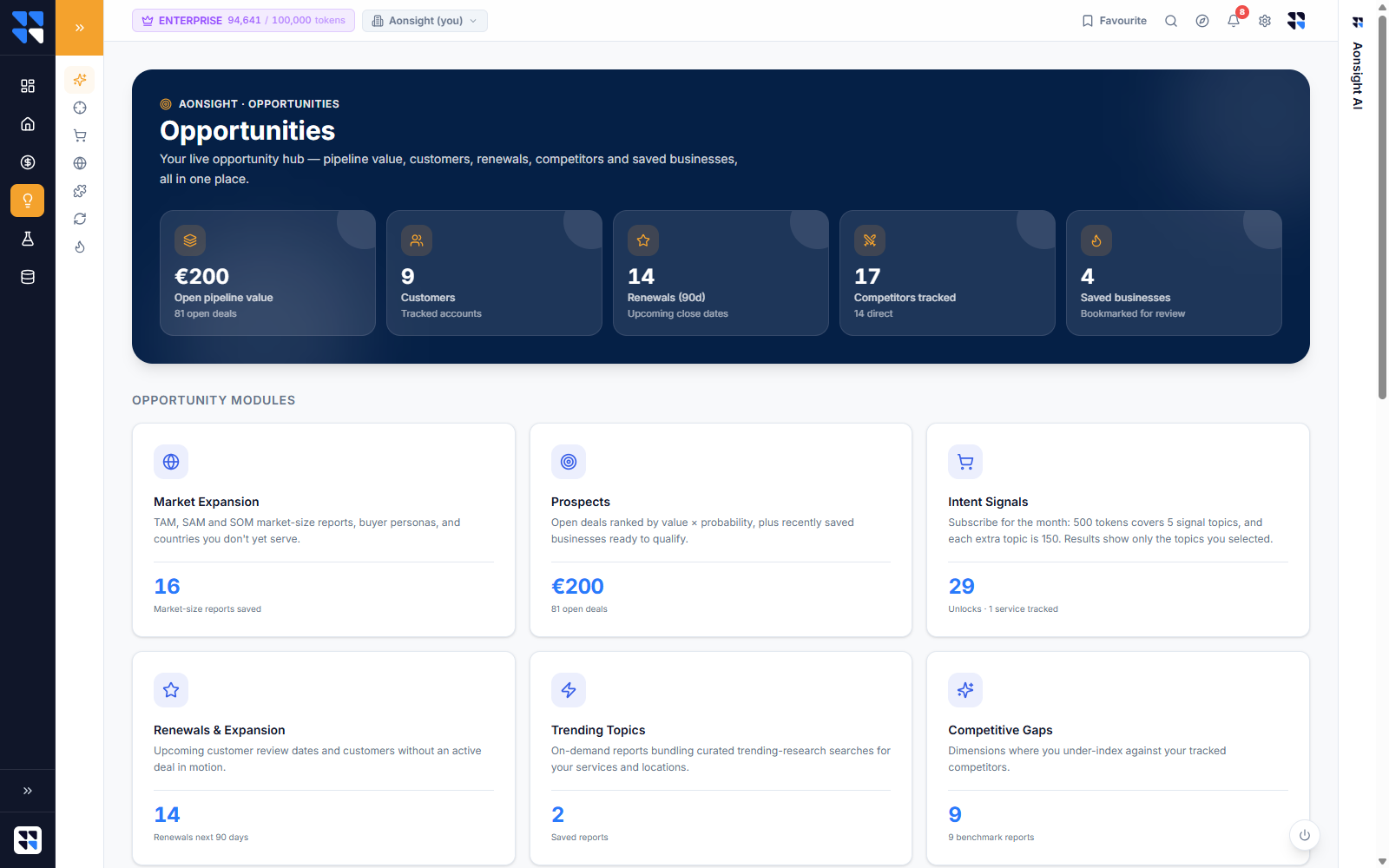
- Six opportunity modules in one hub
- Open pipeline value at a glance
- Renewals due within 90 days
- Quick links to pipeline and sizing
Each part opens its own trail
In-market Prospects
Ranks your open deals by value times probability and lists saved businesses ready to qualify.
Intent Signals
Lists companies showing buyer intent on the signal topics that match your services.
Market Expansion
Brings together your TAM, SAM and SOM reports, buyer personas and countries you do not yet serve.
Renewals and Expansion
Shows upcoming customer review dates and active customers with no deal in motion.
From a question to a finished result in three steps
Step 1
Read the hub figures
Open Opportunities to see pipeline value, customers, renewals, tracked competitors and saved businesses.
Step 2
Compare the module tiles
Aonsight shows a live figure on each tile, such as open deals, saved reports or renewals due.
Step 3
Open the list to work
Open the module that fits the task, then move the accounts worth pursuing onto a pipeline.
IN THE APP
Opportunities
- Each tile is a different kind of opportunity.
- Intent Signals is the usual starting point once services are on your profile.
- Financing (investors and grants) sits in the same section.
One question, from first search to final list
Pipelines, customers, competitors, market-size reports and profile services feed the hub, and each tile opens its working list.
Use Opportunities in your own market
Sales leads planning the week open Opportunities and leave knowing which list to work first, from prospects and signals to renewals and gaps.
Opportunities turns the archive into a set of working lists. The hub opens in-market prospects, intent signals, market expansion, competitive gaps, renewals and trending topics.
What you can do with Opportunities
- Each tile is a different kind of opportunity.
- Intent Signals is the usual starting point once services are on your profile.
- Financing (investors and grants) sits in the same section.
Where to find it
In app.aonsight, open Opportunities.
Where to go next
- In-market Prospects: Open deals ranked by value.
- Intent Signals: Archive signals that match you.
- Market Expansion: Adjacent markets.
Questions
What is Opportunities in Aonsight?
Opportunities turns the archive into a set of working lists.
Where do I open Opportunities?
In app.aonsight, open Opportunities.
Related
Pages and posts that share a category or tag.