FEATURE
Email Outreach
Create campaigns from a connected inbox and track sends, opens and replies.
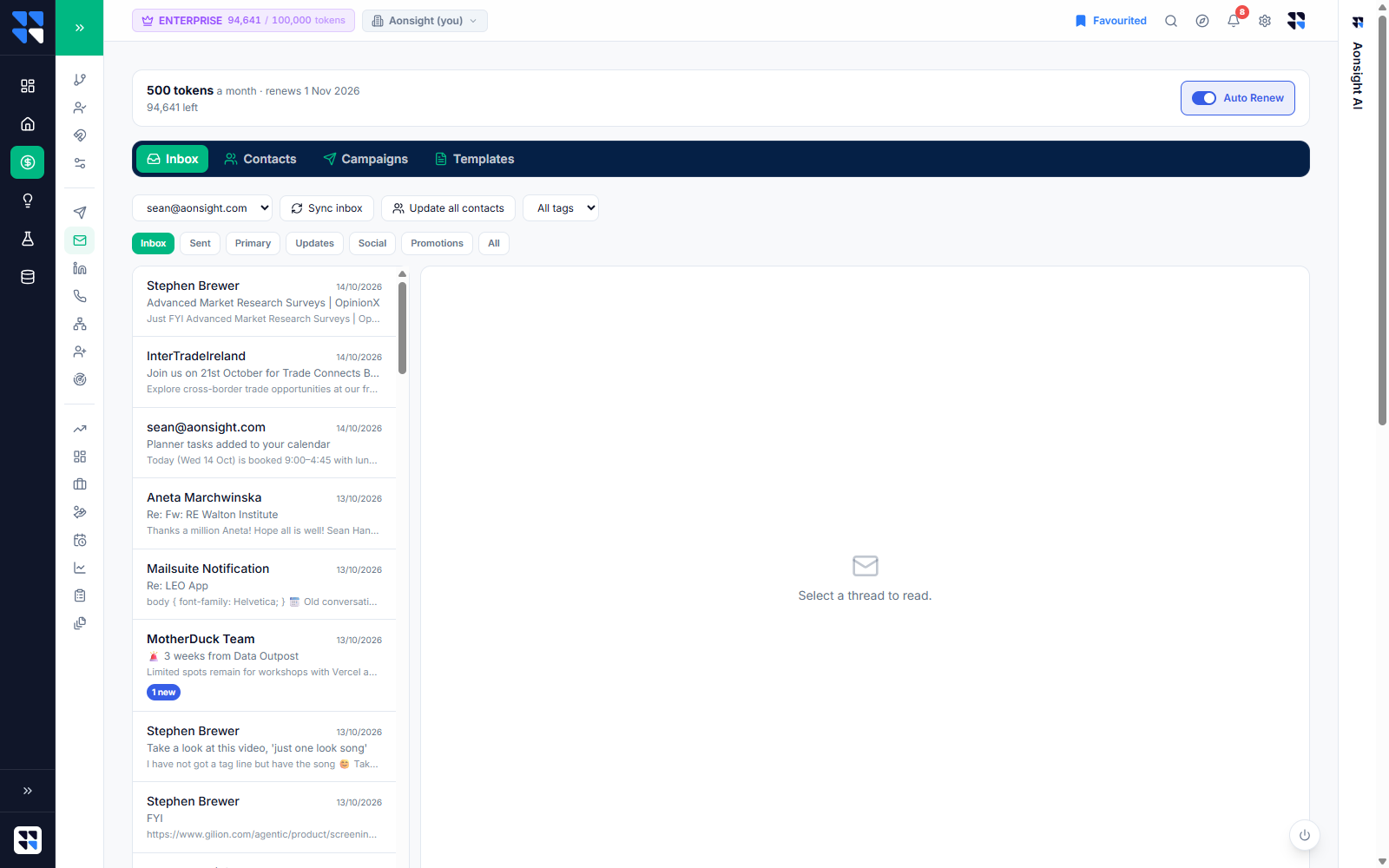
- Connect Gmail, Outlook or IMAP
- Multi-step email sequences
- Track opens, clicks and replies
- Read and reply in the inbox
Each part opens its own trail
Campaign list
See each campaign with its status, sending mailbox and counts for recipients, sent, opened and replied.
Sequence steps
Give each step a template, a wait in days and a condition such as only if no reply.
Email templates
Write reusable subjects and bodies with variables such as first name and company.
Mailbox inbox
Sync a connected mailbox, read each thread and send a reply from inside Aonsight.
From a question to a finished result in three steps
Step 1
Build a campaign
Connect a mailbox, name the campaign, add sequence steps and choose recipients from your contacts.
Step 2
Follow sends and opens
After launch, Aonsight sends from your mailbox and counts sends, opens and replies for each campaign.
Step 3
Reply to responses
Open the inbox to read each reply in its thread and answer from the same mailbox.
IN THE APP
Email Outreach
- Connect the inbox under Integrations first.
- Campaigns, sequences and templates live with email, not in the pipeline card.
- Replies stay attached to the send so the thread is visible with the campaign.
One question, from first search to final list
Recipients come from Contacts, sends go through the mailbox you connect, and replies return to the inbox on this page.
Use Email Outreach in your own market
Open Email Outreach when you have contacts to reach by email, and leave with a campaign running and its opens and replies in view.
Email Outreach sends through an inbox you connect. Create a campaign, add recipients, and follow sends, opens and replies on this page.
What you can do with Email Outreach
- Connect the inbox under Integrations first.
- Campaigns, sequences and templates live with email, not in the pipeline card.
- Replies stay attached to the send so the thread is visible with the campaign.
Where to find it
In app.aonsight, open Sales → Outreach.
This sits with Outreach.
Where to go next
- Pipeline: The accounts a campaign is about.
- Integrations: The inbox connection.
Questions
What is Email Outreach in Aonsight?
Email Outreach sends through an inbox you connect.
Where do I open Email Outreach?
In app.aonsight, open Sales → Outreach.
Related
Pages and posts that share a category or tag.