- Quick search: when you know the company
- Advanced search: when you need a group
- Aonsight AI: for everything else
- Results and expor
IN THE APP
Find one or business no matter your criteria
- Quick search for one company, advanced search for a group, and Aonsight AI for everything else.
Use This feature in your own market
[One line on who should open this, and what they leave with.]
Want the long version?
[One line on the guide, and who it is for.]
Get market insight in your inbox
[One line on what the email covers and how often it arrives.]
[No spam. Unsubscribe any time. This list is not connected yet.]
Find any business. Three ways to search.
Look up any business by name or domain
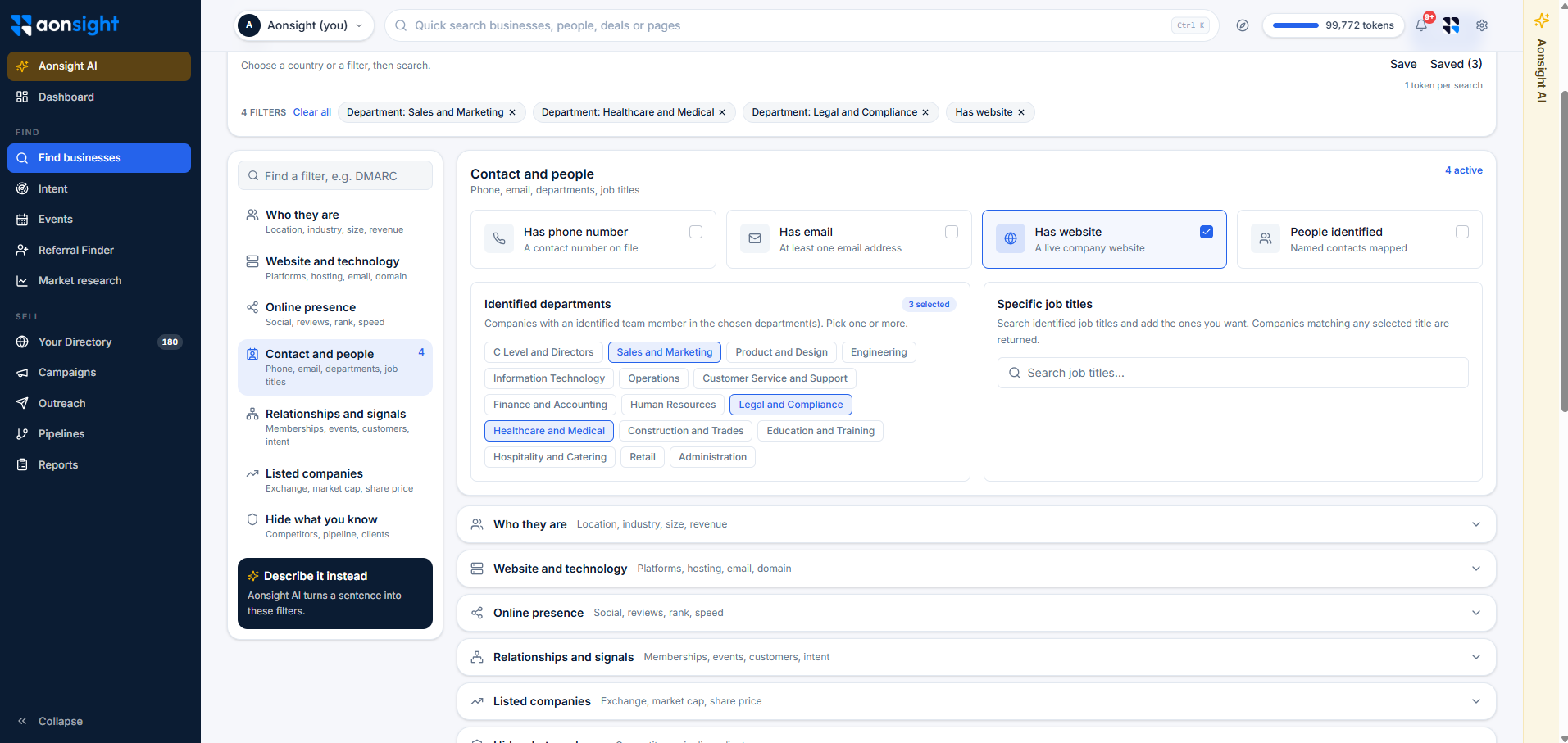
Filter for every company that matches
Not sure which filters to pick? Use Describe it instead and Aonsight AI turns a sentence into filters.
Aonsight AI: for everything else
Describe the companies you want, in plain English
Write what you are looking for, such as "B2B companies in Ireland with 10 or more employees". Aonsight AI searches the business archive first, and uses the web only when the archive can't answer. You get the matching companies back, with the criteria it applied shown at the top.
- No filters to learn
- Archive first, web second
- 2 tokens per search, charged only after a successful answer
Results and export
From search to pipeline in one click
Every result can go straight into your directory or a pipeline. Browse up to 1,000 results on screen, export them at 1 token per row, or run a Deep Search for 15 tokens to get up to 10,000 rows as a CSV in the background.
Questions
What is the difference between quick search and advanced search?
Quick search finds one business by its name or domain. Advanced search finds a group of companies that match the criteria you choose.
How much does a search cost?
Quick search and advanced search cost 1 token per search. Aonsight AI costs 2 tokens, charged only after a successful answer. Exports cost 1 token per row, and a Deep Search costs 15 tokens.
Can I search by technology?
Yes. Filter by eCommerce platform, CMS, hosting provider, email provider and DNS services.
Will I see companies I already work with?
Only if you want to. Hide competitors, prospects already in your pipeline and existing clients from any advanced search.
Where does Aonsight AI get its answers?
From the Aonsight business archive first. It only turns to the web when the archive can't answer.
How many results can I export?
Up to 1,000 rows instantly, or up to 10,000 with Deep Search, which runs in the background and notifies you when the CSV is ready.
Related
Pages and posts that share a category or tag.