FEATURE
Forecasting
Read weighted, best case and commit from deals that have an expected close date.
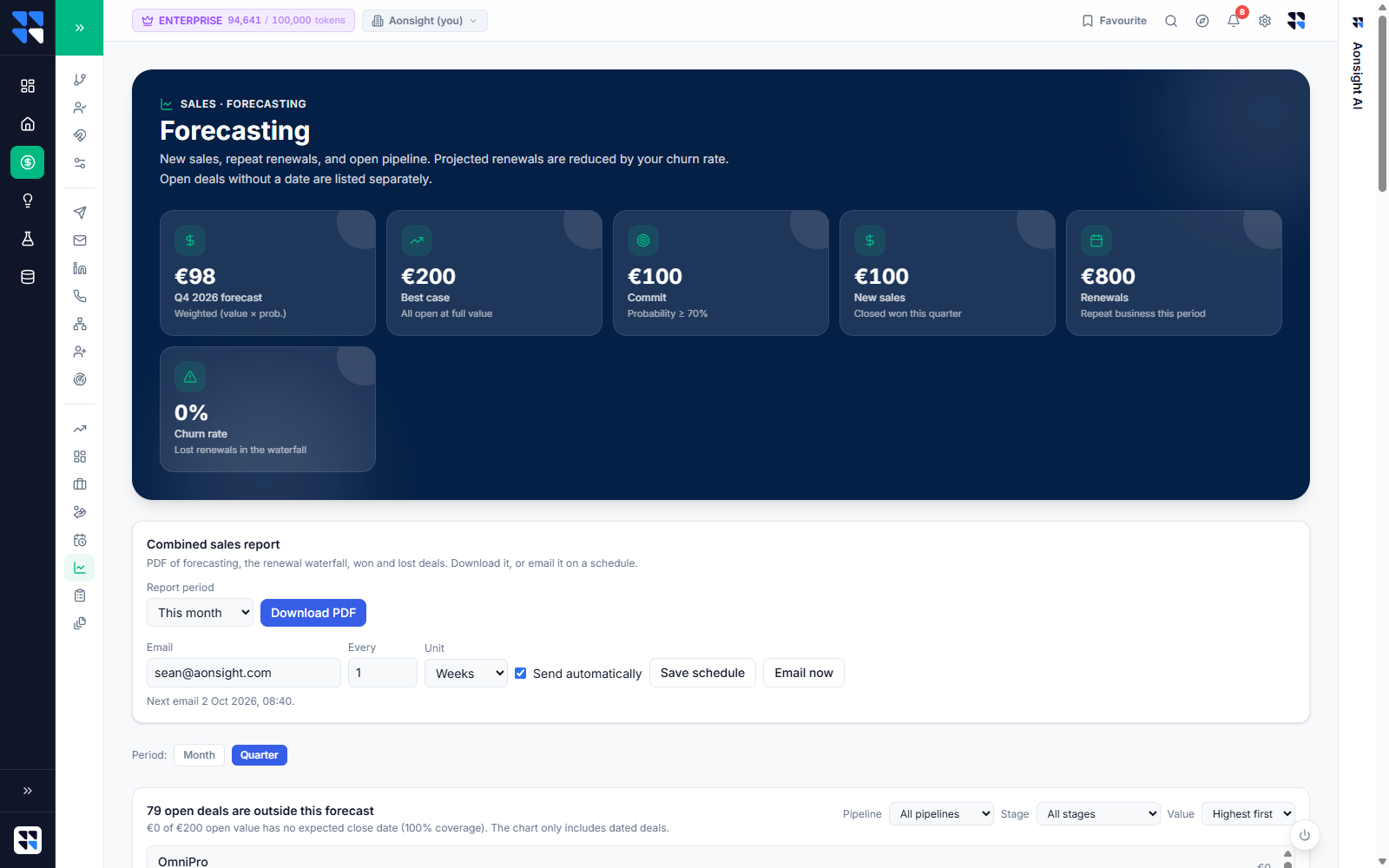
- Weighted, best case and commit
- Month or quarter view
- Undated open deals listed apart
- Combined sales report as PDF
Each part opens its own trail
Forecast figures
Shows weighted, best case and commit values for the current period, with new sales and renewals.
Period switch
Changes the forecast between a monthly and a quarterly view.
Deals outside the forecast
Lists open deals with no expected close date, the value they hold and the coverage figure.
Combined sales report
Downloads a PDF of forecasting, renewals, won and lost deals, or emails it on a schedule.
From a question to a finished result in three steps
Step 1
Choose the period
Select month or quarter to set the period the forecast covers.
Step 2
Read the forecast
Aonsight returns weighted, best case and commit, a forecast chart and the top deals due to close.
Step 3
Close the gaps
Open each undated deal to add a close date, then download or schedule the combined report.
IN THE APP
Forecasting
- Weighted value uses the probability on the deal.
- Best case and commit are separate from the weighted number.
- Fix missing values and dates on the deal. The forecast does not invent them.
One question, from first search to final list
Forecasting reads value, probability and expected close date from your deals, and its report can be sent on by email.
Use Forecasting in your own market
Sales leaders open Forecasting before a pipeline review and leave with a weighted number and a list of deals that need dates.
Forecasting rolls up deals that have an expected close date into weighted, best case and commit. Open deals without a date are listed separately, so coverage is not inflated by undated pipeline.
What you can do with Forecasting
- Weighted value uses the probability on the deal.
- Best case and commit are separate from the weighted number.
- Fix missing values and dates on the deal. The forecast does not invent them.
Where to find it
In app.aonsight, open Sales → Sales.
This sits with Sales.
Where to go next
- Deals: The deals in the forecast.
- Sales Reports: Win rate, deal size and cycle time.
Questions
What is Forecasting in Aonsight?
Forecasting rolls up deals that have an expected close date into weighted, best case and commit.
Where do I open Forecasting?
In app.aonsight, open Sales → Sales.
Related
Pages and posts that share a category or tag.