FEATURE
Your Profile
Update your name, photo and personal account. Company data lives elsewhere.
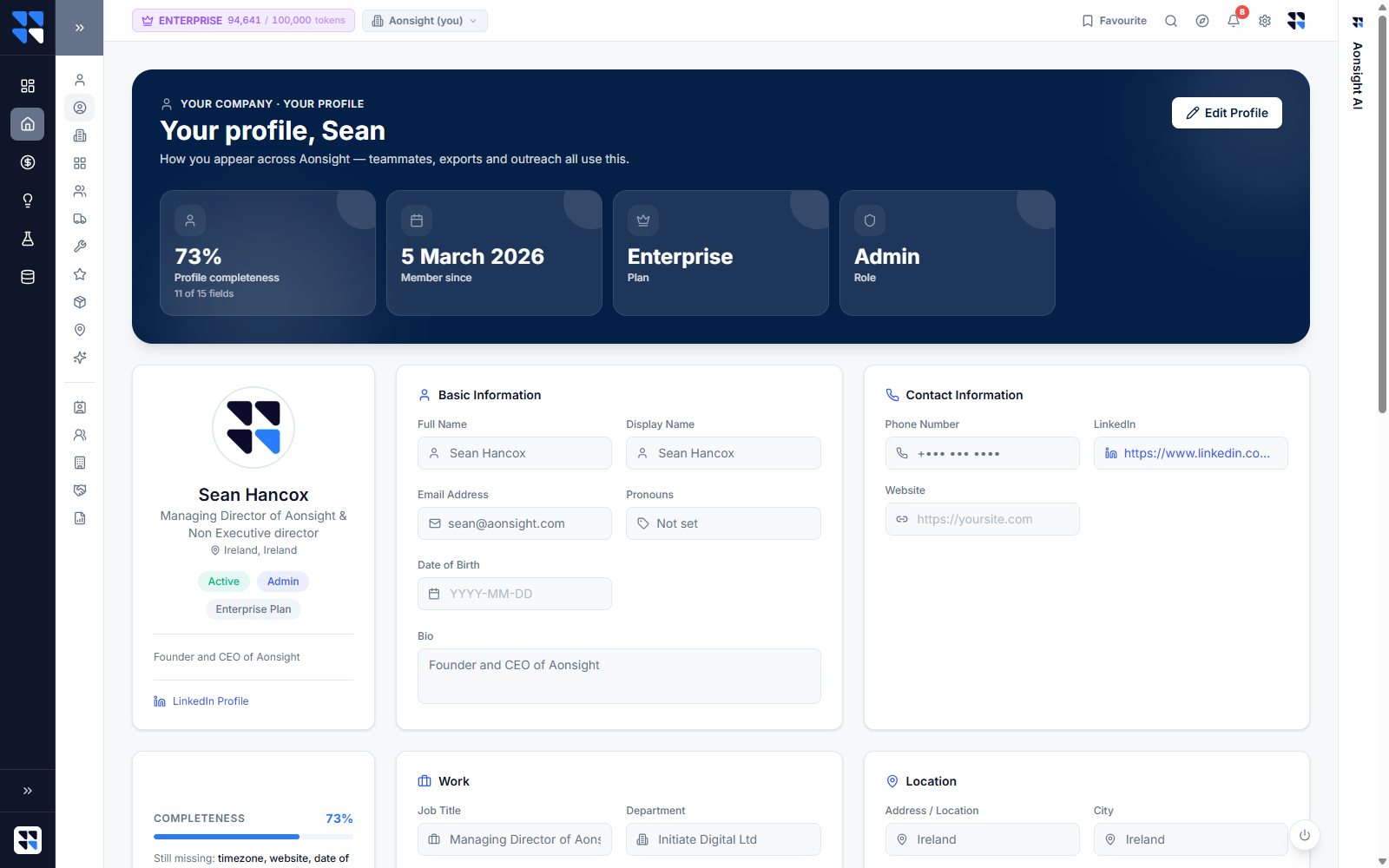
- Edit name, photo and bio
- Profile completeness shown
- Add job title and department
- Set your timezone and pronouns
Each part opens its own trail
Basic information
Holds your full name, display name, pronouns, date of birth and a short bio.
Contact information
Stores your phone number, LinkedIn profile link and website.
Work and location
Records your job title, department, address, city, country and timezone.
Completeness panel
Shows a completeness score and names the fields that are still missing.
From a question to a finished result in three steps
Step 1
Select Edit Profile
Open Your Profile, select Edit Profile, then change your details or upload a photo.
Step 2
Check the completeness score
Aonsight recalculates the score and lists any fields that are still empty.
Step 3
Save your changes
Select Save Changes, and teammates, exports and outreach show the updated details.
IN THE APP
Your Profile
- Photo and name are for the person signed in.
- Password and session history are under Security.
- Changing this page does not change services, locations or competitors.
One question, from first search to final list
Your name and photo appear to teammates and in exports and outreach, and the company data sits under Your Company.
Use Your Profile in your own market
Open it when you join a workspace or change role, and leave with an up-to-date name, photo and contact details across Aonsight.
Your Profile is the personal account: name, photo and account basics. The company, team and offer live under Your Company, not on this page.
What you can do with Your Profile
- Photo and name are for the person signed in.
- Password and session history are under Security.
- Changing this page does not change services, locations or competitors.
Where to find it
In app.aonsight, open Your Company → Profile.
This sits with Company Profile.
Where to go next
- Company Profile: The company data beside your own profile.
Questions
What is Your Profile in Aonsight?
Your Profile is the personal account: name, photo and account basics.
Where do I open Your Profile?
In app.aonsight, open Your Company → Profile.
Related
Pages and posts that share a category or tag.