FEATURE
Contacts
Open people, the companies they work for, clients, and a summary of the address book.
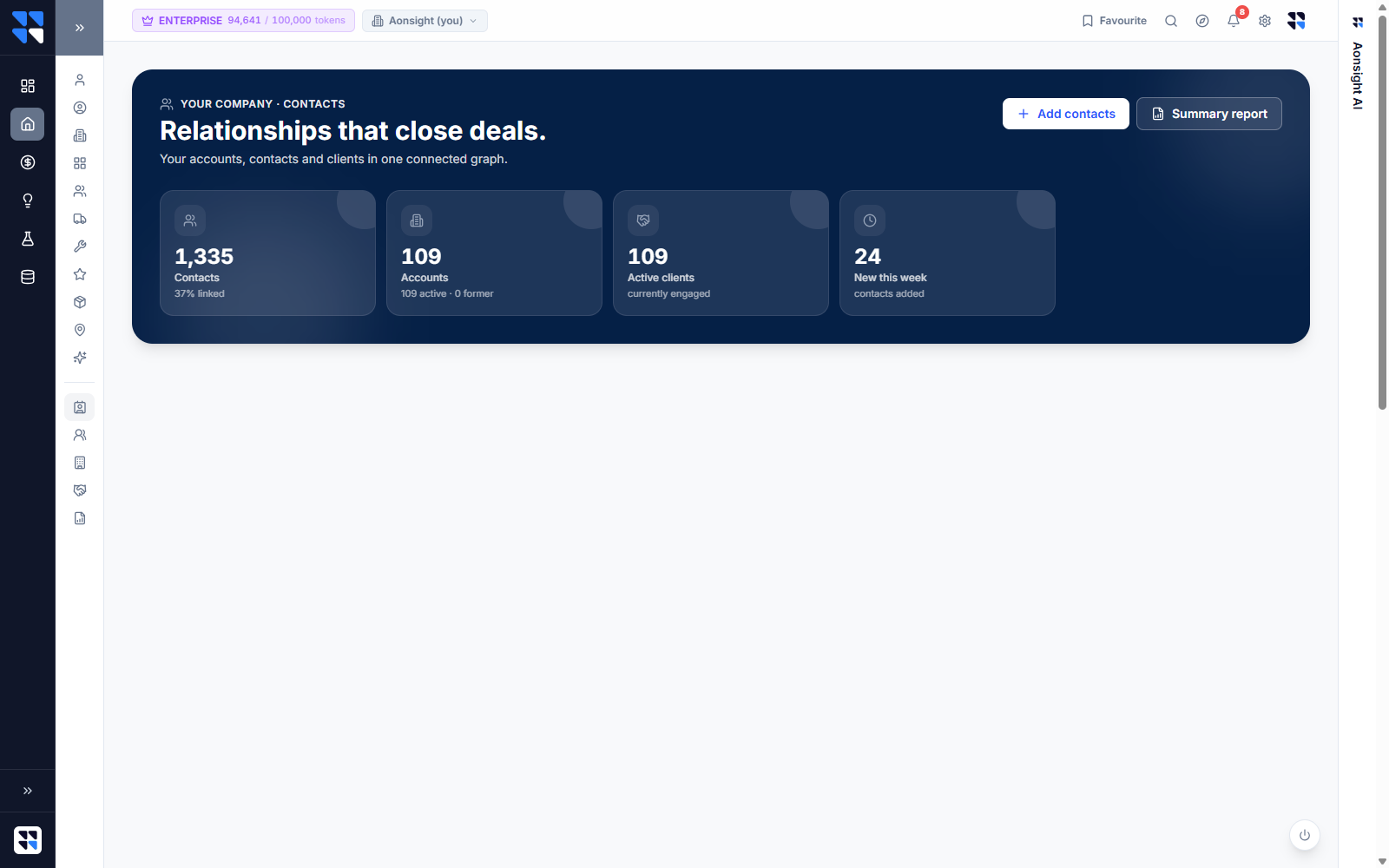
- People, companies and clients
- Recently added contacts list
- Account coverage figure
- Active and former client mix
Each part opens its own trail
People list
Lists the people in your address book, linked to companies by email domain.
Contact Companies
Lists the companies you track, including clients, prospects and pipeline targets.
Clients list
Shows active and former clients with the contacts and pipelines tied to each one.
Summary Report
Charts the rate of additions, contact sources, coverage and client status.
From a question to a finished result in three steps
Step 1
Add your contacts
Import a CSV, connect a mailbox or add people by hand from the People screen.
Step 2
See the book take shape
Aonsight links people to companies and shows totals, recent additions and account coverage.
Step 3
Work each list
Open People, Contact Companies or Clients to act on a record, then check the Summary Report.
IN THE APP
Contacts
- Import contacts from onboarding or from a connected account.
- Referral Finder and Referral Prospecting both read this book.
- Clients here should stay in step with Profile → Customers.
One question, from first search to final list
Contacts is filled by imports and manual entries, and Referral Finder and Referral Prospecting both read from it.
Use Contacts in your own market
Anyone building a network in Aonsight opens Contacts first and leaves knowing how many people, companies and clients they hold.
Contacts is the address book. People you import or capture sit here. Companies group them, Clients marks who you sell to, and Summary Report charts the book.
What you can do with Contacts
- Import contacts from onboarding or from a connected account.
- Referral Finder and Referral Prospecting both read this book.
- Clients here should stay in step with Profile → Customers.
Where to find it
In app.aonsight, open Your Company.
Where to go next
- People: Search people.
- Contact Companies: Companies in the address book.
Questions
What is Contacts in Aonsight?
Contacts is the address book.
Where do I open Contacts?
In app.aonsight, open Your Company.
Related
Pages and posts that share a category or tag.