FEATURE
Your Locations
Add the places you operate. Market sizing, search defaults and reports use them.
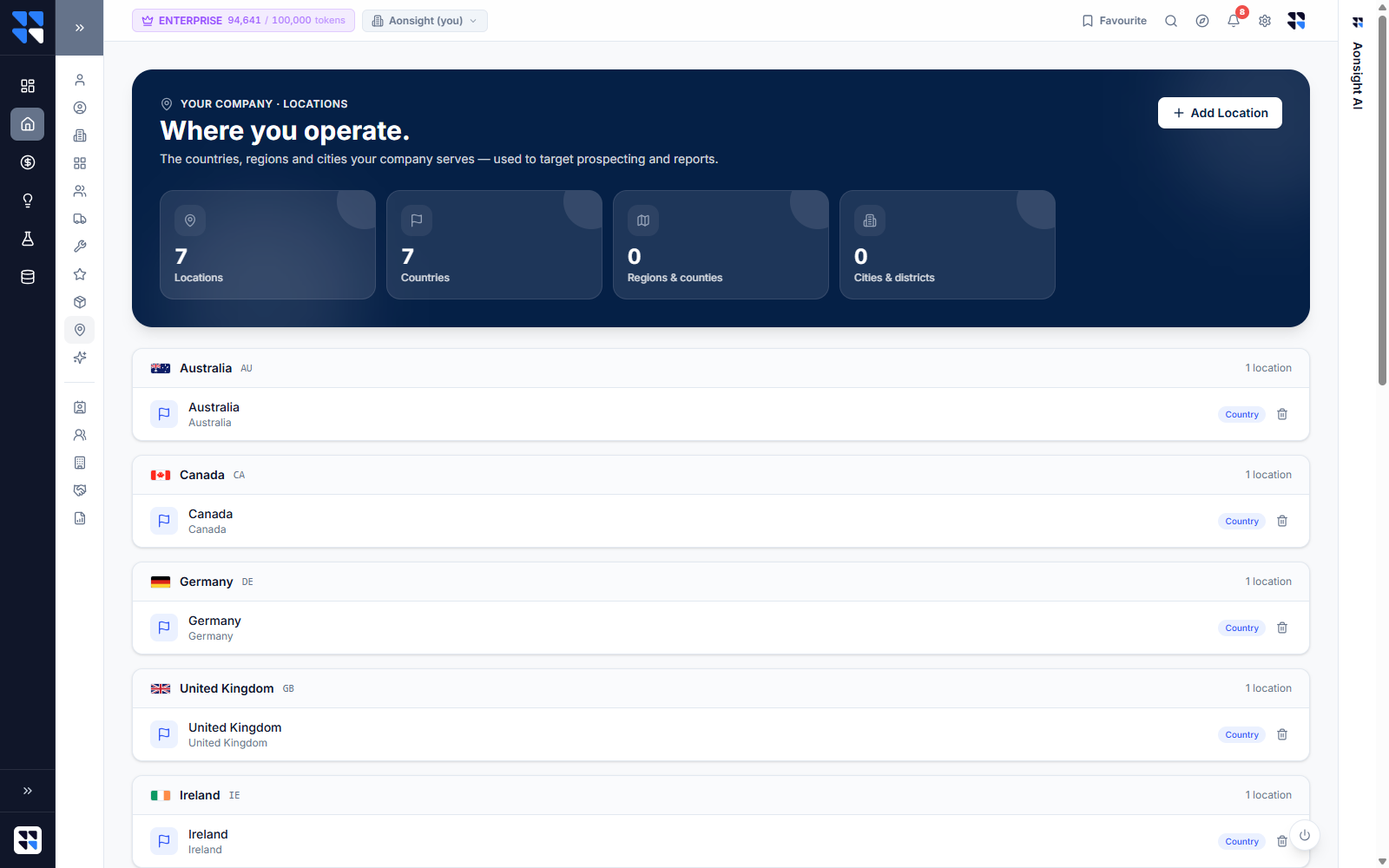
- Search countries and cities
- Locations grouped by country
- Type label on every location
- Counts of countries and cities
Each part opens its own trail
Country groups
Groups your locations under each country, with a flag and a count per group.
Add Location
Opens a search by country, city, state or region, with an Add button beside each result.
Create a location
When search finds nothing, add the place and set its parent region and country.
Footprint counts
Counts locations, countries, regions and counties, and cities and districts.
From a question to a finished result in three steps
Step 1
Search for a place
Select Add Location and type a country, city, state or region.
Step 2
Check the location type
Aonsight lists matches with their type and full path, from country down to district.
Step 3
Build your footprint
Add each territory you sell in, and market sizing, search defaults and reports use it.
IN THE APP
Your Locations
- Add each territory you actually sell in.
- Market Expansion treats missing countries as possible new markets.
- A location on this page is not the same as browsing the archive map.
One question, from first search to final list
Market sizing, search defaults and reports read this footprint, and Market Expansion looks for countries missing from it.
Use Your Locations in your own market
Open it when you enter or leave a territory, and leave with a footprint that sizing and expansion reports can rely on.
Your Locations are the sites and territories you cover. Market sizing, search defaults and reports use this footprint, and expansion looks for countries that are not on it.
What you can do with Your Locations
- Add each territory you actually sell in.
- Market Expansion treats missing countries as possible new markets.
- A location on this page is not the same as browsing the archive map.
Where to find it
In app.aonsight, open Your Company → Profile.
This sits with Company Profile.
Where to go next
- Market Sizing: Sizing reads these places.
- Locations: Places across the archive.
Questions
What is Your Locations in Aonsight?
Your Locations are the sites and territories you cover.
Where do I open Your Locations?
In app.aonsight, open Your Company → Profile.
Related
Pages and posts that share a category or tag.