- Search for or create your company
- Invite colleagues by email
- Suggest edits field by field
- Roles shown for each member
Each part opens its own trail
Company details
Shows the name, description, contact details and location of the company Aonsight treats as you.
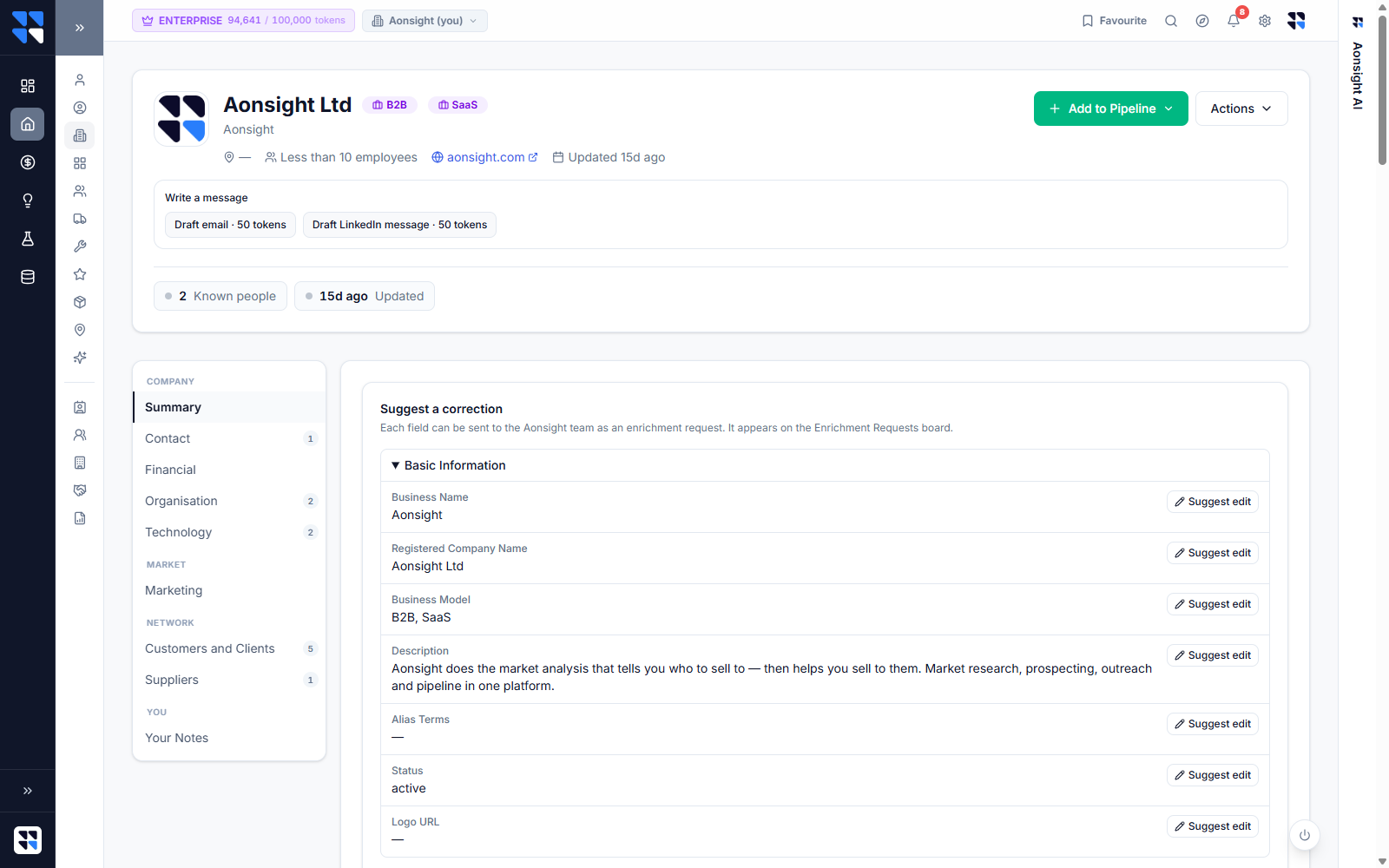
Suggest a correction
Each field has a Suggest edit button, so changes to the public profile go for review.
Team members
Lists the people who have joined the company, each with a role.
Team invites
Owners and admins invite colleagues by email as an admin, member or viewer.
From a question to a finished result in three steps
Step 1
Find or create your company
Search for an existing company by name, domain or registration number, or register a new one.
Step 2
Review the company record
Aonsight shows the company details, the team and any pending invites in one place.
Step 3
Invite the team
Send invites by email, and propose an edit to any field that is out of date.
IN THE APP
Your Company
- Team members join this company, not a personal profile.
- People on the company can propose edits to the public profile. Those go to Suggested Edits.
- Header and footer details from here are used on combined reports.
One question, from first search to final list
Proposed edits go to Suggested Edits for review, and header and footer details from here appear on combined reports.
Use Your Company in your own market
Open it as the owner or admin setting up a workspace, and leave with the right company, an invited team and accurate details.
Your Company is the workspace identity: company details, team and invites. Search for an existing company or create one. This is the account Aonsight treats as you.
What you can do with Your Company
- Team members join this company, not a personal profile.
- People on the company can propose edits to the public profile. Those go to Suggested Edits.
- Header and footer details from here are used on combined reports.
Where to find it
In app.aonsight, open Your Company → Profile.
This sits with Company Profile.
Where to go next
- Company Profile: The profile hub.
- Contacts: People in the address book.
Questions
What is Your Company in Aonsight?
Your Company is the workspace identity: company details, team and invites.
Where do I open Your Company?
In app.aonsight, open Your Company → Profile.
Related
Pages and posts that share a category or tag.