FEATURE
Clients
See who you work with today and who you have worked with before.
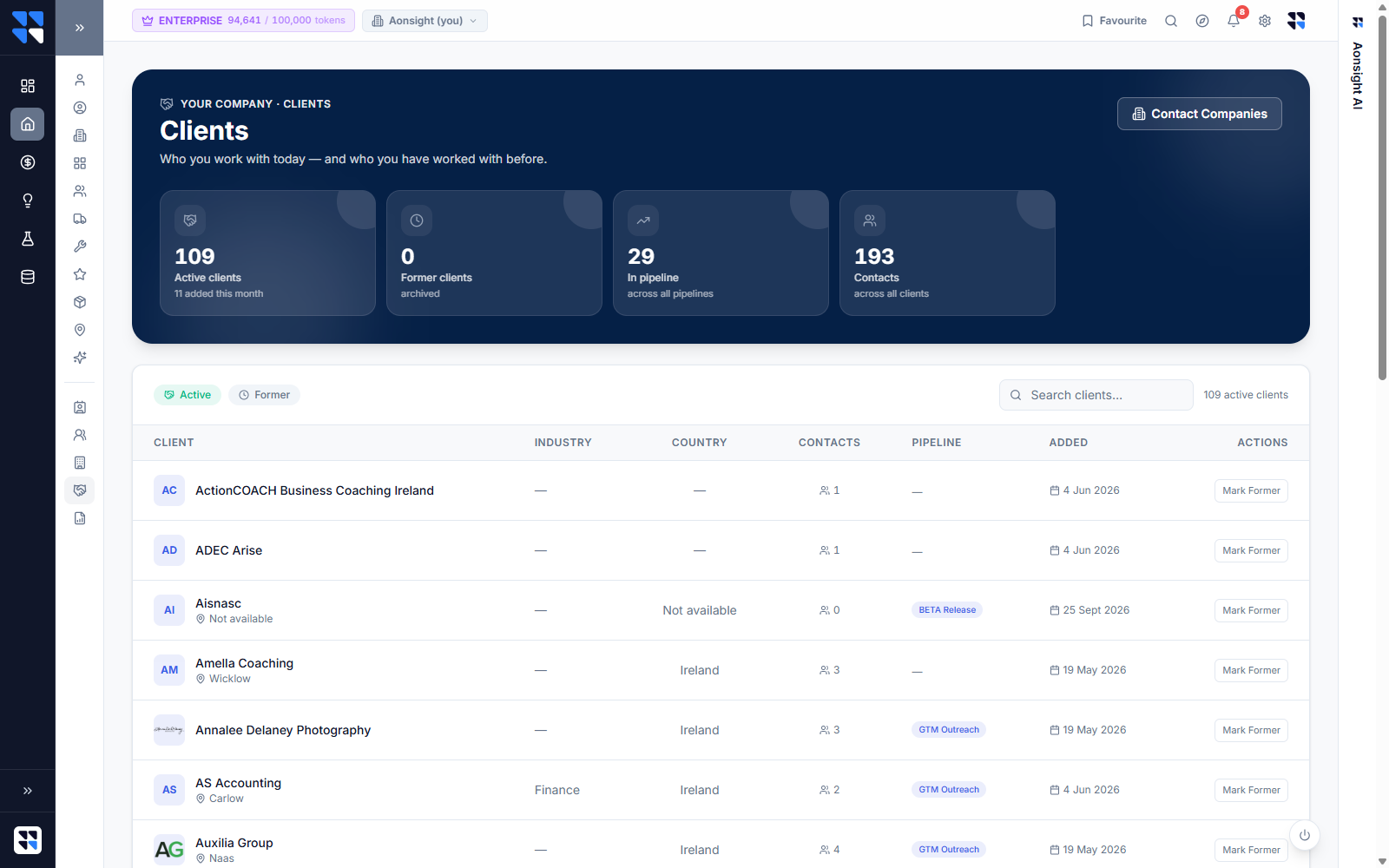
- Active and former client tabs
- Search clients by name
- Mark a client as former
- Reactivate a former client
Each part opens its own trail
Client totals
Shows active clients, former clients, clients in a pipeline and contacts across all clients.
Active and former tabs
Switches the table between current clients and those you have worked with before.
Client table
Lists industry, country, contact count, pipelines and the date each client was added or ended.
Status actions
Marks an active client as former, or reactivates a former client, from the row.
From a question to a finished result in three steps
Step 1
Choose a tab
Open Active or Former, and search by name, place or industry if the list is long.
Step 2
Review each client
Aonsight shows industry, country, contacts, pipelines and the date added or ended.
Step 3
Keep status current
Mark a client as former when work ends, or reactivate one that returns.
IN THE APP
Clients
- Current and former clients are both visible.
- People remain on the People list. This page is the client subset.
- Use Customers on the company profile when a report needs the archive business, not only the contact.
One question, from first search to final list
Clients are businesses you mark as a client from a business profile, and their status carries into Contact Companies and Accounts.
Use Clients in your own market
Account managers open Clients to keep the customer list accurate and leave with a current view of active and former relationships.
Clients is the part of the address book you have marked as customers: current relationships and previous ones. Keep it aligned with Profile → Customers where you can.
What you can do with Clients
- Current and former clients are both visible.
- People remain on the People list. This page is the client subset.
- Use Customers on the company profile when a report needs the archive business, not only the contact.
Where to find it
In app.aonsight, open Your Company → Contacts.
This sits with Contacts.
Where to go next
Questions
What is Clients in Aonsight?
Clients is the part of the address book you have marked as customers: current relationships and previous ones.
Where do I open Clients?
In app.aonsight, open Your Company → Contacts.
Related
Pages and posts that share a category or tag.