FEATURE
Custom Pipelines
Create a board with your own stages when Prospects and Leads are not the motion you need.
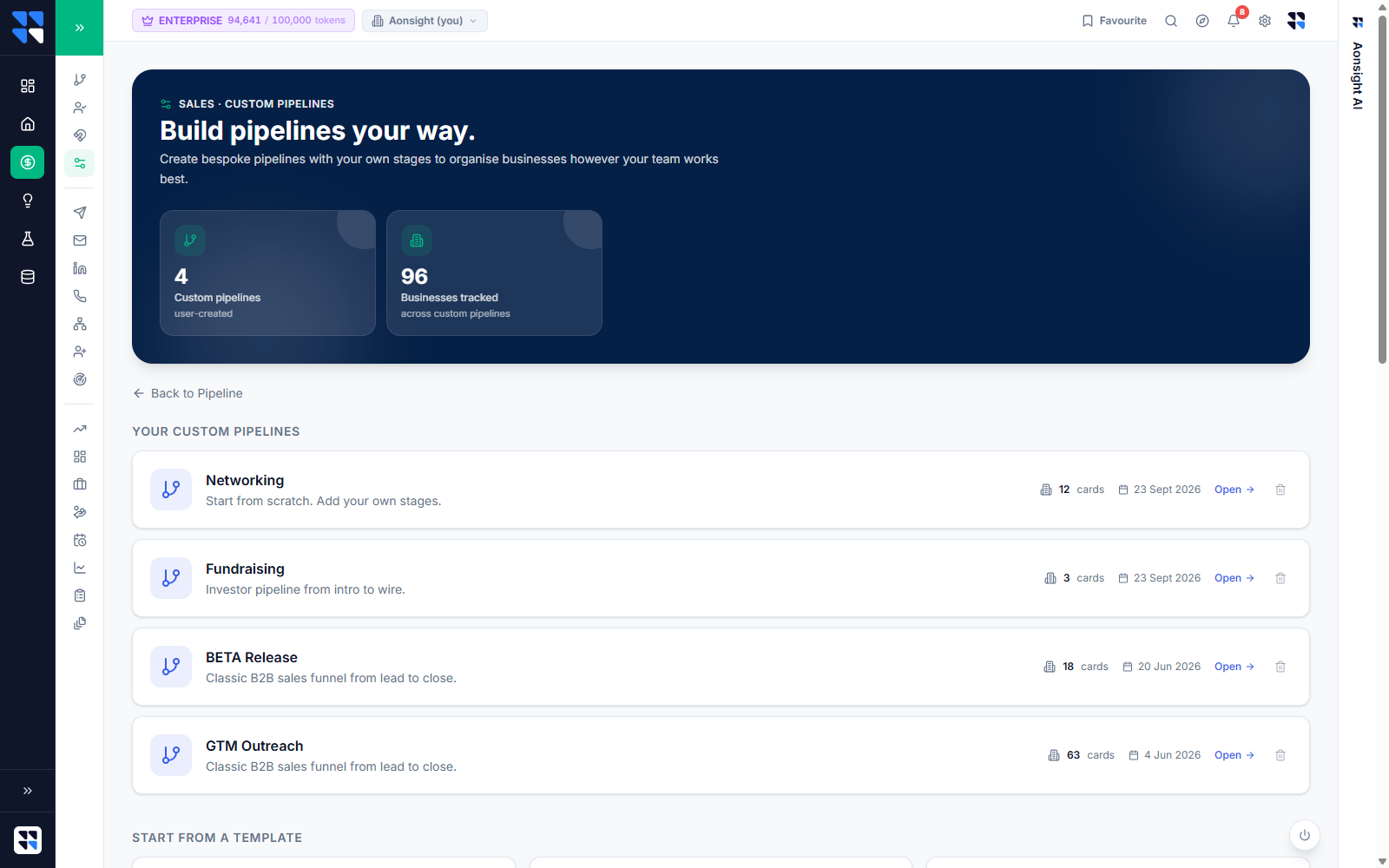
- Start from a ready-made template
- Name and colour your own stages
- Card count for each pipeline
- Open or delete any custom board
Each part opens its own trail
Template gallery
Start from Sales, Recruitment, Fundraising, Customer Success, Support Tickets or a blank pipeline.
Stage editor
Rename each stage, pick its colour, remove the ones you do not need and add your own before creating.
Your custom pipelines
See each board you created with its description, card count and creation date, then open it.
Shared board tools
Each custom pipeline opens as a board with the same cards, filters and views as Prospects and Leads.
From a question to a finished result in three steps
Step 1
Pick a template
Choose the template closest to your process, or start from the blank one.
Step 2
Check the stages
Aonsight fills in a name, a description and suggested stages, ready for you to edit.
Step 3
Create and open
Create the pipeline, open its board and start adding businesses as cards.
IN THE APP
Custom Pipelines
- Stages are yours. They are not limited to the default prospect and lead steps.
- Cards, owners, value and close dates work the same way as on Leads.
- Use a custom board for a second product, a partner motion, or a region.
One question, from first search to final list
Custom pipelines sit beside Prospects and Leads in the Pipeline hub and use the same cards, owners, values and close dates.
Use Custom Pipelines in your own market
Open Custom Pipelines when a second product, partner motion or region needs its own stages, and leave with a board built for it.
Custom Pipelines use the same cards and stages as the default boards. Create one when a team needs a separate motion, name the stages, then open the board from the pipeline hub.
What you can do with Custom Pipelines
- Stages are yours. They are not limited to the default prospect and lead steps.
- Cards, owners, value and close dates work the same way as on Leads.
- Use a custom board for a second product, a partner motion, or a region.
Where to find it
In app.aonsight, open Sales → Pipeline.
This sits with Pipeline.
Where to go next
- Pipeline: The default boards.
Questions
What is Custom Pipelines in Aonsight?
Custom Pipelines use the same cards and stages as the default boards.
Where do I open Custom Pipelines?
In app.aonsight, open Sales → Pipeline.
Related
Pages and posts that share a category or tag.