FEATURE
LinkedIn Outreach
Connect LinkedIn, then work prospects, connections and messages from Aonsight.
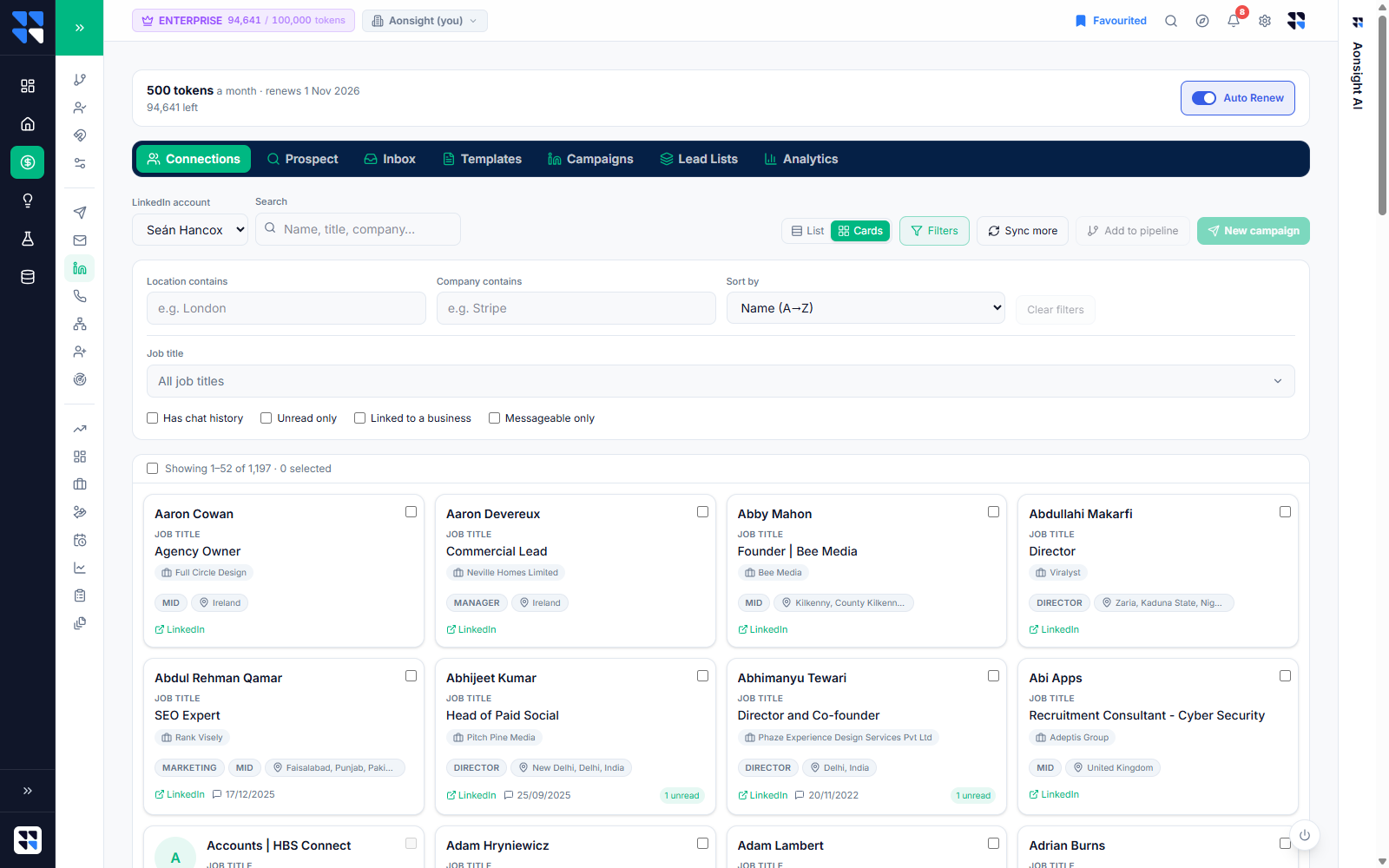
- Sync your LinkedIn connections
- Filter by title, company, location
- Add connections to a pipeline
- Campaign steps with daily limits
Each part opens its own trail
Connections list
Search your synced network and filter by job title, company, location, chat history or unread messages.
Prospect search
Search LinkedIn people by title, company or location using your connected account.
Campaign sequences
Build a sequence of profile views, connection requests, messages and waits for a list of prospects.
Inbox and analytics
Reply to LinkedIn chats, then check invites, acceptances, messages and replies by account and campaign.
From a question to a finished result in three steps
Step 1
Connect and sync
Connect your LinkedIn account in Aonsight and sync your first-degree connections.
Step 2
Browse your network
Aonsight lists each connection with job title, company, seniority and location, as a list or as cards.
Step 3
Message or add to pipeline
Select the people you want, then send them a message campaign or add them to a pipeline.
IN THE APP
LinkedIn Outreach
- The connection is per account. A disconnected session will not send.
- Lists and campaign steps stay on this page.
- People you already know can also be used in Referral Finder.
One question, from first search to final list
Synced connections flow into People and Contacts, selected people can join a pipeline, and they are available to Referral Finder.
Use LinkedIn Outreach in your own market
Open LinkedIn Outreach when your network lives on LinkedIn, and leave with the right connections messaged or added to a pipeline.
LinkedIn Outreach runs from a connected LinkedIn account. Build a list or a campaign, then use prospects, connections and the inbox on this page. Reconnect if the session expires.
What you can do with LinkedIn Outreach
- The connection is per account. A disconnected session will not send.
- Lists and campaign steps stay on this page.
- People you already know can also be used in Referral Finder.
Where to find it
In app.aonsight, open Sales → Outreach.
This sits with Outreach.
Where to go next
- Outreach: The other channels.
- Integrations: The LinkedIn connection.
Questions
What is LinkedIn Outreach in Aonsight?
LinkedIn Outreach runs from a connected LinkedIn account.
Where do I open LinkedIn Outreach?
In app.aonsight, open Sales → Outreach.
Related
Pages and posts that share a category or tag.