FEATURE
Enrichment Requests
Track data-enrichment requests you have submitted from business profiles.
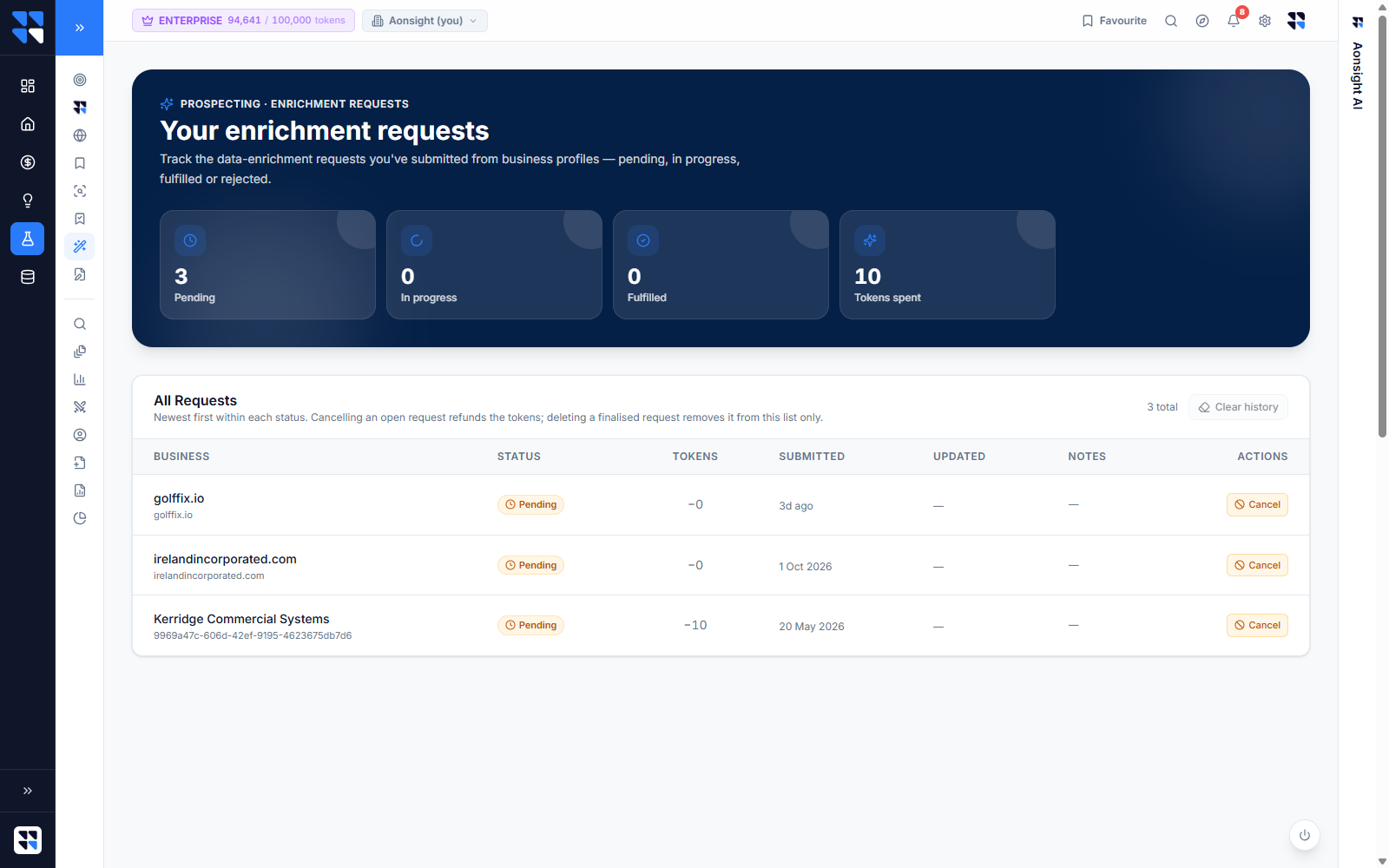
- Status shown for every request
- Tokens charged per request
- Cancel an open request
- Clear finalised history
Each part opens its own trail
Status tiles
Counts your pending, in progress and fulfilled requests, and totals the tokens spent.
All Requests table
Lists each business with its status, tokens, submitted and updated times, and any notes.
Cancel or delete
Cancel an open request you no longer need, or delete a finalised one from the list.
Clear history
Removes all fulfilled and rejected requests from your history and leaves open requests in place.
From a question to a finished result in three steps
Step 1
Request enrichment
On a business profile, choose Request Data Enrichment and confirm the token cost.
Step 2
Track the status
Aonsight lists the request on this page as pending, in progress, fulfilled or rejected, with any notes.
Step 3
Open the profile
Follow the business link back to its profile, or cancel a request you no longer need.
IN THE APP
Enrichment Requests
- Requests start from a business profile, not from this list.
- Status stays visible after you submit.
- Use it to see which profiles you have already asked to be filled in.
One question, from first search to final list
Requests start on a business profile, draw on your token balance, and link back to the profile they concern.
Use Enrichment Requests in your own market
Open Enrichment Requests when you have asked for thin profiles to be filled in and leave knowing the status of each one.
When a business profile is thin, you can ask Aonsight to enrich it. Enrichment Requests lists those submissions and whether each one is pending, in progress, fulfilled or rejected.
What you can do with Enrichment Requests
- Requests start from a business profile, not from this list.
- Status stays visible after you submit.
- Use it to see which profiles you have already asked to be filled in.
Where to find it
In app.aonsight, open Research → Prospecting.
This sits with Prospecting.
Where to go next
- Search Archive: Open the business the request is about.
Questions
What is Enrichment Requests in Aonsight?
When a business profile is thin, you can ask Aonsight to enrich it.
Where do I open Enrichment Requests?
In app.aonsight, open Research → Prospecting.
Related
Pages and posts that share a category or tag.