FEATURE
Sales
Open the sales dashboard, accounts, deals, activities, forecasting and reports.
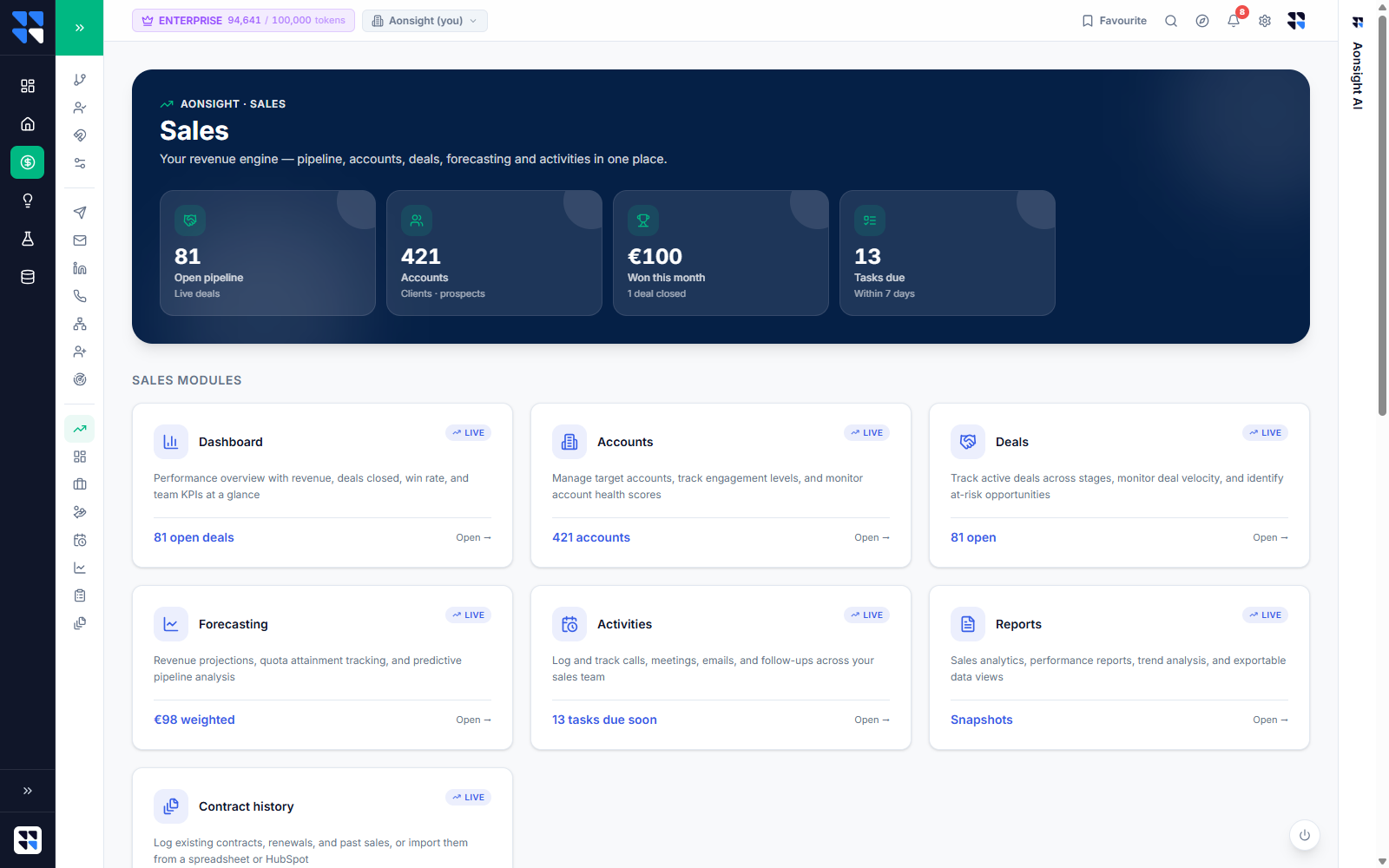
- Open deal and account counts
- Won this month at a glance
- Tasks due within seven days
- Live figure on each module card
Each part opens its own trail
Sales dashboard
Shows open pipeline, value won this month, win rate and average cycle time in one view.
Deals list
Lists every deal across your pipelines, with filters for pipeline, status, stage and owner.
Forecasting view
Rolls dated deals into weighted, best case and commit figures by month or quarter.
Activities feed
Holds logged calls, meetings, notes, tasks and emails, grouped by day and linked to deals.
From a question to a finished result in three steps
Step 1
Open the Sales hub
Start from the hub to see open deals, accounts, wins this month and tasks due soon.
Step 2
Read the live figures
Each module card shows a current figure, such as open deals or the weighted forecast.
Step 3
Move into the detail
Open Deals, Activities or Forecasting to update records, then check Reports for trends.
IN THE APP
Sales
- Pipeline is the board. Sales is the list, forecast and activity view of the same deals.
- Start at the dashboard, or open Deals and Activities directly.
- Figures are calculated from the deals and activities you record.
One question, from first search to final list
Sales reads the deals on your Pipeline boards and the activities you log, then presents them as lists, forecasts and reports.
Use Sales in your own market
Sales leads and account owners open Sales to check the state of the pipeline and leave knowing which screen needs their attention.
Sales is the CRM workspace next to Pipeline. The hub opens the dashboard, then Accounts, Deals, Activities, Forecasting and Reports for day-to-day work.
What you can do with Sales
- Pipeline is the board. Sales is the list, forecast and activity view of the same deals.
- Start at the dashboard, or open Deals and Activities directly.
- Figures are calculated from the deals and activities you record.
Where to find it
In app.aonsight, open Sales.
Where to go next
- Sales Dashboard: Revenue, win rate and cycle time.
- Deals: Every deal.
- Forecasting: Weighted, best case and commit.
Questions
What is Sales in Aonsight?
Sales is the CRM workspace next to Pipeline.
Where do I open Sales?
In app.aonsight, open Sales.
Related
Pages and posts that share a category or tag.