FEATURE
Report Builder
Pick criteria, watch the live match count, and generate a shareable report.
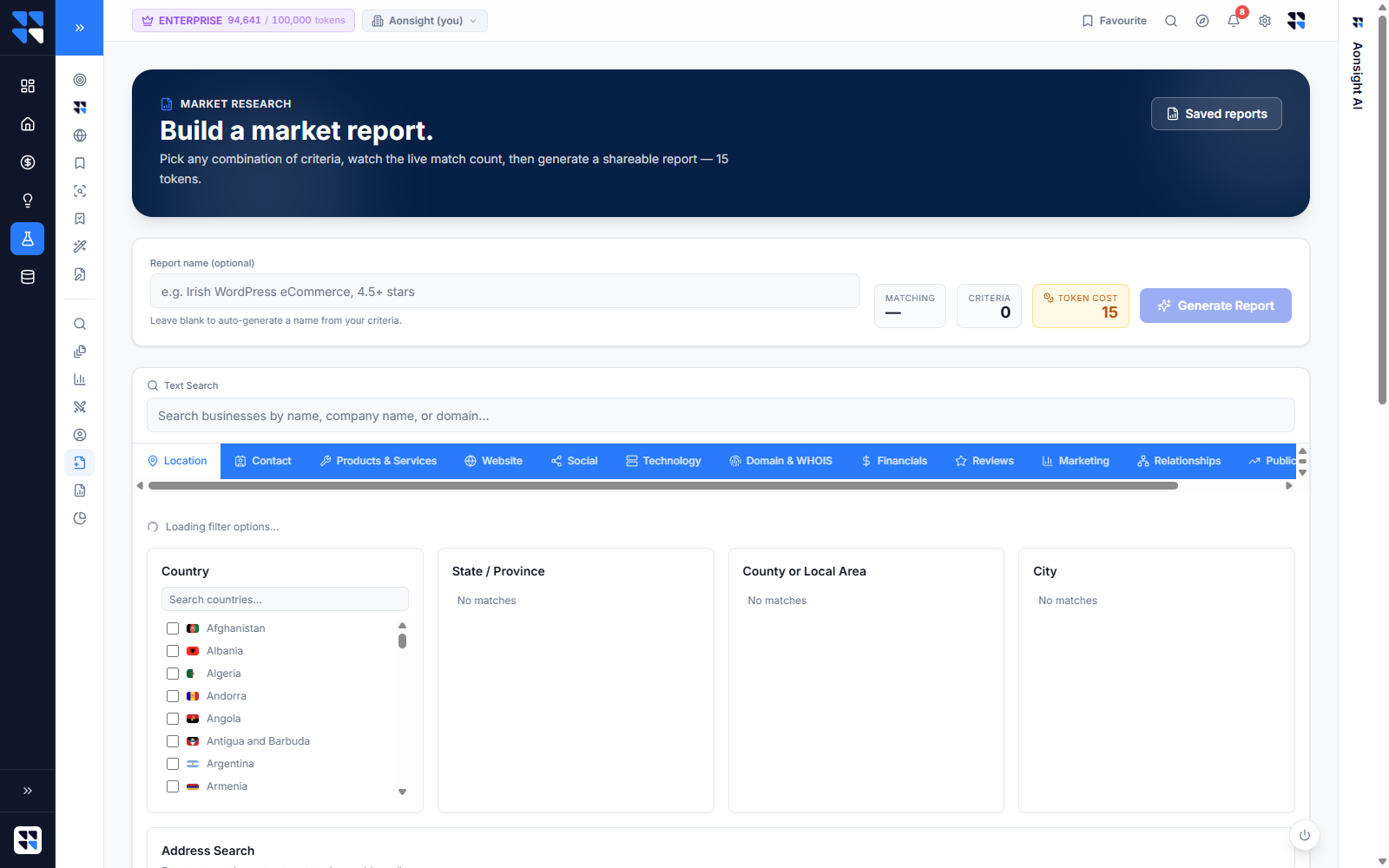
- Live match count as you filter
- Filter by location and technology
- Financial and review score ranges
- Shareable URL for every report
Each part opens its own trail
Criteria tabs
Filters are grouped by location, contact, services, website, social, technology, financials and reviews.
Live match count
The matching total updates as criteria change, so you know the report's size before you generate.
Range sliders
Set ranges for known revenue, technology spend, employees, review score and number of reviews.
Generated report
The report charts geography, company size, top platforms and services, and lists sample businesses.
From a question to a finished result in three steps
Step 1
Choose your criteria
Tick filters across the tabs, such as country, CMS platform or review score, and name the report.
Step 2
Watch the match count
Aonsight counts matching businesses as you go, then builds the report when you select Generate Report.
Step 3
Share or dig deeper
Copy the report's URL to share it, or open every match in archive search to work the list.
IN THE APP
Report Builder
- You choose the blocks. A combined report includes the standard set.
- Generating a report spends 15 tokens.
- Each finished report has its own shareable URL.
One question, from first search to final list
It queries the same archive as search, saves each report to Custom Reports, and those reports can join a combined pack.
Use Report Builder in your own market
Analysts and marketers with a specific segment in mind open it and leave with a saved, shareable report on the businesses that match.
Report Builder is for a report that is narrower than a combined pack. Choose the criteria, watch the live match count, then generate. The result is saved under Custom Reports.
What you can do with Report Builder
- You choose the blocks. A combined report includes the standard set.
- Generating a report spends 15 tokens.
- Each finished report has its own shareable URL.
Where to find it
In app.aonsight, open Research → Market Research.
This sits with Market Research.
Where to go next
- Custom Reports: Reports already generated.
- Market Sizing: A sizing report from the same criteria.
Questions
What is Report Builder in Aonsight?
Report Builder is for a report that is narrower than a combined pack.
Where do I open Report Builder?
In app.aonsight, open Research → Market Research.
Related
Pages and posts that share a category or tag.