FEATURE
Phone Outreach
Log calls against people and deals. Use a dialer when a phone provider is connected.
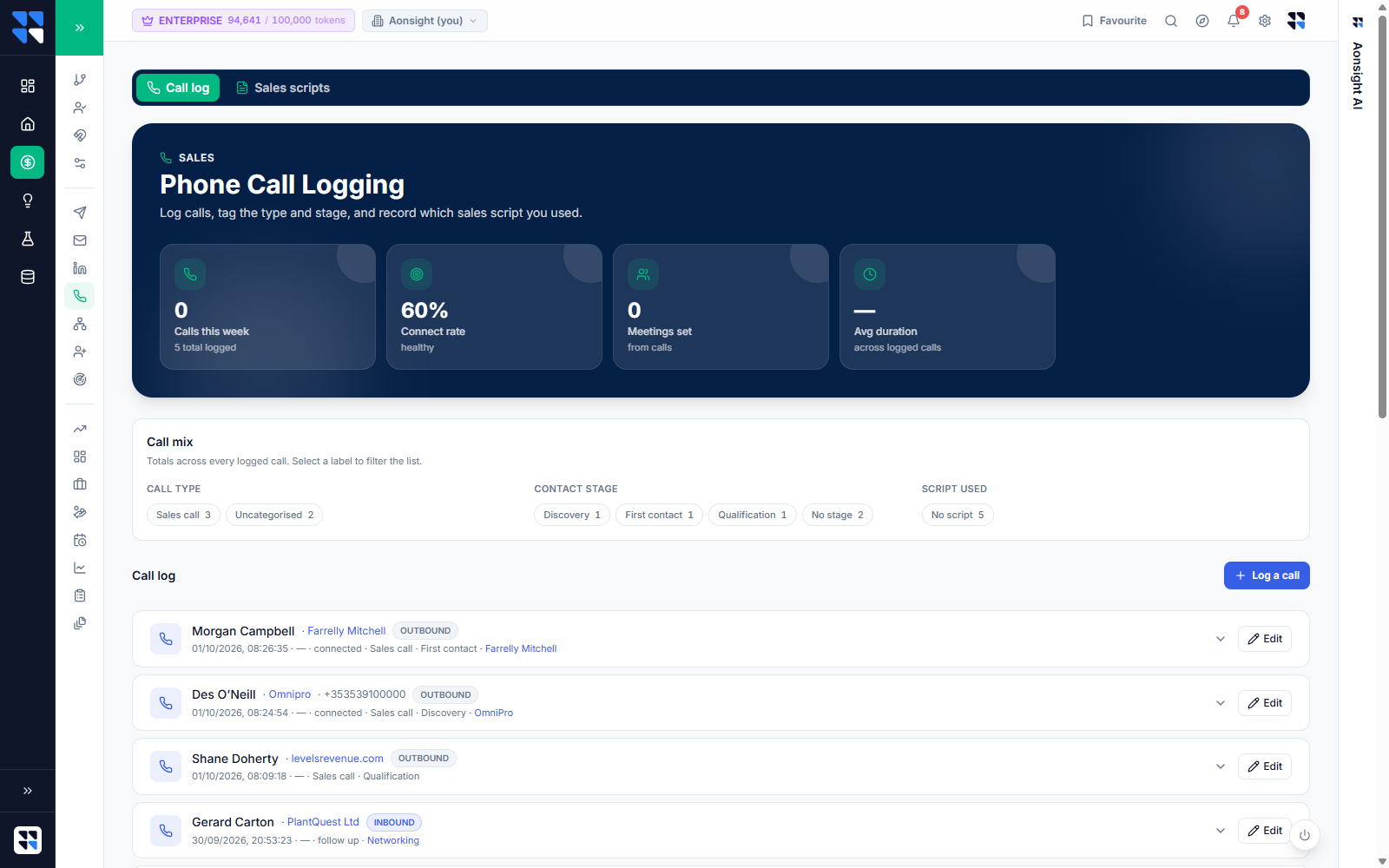
- Log calls with outcome and notes
- Link calls to pipeline deals
- Connect rate and meetings set
- Filter by call type and stage
Each part opens its own trail
Call log
Each call shows the contact, direction, outcome, duration and the deal it is linked to.
Log a call
Record the contact, numbers, direction, status, duration, outcome and notes, with an optional recording link.
Pipeline deal link
Attach the call to an existing deal, or create a new card in the first stage of a pipeline.
Call mix
See totals by call type, contact stage and sales script, and select a label to filter the list.
From a question to a finished result in three steps
Step 1
Log the call
Choose the contact, set direction, outcome and duration, add notes and link the call to a deal.
Step 2
Review the numbers
Aonsight updates calls this week, connect rate, meetings set and average duration from your log.
Step 3
Follow up on outcomes
Open any call to update its outcome and notes, then go to the linked deal to plan the next step.
IN THE APP
Phone Outreach
- A call can be logged even when no dialer is connected.
- Notes stay with the person and the deal.
- Completed calls also show up in Sales Activities.
One question, from first search to final list
Calls draw on your contacts and pipeline deals, and completed calls also appear in Sales Activities.
Use Phone Outreach in your own market
Open Phone Outreach after a sales call, or when reviewing call performance, and leave with the call logged against the right person and deal.
Phone Outreach is the call log. Record a call against a person or a deal. If a phone provider is connected, the dialer is available here. Notes and recordings attach to the activity history.
What you can do with Phone Outreach
- A call can be logged even when no dialer is connected.
- Notes stay with the person and the deal.
- Completed calls also show up in Sales Activities.
Where to find it
In app.aonsight, open Sales → Outreach.
This sits with Outreach.
Where to go next
- Pipeline: Log the call against a deal.
- Activities: The wider activity log.
Questions
What is Phone Outreach in Aonsight?
Phone Outreach is the call log.
Where do I open Phone Outreach?
In app.aonsight, open Sales → Outreach.
Related
Pages and posts that share a category or tag.