FEATURE
Renewals
See upcoming customer review dates and active customers with no deal in motion.
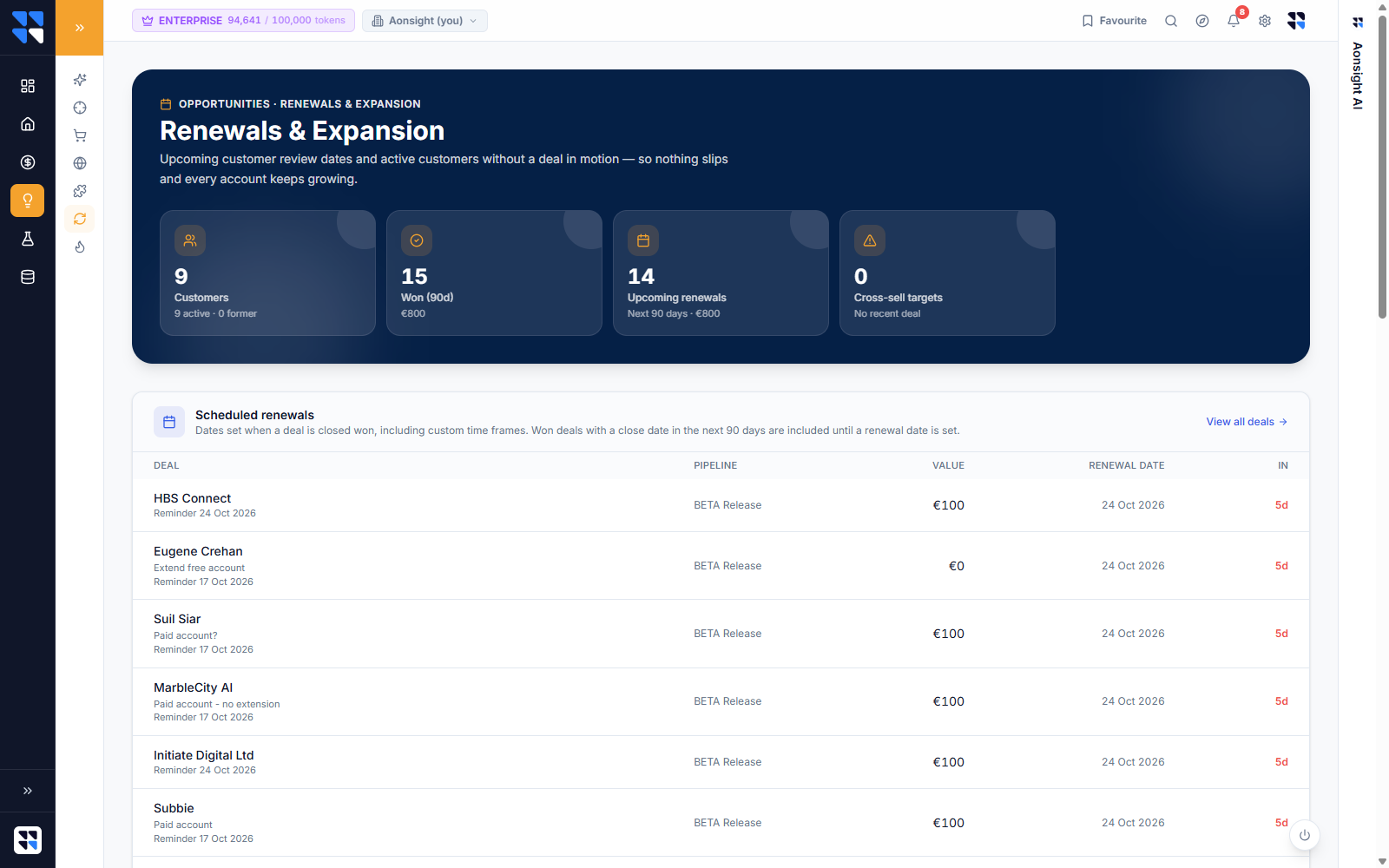
- Renewal dates for won deals
- Days remaining on each renewal
- Customers with no recent deal
- Count of cross-sell targets
Each part opens its own trail
Scheduled renewals
Lists won deals with a renewal date in the next 90 days, with pipeline, value and days remaining.
Customers without a deal
Lists active customers with no recent pipeline activity, each with a link to create a deal.
Renewal summary
Counts customers, recently won deals, upcoming renewals and cross-sell targets at the top.
Deal and customer links
Opens a deal on its pipeline, the full deals list, or your customer list to update them.
From a question to a finished result in three steps
Step 1
Set renewal dates
Mark deals as won with a renewal date and keep your customer list current on the company profile.
Step 2
Check what is due
Aonsight lists renewals due in the next 90 days, soonest first, and customers with no recent deal.
Step 3
Plan the follow-up
Open the deal to update it, or create a new deal for a customer that has gone quiet.
IN THE APP
Renewals
- Review dates come from the customers and deals you already track.
- Accounts with no open deal are listed separately.
- Open a row to update the deal or plan the follow-up.
One question, from first search to final list
It reads won deals from your pipelines and customers from the company profile, and links to Deals and Customers.
Use Renewals in your own market
Account managers preparing for the quarter open it and leave with renewals due soon and customers that need a new conversation.
Renewals lists upcoming customer review dates and active customers that do not have a deal in motion, so a renewal does not slip and an existing account can keep growing.
What you can do with Renewals
- Review dates come from the customers and deals you already track.
- Accounts with no open deal are listed separately.
- Open a row to update the deal or plan the follow-up.
Where to find it
In app.aonsight, open Opportunities → Opportunities.
This sits with Opportunities.
Where to go next
Questions
What is Renewals in Aonsight?
Renewals lists upcoming customer review dates and active customers that do not have a deal in motion, so a renewal does not slip and an existing account can keep growing.
Where do I open Renewals?
In app.aonsight, open Opportunities → Opportunities.
Related
Pages and posts that share a category or tag.