FEATURE
Referral Prospecting
Start from people you know and see which companies they could open.
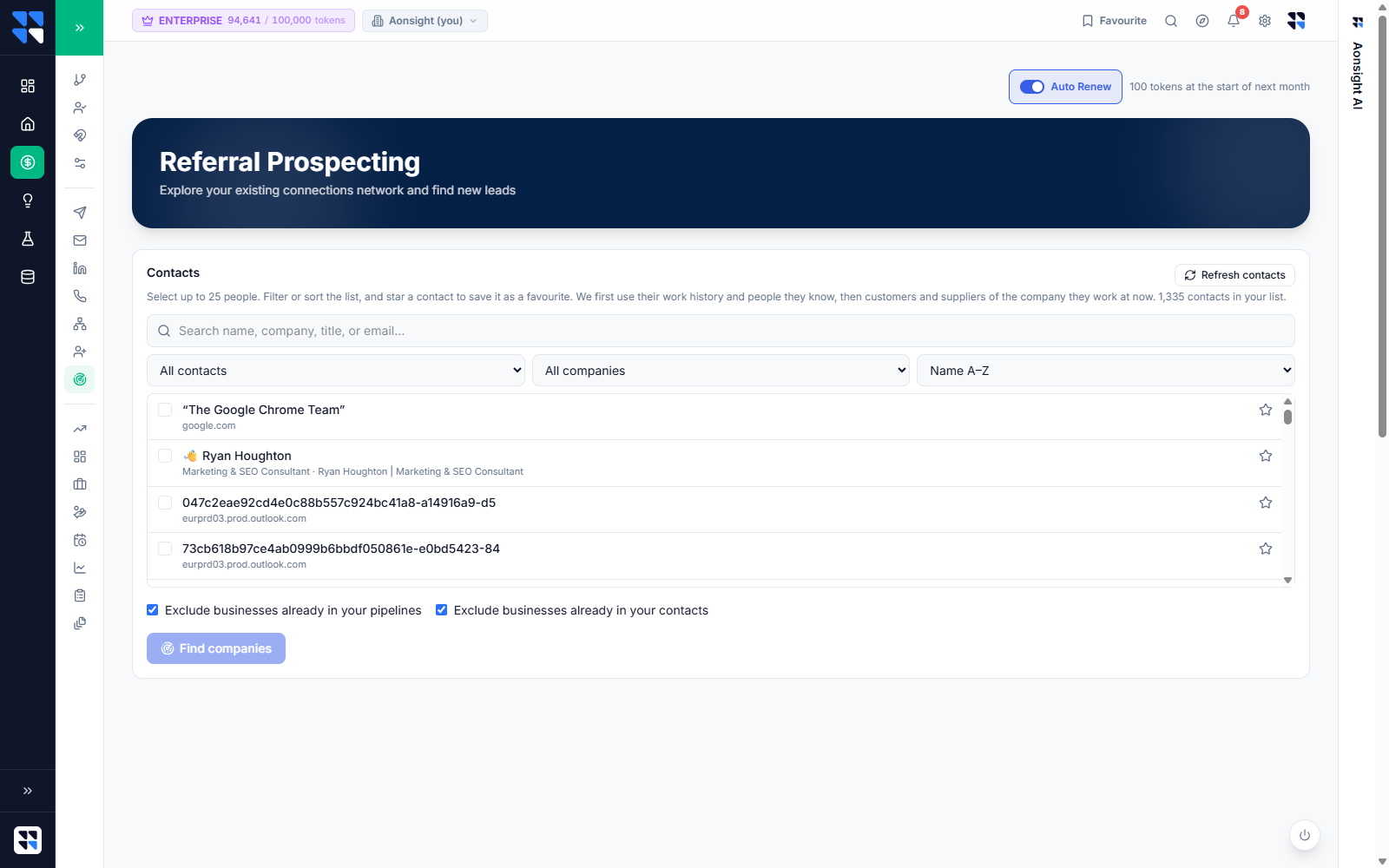
- Select up to 25 contacts
- Star your favourite contacts
- Exclude businesses in your pipelines
- Add a company to a pipeline
Each part opens its own trail
Contact picker
Search your contacts by name, company, title or email, then tick the people to start from.
Filters and sorting
Show favourites or contacts with an email, company or job title, and sort by name, company or recency.
Exclude options
Leave out businesses that are already in your pipelines or already in your contacts.
Company results
See each company with the contacts who link to it and why, then open its profile or add it to a pipeline.
From a question to a finished result in three steps
Step 1
Select people you know
Pick the contacts to start from, using search, filters and your starred favourites.
Step 2
Run Find companies
Aonsight returns companies those people could introduce, using work history, contacts, customers and suppliers.
Step 3
Add companies to a pipeline
Open a company profile to check the fit, then add it to a pipeline and ask your contact for the introduction.
IN THE APP
Referral Prospecting
- Contact-first, rather than pipeline-first.
- Favourites keep the people you want to ask again.
- Use it when the relationship exists before the target account does.
One question, from first search to final list
It starts from your address book, including contacts imported from email and LinkedIn, and sends chosen companies to a pipeline.
Use Referral Prospecting in your own market
Open Referral Prospecting when you have strong relationships and need new targets, and leave with companies your contacts can introduce.
Referral Prospecting is the reverse of Referral Finder. You start from the address book, filter and sort the people you know, favourite the useful ones, and see which companies they could introduce.
What you can do with Referral Prospecting
- Contact-first, rather than pipeline-first.
- Favourites keep the people you want to ask again.
- Use it when the relationship exists before the target account does.
Where to find it
In app.aonsight, open Sales → Outreach.
This sits with Outreach.
Where to go next
- Referral Finder: Start from the account instead.
- People: Search the people you know.
Questions
What is Referral Prospecting in Aonsight?
Referral Prospecting is the reverse of Referral Finder.
Where do I open Referral Prospecting?
In app.aonsight, open Sales → Outreach.
Related
Pages and posts that share a category or tag.