FEATURE
Company Profile
The company data that personalises search, reports, intent and outreach.
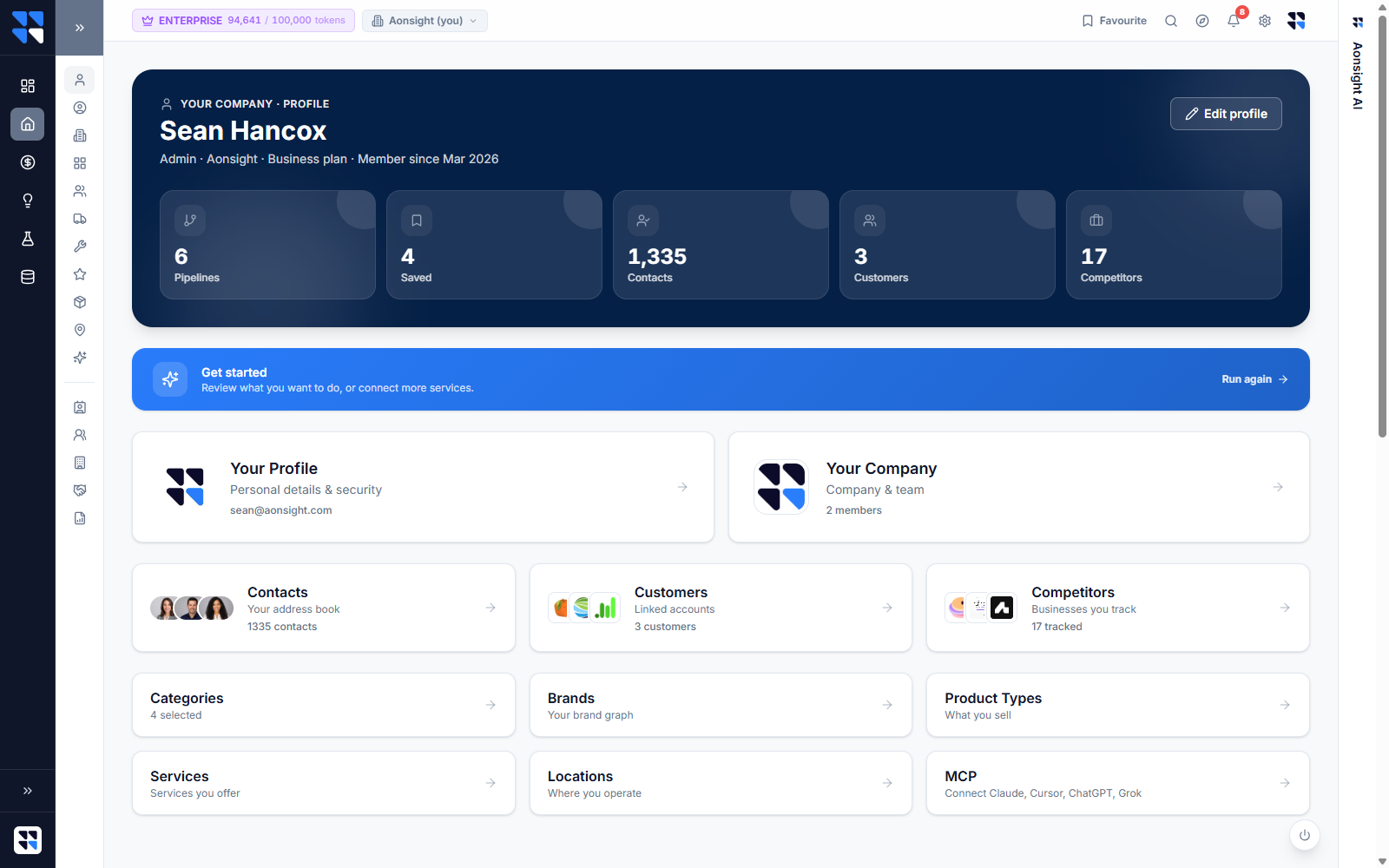
- One tile per profile section
- Counts for pipelines and contacts
- Setup banner you can run again
- MCP setup on the same hub
Each part opens its own trail
Your Company
Holds the workspace company, its details, the team and pending invites.
Your Services
Lists the services you sell, which intent signals and reports are matched against.
Your customers
Lists the archive businesses you already sell to, for customer reports and personas.
Your Locations
Records the countries, regions and cities you serve, for market sizing and search.
From a question to a finished result in three steps
Step 1
Open the profile hub
Go to Your Company, then Profile, and scan the tiles for company, customers, services and locations.
Step 2
Read the tile counts
Aonsight shows members, customers, tracked competitors and selected categories on the tiles.
Step 3
Complete the thin sections
Open each sparse tile and add the missing data, so search, reports and intent can use it.
IN THE APP
Company Profile
- This is your company, not an archive prospect.
- MCP, for connecting an AI assistant, is on the same hub.
- Reports and intent stay thin until services and locations are filled in.
One question, from first search to final list
The hub feeds search, reports, intent signals and outreach, and links out to Contacts, Competitors and MCP setup.
Use Company Profile in your own market
Open it when you set up a workspace or reports look thin, and leave knowing which parts of the company profile still need data.
Company Profile is the hub for the workspace Aonsight sells from. Company, categories, customers, services, brands, product types and locations are what search, reports, intent and outreach use. Empty tiles are the ones to complete first.
What you can do with Company Profile
- This is your company, not an archive prospect.
- MCP, for connecting an AI assistant, is on the same hub.
- Reports and intent stay thin until services and locations are filled in.
Where to find it
In app.aonsight, open Your Company → Profile.
Where to go next
- Your Company: The workspace company.
- Your Services: What you sell.
- Customers: Who you already sell to.
Questions
What is Company Profile in Aonsight?
Company Profile is the hub for the workspace Aonsight sells from.
Where do I open Company Profile?
In app.aonsight, open Your Company → Profile.
Related
Pages and posts that share a category or tag.