FEATURE
Intent Signals
See businesses whose archive signals match the services on your profile.
- Filter by signal and country
- Sort by most signals
- Select companies and export
- Add a company to a pipeline
Each part opens its own trail
Your signals panel
Shows the signal topics in your access, the renewal date and an auto-renew switch.
Search and filters
Search companies, services or locations, then filter by signal, country and location.
Company cards
Each card lists the company, its matched topics, departments, country and latest signal date.
Profile and pipeline
Open the full business profile or add the company to a pipeline straight from its card.
From a question to a finished result in three steps
Step 1
Choose your signal topics
Pick the signal topics that match the services you sell, then search or filter the companies behind them.
Step 2
Review the matching companies
Aonsight lists companies with active signals on those topics, with departments, location and signal count.
Step 3
Qualify and add to pipeline
Open a company profile to qualify it, then add it to a pipeline or export your selection.
IN THE APP
Intent Signals
- Signals are derived from the archive against your services, not from a third-party intent feed you configure by hand.
- Add services on your profile before expecting matches.
- Open a company to qualify it, then add it to a pipeline.
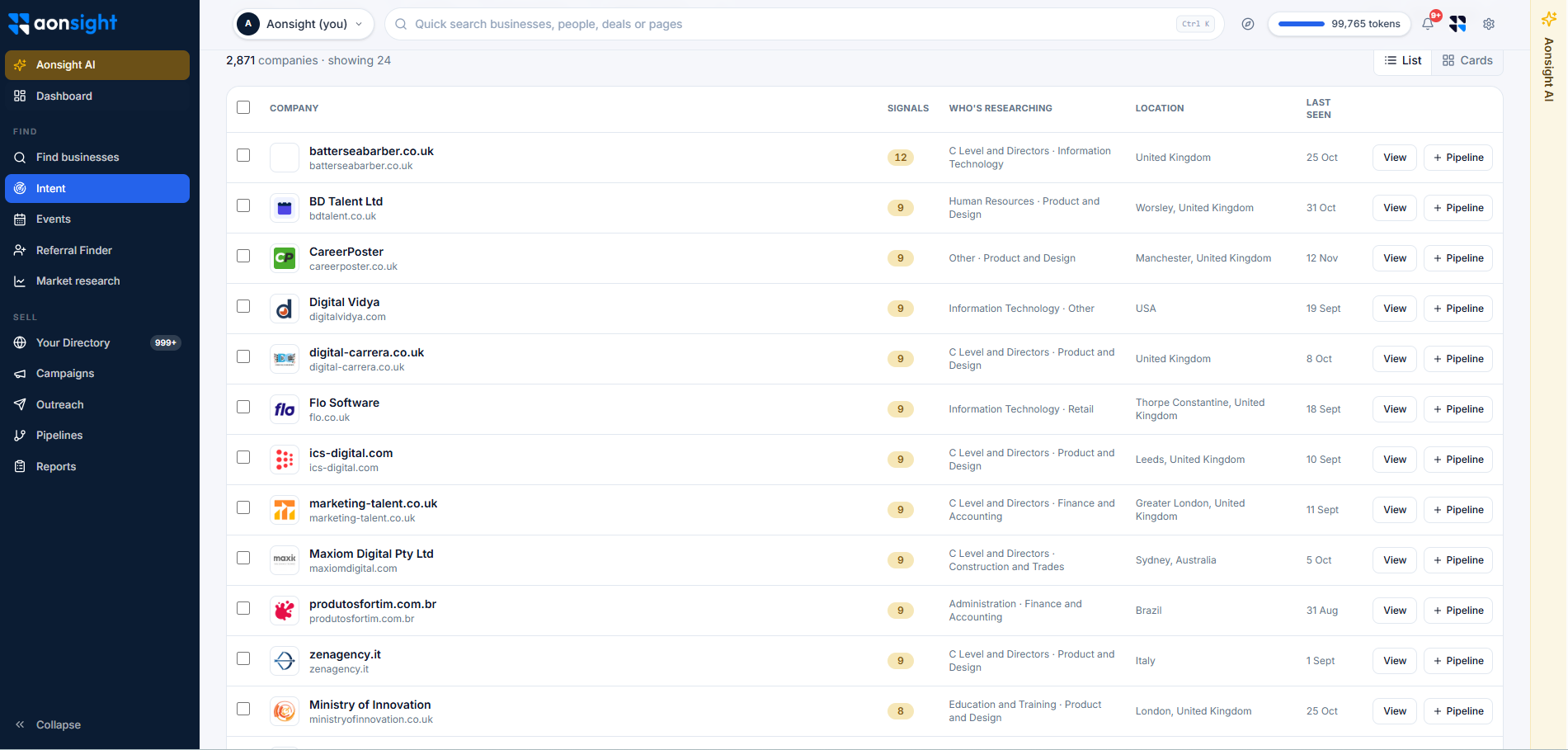
One question, from first search to final list
Signal topics follow the services you sell, and each company opens a full profile or goes straight onto a pipeline.
Use Intent Signals in your own market
Business developers looking for companies researching what they sell leave with a filtered list of accounts to qualify and add to a pipeline.
Intent Signals matches archive behaviour to the services you sell. If the list is empty, add services to your profile first, then open a match and decide whether it belongs in a pipeline.
What you can do with Intent Signals
- Signals are derived from the archive against your services, not from a third-party intent feed you configure by hand.
- Add services on your profile before expecting matches.
- Open a company to qualify it, then add it to a pipeline.
Where to find it
In app.aonsight, open Opportunities → Opportunities.
This sits with Opportunities.
Where to go next
- In-market Prospects: The accounts those signals point at.
- Your Services: The services the match is based on.
Questions
What is Intent Signals in Aonsight?
Intent Signals matches archive behaviour to the services you sell.
Where do I open Intent Signals?
In app.aonsight, open Opportunities → Opportunities.
Related
Pages and posts that share a category or tag.