FEATURE
Contacts Summary
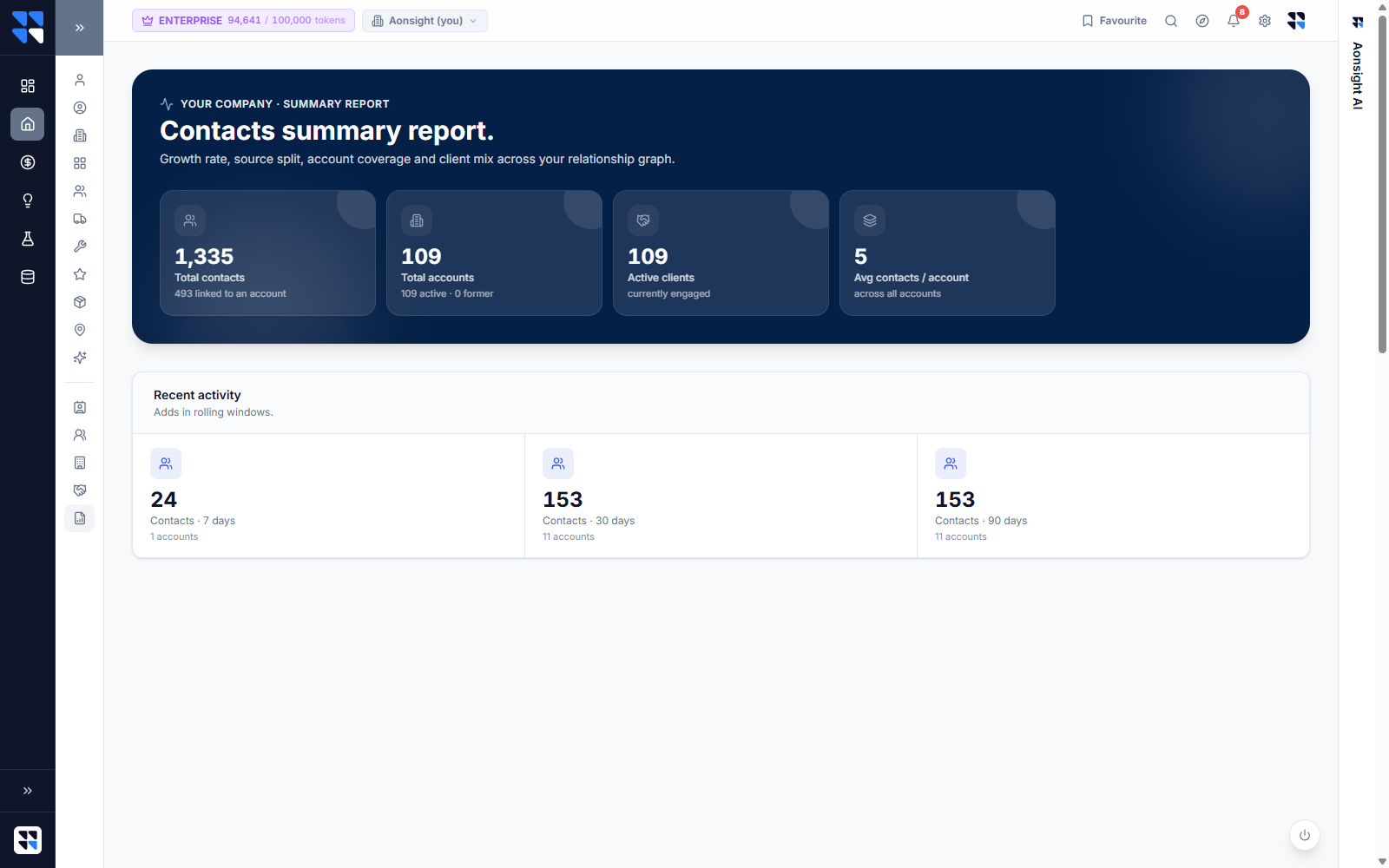
Chart growth, source, account coverage and client mix across the address book.
- Contacts added per week
- Source split by import type
- Coverage by channel
- Existing and former client mix
Each part opens its own trail
Recent additions
Counts contacts and accounts added in the last 7, 30 and 90 days.
Weekly growth chart
Plots contacts added per week across the last 26 weeks.
Source and coverage
Splits contacts by source and shows the share with email, phone, LinkedIn and a linked account.
Accounts and clients
Ranks the top accounts by contact count and charts existing against former clients.
From a question to a finished result in three steps
Step 1
Open the summary
Go to Contacts, then Summary Report, to load charts from the contacts you already hold.
Step 2
Read the charts
Aonsight returns growth by week, source split, channel coverage and client status.
Step 3
Fill the gaps
Use the weak spots to decide what to import, link or enrich next in People.
IN THE APP
Contacts Summary
- Use it to see gaps before you import or enrich more people.
- The charts read the contacts you already have.
- It does not replace a market-research report.
One question, from first search to final list
The summary reads People, Contact Companies and Clients, and points you back to those lists when coverage is thin.
Use Contacts Summary in your own market
Anyone responsible for data quality opens Contacts Summary before an import and leaves knowing where the address book is thin.
Contacts Summary charts the address book: growth rate, where contacts came from, how well accounts are covered, and the mix of clients.
What you can do with Contacts Summary
- Use it to see gaps before you import or enrich more people.
- The charts read the contacts you already have.
- It does not replace a market-research report.
Where to find it
In app.aonsight, open Your Company → Contacts.
This sits with Contacts.
Where to go next
Questions
What is Contacts Summary in Aonsight?
Contacts Summary charts the address book: growth rate, where contacts came from, how well accounts are covered, and the mix of clients.
Where do I open Contacts Summary?
In app.aonsight, open Your Company → Contacts.
Related
Pages and posts that share a category or tag.