FEATURE
Trending Topics
Generate reports that bundle curated trend research for your services and locations.
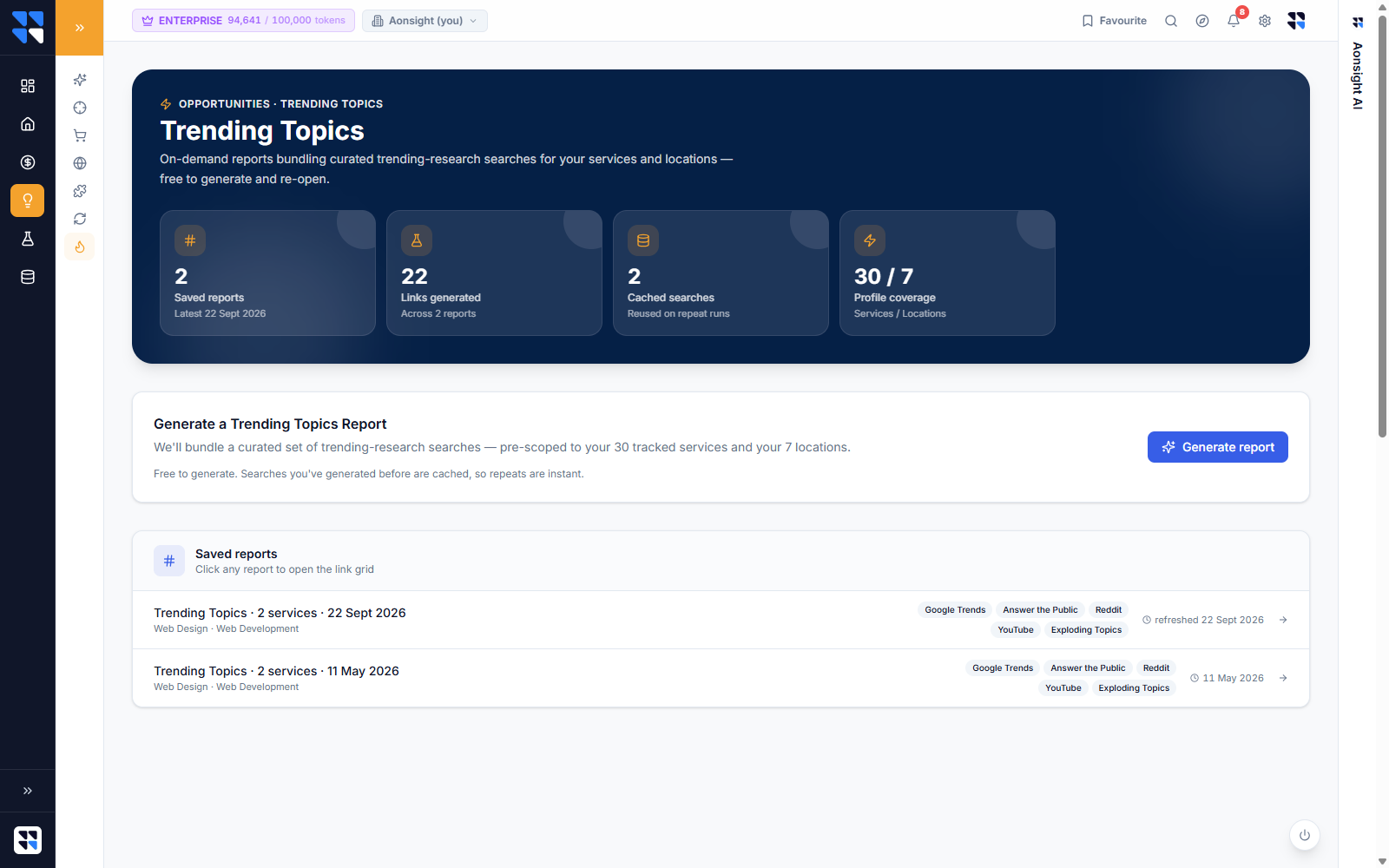
- Reports scoped to your services
- Saved reports you can re-open
- Research links grouped by service
- Refresh links on saved reports
Each part opens its own trail
Generate report
Bundles curated trend searches scoped to the services and locations on your profile.
Saved reports
Lists every report with its services, research sources and the date it was made or refreshed.
Link grid
Groups searches by service, and each link opens in a new tab on a source such as Google Trends.
Refresh links
Rebuilds a saved report against your current services and locations.
From a question to a finished result in three steps
Step 1
Add services, then generate
Put the services you sell on your profile and click Generate report.
Step 2
Open the link grid
Aonsight returns a saved report with curated searches for each service, labelled by source.
Step 3
Use what you find
Read the trends to adjust messaging, plan content, or search for related companies.
IN THE APP
Trending Topics
- Reports are bundled searches, not a single social-media trend score.
- They follow the services and locations on your profile.
- Use a report to adjust messaging or to search for related companies.
One question, from first search to final list
Reports follow the services and locations on your company profile and stay in the saved list to re-open.
Use Trending Topics in your own market
Marketers planning content or messaging open it and leave with a saved set of trend searches for each service they sell.
Trending Topics builds on-demand reports from curated research searches for your services and locations. Generating and re-opening a report does not spend tokens.
What you can do with Trending Topics
- Reports are bundled searches, not a single social-media trend score.
- They follow the services and locations on your profile.
- Use a report to adjust messaging or to search for related companies.
Where to find it
In app.aonsight, open Opportunities → Opportunities.
This sits with Opportunities.
Where to go next
- Your Services: Topics follow the services you sell.
- Market Research: Other research reports.
Questions
What is Trending Topics in Aonsight?
Trending Topics builds on-demand reports from curated research searches for your services and locations.
Where do I open Trending Topics?
In app.aonsight, open Opportunities → Opportunities.
Related
Pages and posts that share a category or tag.