FEATURE
Custom Reports
Open every report you have already generated. Each one has its own shareable URL.
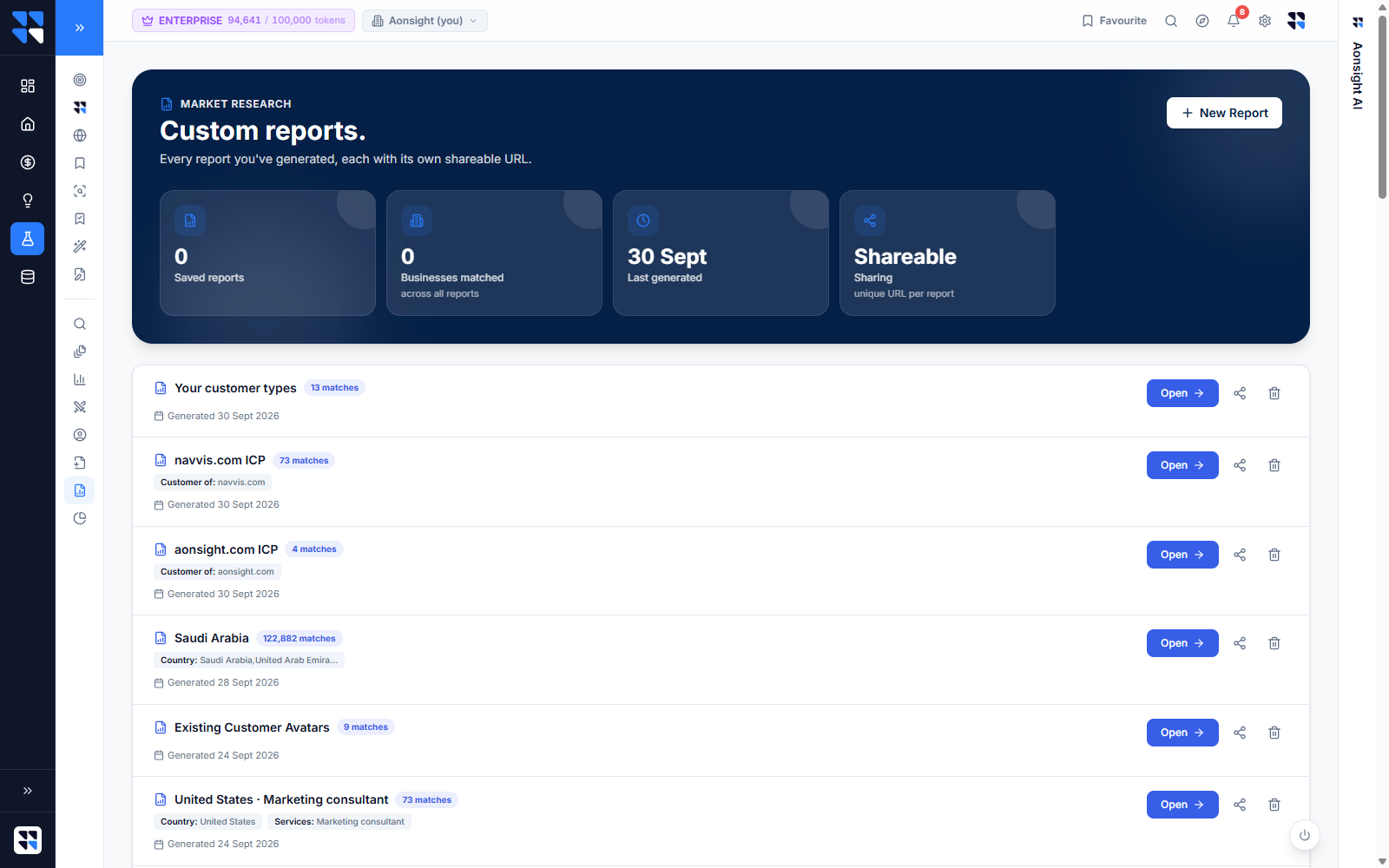
- Every generated report in one list
- Copy a shareable URL per report
- Criteria and match count shown
- Re-open any saved report
Each part opens its own trail
Report list
Each row shows the report name, its match count, the criteria used and the date it was generated.
Share button
Copy a report's unique URL to the clipboard and send it to a colleague.
Open report
Open a report to see totals, geography, company size, top platforms and sample businesses.
New report
Go to Report Builder to create another report, or delete the ones you have finished with.
From a question to a finished result in three steps
Step 1
Find the report
Scan the list by name, criteria and generated date to find the report you want.
Step 2
Open the full report
Aonsight shows the match total, averages, charts and a sample of matching businesses.
Step 3
Share or reuse it
Copy the URL to share the report, or add it to a combined report alongside other research.
IN THE APP
Custom Reports
- This is the saved library, not the builder.
- Each report keeps its own URL.
- Re-open a report without paying the generation cost again.
One question, from first search to final list
Report Builder saves every generated report here, and Combined Reports can pull any of them into a pack.
Use Custom Reports in your own market
Anyone returning to earlier research opens it and leaves with the right report on screen or its link copied to share.
Custom Reports is the library of reports you have generated. Open one to read it, or go back to Report Builder to create another.
What you can do with Custom Reports
- This is the saved library, not the builder.
- Each report keeps its own URL.
- Re-open a report without paying the generation cost again.
Where to find it
In app.aonsight, open Research → Market Research.
This sits with Market Research.
Where to go next
- Combined Reports: Bundle saved reports.
- Report Builder: Build another.
Questions
What is Custom Reports in Aonsight?
Custom Reports is the library of reports you have generated.
Where do I open Custom Reports?
In app.aonsight, open Research → Market Research.
Related
Pages and posts that share a category or tag.