FEATURE
Saved Searches
Store archive filter sets and re-run them with one click.
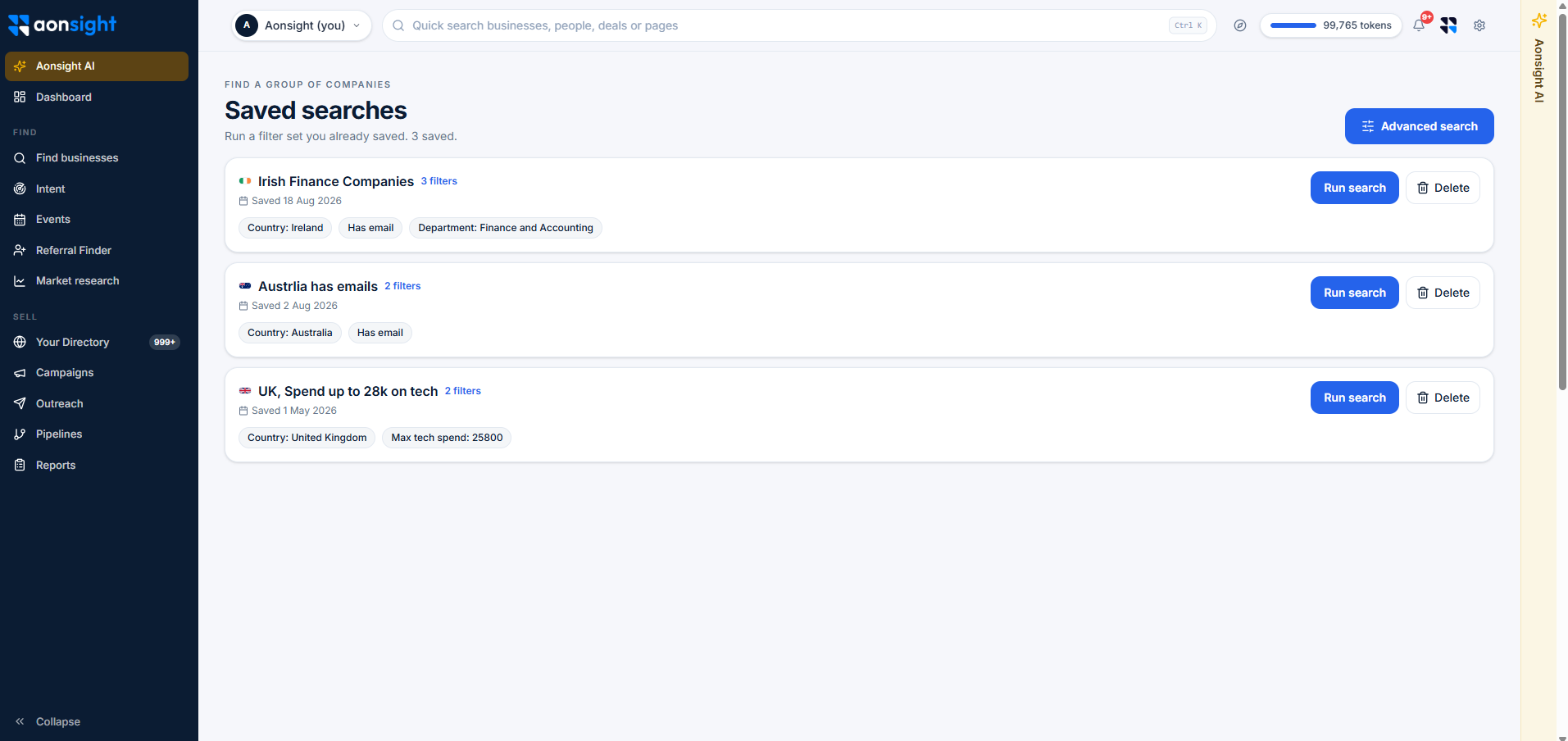
- Re-run a search in one click
- Filters listed on each search
- Saved date on every entry
- Delete searches you no longer use
Each part opens its own trail
Saved search list
Lists every saved search with its name, its filter count and the date you saved it.
Filter chips
Shows the criteria inside each search, such as country, has email or maximum tech spend.
Run Search
Opens the archive search with the saved filters applied, so the results reflect the archive as it is today.
Summary tiles
Counts your saved searches and the filters in use across them, and shows when you last saved one.
From a question to a finished result in three steps
Step 1
Save filters in search
Build a filter set in Search Archive, choose Save Filters and give the search a name.
Step 2
Find it in the list
Aonsight lists the search on this page with its criteria, filter count and saved date.
Step 3
Run it again
Select Run Search to reopen the archive with those filters, then add the matching businesses to a pipeline.
IN THE APP
Saved Searches
- Each saved search stores the criteria from the archive, not a frozen list of companies.
- Re-run a search when the archive has been refreshed.
- Delete searches that no longer match how you sell.
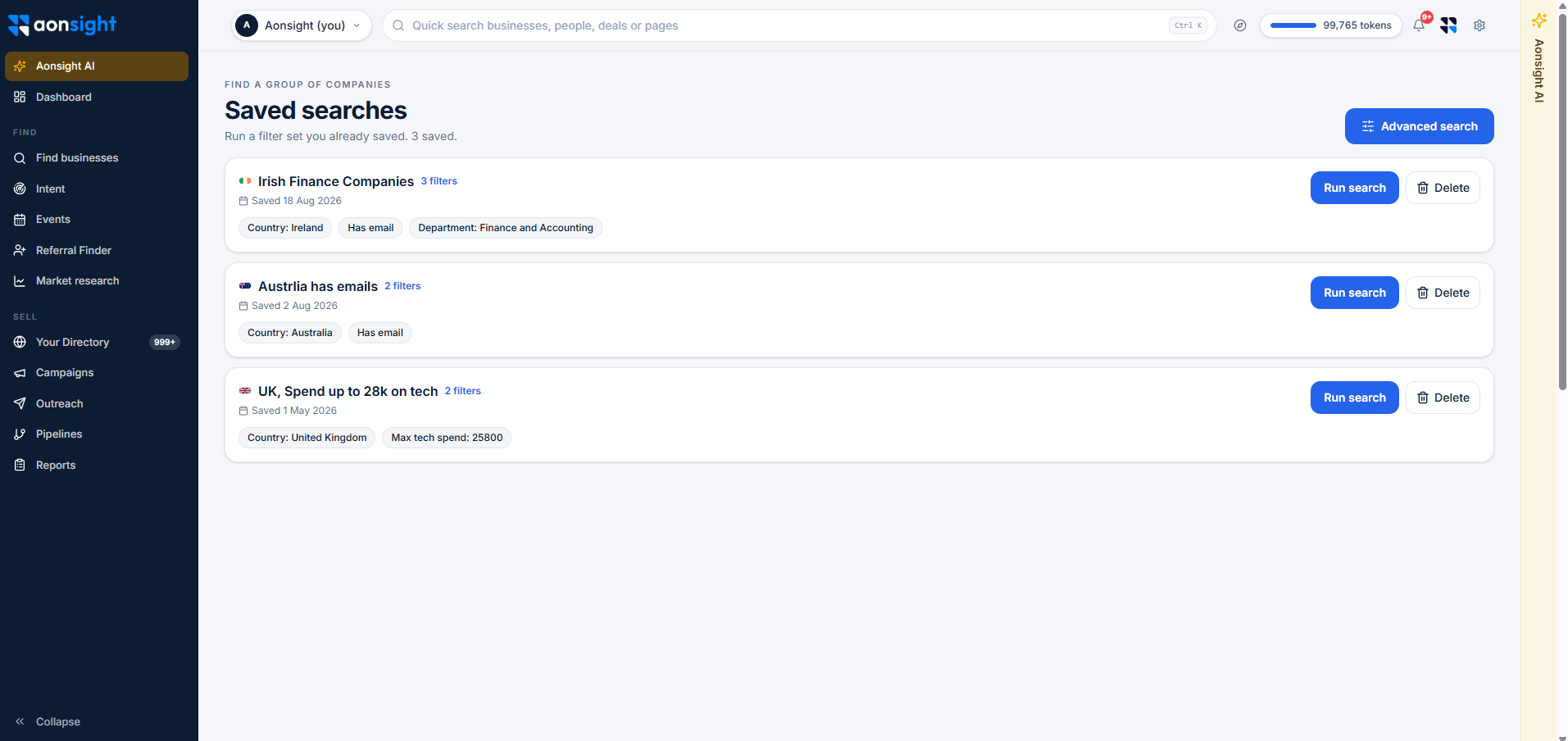
One question, from first search to final list
Searches arrive from Save Filters in Search Archive, and Run Search sends you back there with the criteria applied.
Use Saved Searches in your own market
Open Saved Searches when you prospect the same segment regularly and leave with current results from criteria you already defined.
Saved Searches keeps the filter sets you built in Advanced search. Open one to run it again, or remove searches you no longer use.
What you can do with Saved Searches
- Each saved search stores the criteria from the archive, not a frozen list of companies.
- Re-run a search when the archive has been refreshed.
- Delete searches that no longer match how you sell.
Where to find it
In app.aonsight, open Research → Prospecting.
This sits with Prospecting.
Where to go next
- Search Archive: Change the filters.
- Pipeline: Move a result onto a board.
Questions
What is Saved Searches in Aonsight?
Saved Searches keeps the filter sets you built in Advanced search.
Where do I open Saved Searches?
In app.aonsight, open Research → Prospecting.
Related
Pages and posts that share a category or tag.