FEATURE
Market Sizing
Estimate TAM, SAM and SOM from live business data and save each sizing as a report.
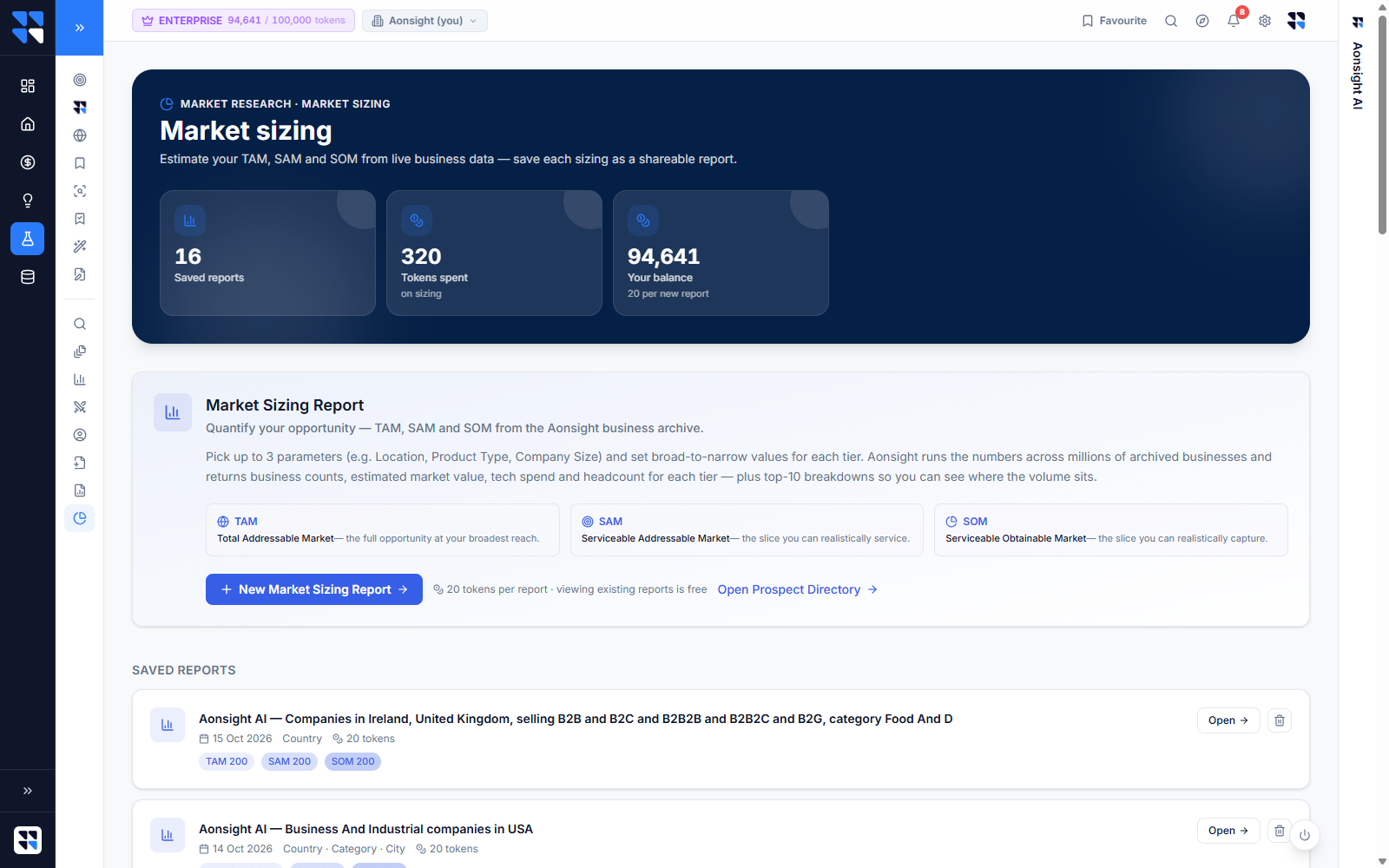
- TAM, SAM and SOM tiers
- Up to three sizing parameters
- Live preview of match counts
- Add obtainable market to Leads
Each part opens its own trail
Tier builder
Pick up to three parameters, such as country, services or company size, and set values per tier.
Tier results
Each tier shows its business count, estimated market value, tech spend and employees.
Funnel and diagram
See the market narrow in a funnel and a circles diagram you can download as PNG or SVG.
Obtainable businesses
Preview SOM businesses, view them all in the archive, save a persona or add them to Leads.
From a question to a finished result in three steps
Step 1
Set parameters per tier
Choose up to three parameters and enter broad values for TAM, then narrower ones for SAM and SOM.
Step 2
Read the sizing report
Aonsight returns counts, estimated value, tech spend and headcount per tier, plus top breakdowns.
Step 3
Act on the obtainable market
Open the SOM list in archive search, save it as a persona, or add businesses to the Leads pipeline.
IN THE APP
Market Sizing
- TAM, SAM and SOM are counts and value from live businesses, not a typed-in figure.
- Each sizing can be saved as a shareable report.
- The obtainable slice can be opened as a list of businesses and turned into a persona.
One question, from first search to final list
Sizing runs on the business archive, and its obtainable market flows into archive search, Personas, Leads and Combined Reports.
Use Market Sizing in your own market
Founders and strategy leads sizing a market for a plan or pitch open it and leave with a saved TAM, SAM and SOM they can refresh.
Market Sizing estimates total, serviceable and obtainable market from your services, locations and archive coverage. Review the assumptions, save the sizing, and refresh it when your profile changes.
What you can do with Market Sizing
- TAM, SAM and SOM are counts and value from live businesses, not a typed-in figure.
- Each sizing can be saved as a shareable report.
- The obtainable slice can be opened as a list of businesses and turned into a persona.
Where to find it
In app.aonsight, open Research → Market Research.
This sits with Market Research.
Where to go next
- Market Expansion: Countries you do not serve yet.
- Market Research: The rest of the research tools.
Questions
What is Market Sizing in Aonsight?
Market Sizing estimates total, serviceable and obtainable market from your services, locations and archive coverage.
Where do I open Market Sizing?
In app.aonsight, open Research → Market Research.
Related
Pages and posts that share a category or tag.