FEATURE
Market Expansion
See market-size reports, buyer personas, and countries you do not yet serve.
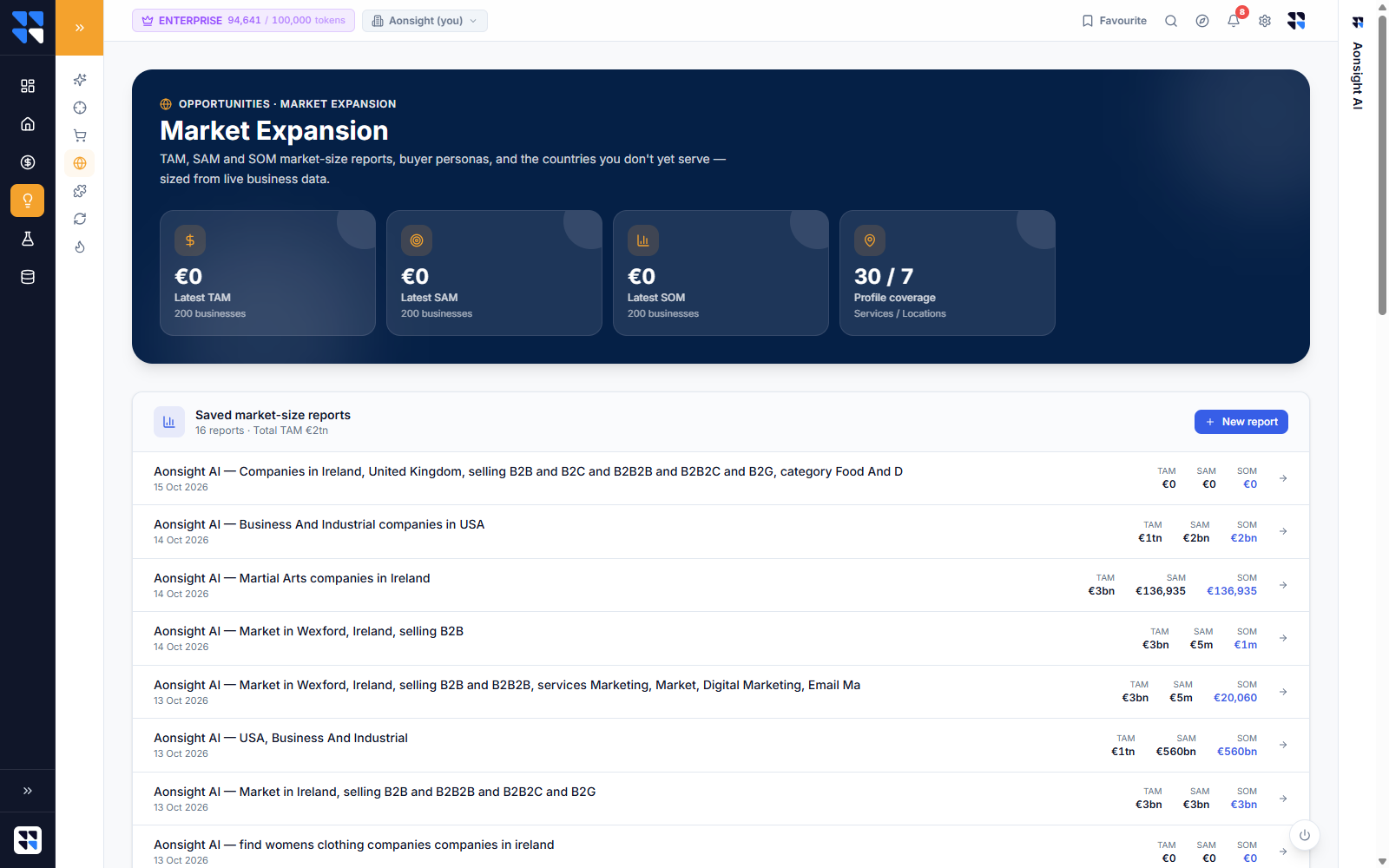
- TAM, SAM and SOM per report
- Countries you do not yet serve
- Saved buyer personas in view
- Refresh untapped countries on demand
Each part opens its own trail
Market-size reports
Lists saved reports with TAM, SAM and SOM values and a button to start a new one.
Untapped countries
Shows top countries outside your locations with a business count, recomputed when you click Refresh.
Buyer personas
Lists saved buyer personas with company, decision role and buying power for targeting a new market.
Profile coverage
Shows how many services and locations sit on your profile, the inputs the page works from.
From a question to a finished result in three steps
Step 1
Save a market-size report
Build a TAM, SAM and SOM report in Market Sizing and add your locations to the company profile.
Step 2
Refresh untapped countries
Aonsight returns the top countries you do not yet serve, each with a count of businesses.
Step 3
Pick the next market
Compare the countries with your saved reports and personas, then size the one worth entering.
IN THE APP
Market Expansion
- Open a suggestion to see example companies in that market.
- The page is for adjacent markets, not for the accounts you already cover.
- It stays tied to the services and locations on your profile.
One question, from first search to final list
It reads market-size reports, personas and profile locations, and sends you to Market Sizing to size a new country.
Use Market Expansion in your own market
Founders and strategy leads weighing a new country open it and leave with a shortlist of untapped markets and the reports to size them.
Market Expansion uses your TAM, SAM and SOM reports, buyer personas, and the countries you do not yet serve. Suggestions are sized from live business data and your current services and locations.
What you can do with Market Expansion
- Open a suggestion to see example companies in that market.
- The page is for adjacent markets, not for the accounts you already cover.
- It stays tied to the services and locations on your profile.
Where to find it
In app.aonsight, open Opportunities → Opportunities.
This sits with Opportunities.
Where to go next
- Market Sizing: The size of a suggested market.
- Your Locations: The footprint it compares with.
Questions
What is Market Expansion in Aonsight?
Market Expansion uses your TAM, SAM and SOM reports, buyer personas, and the countries you do not yet serve.
Where do I open Market Expansion?
In app.aonsight, open Opportunities → Opportunities.
Related
Pages and posts that share a category or tag.