FEATURE
Usage and Limits
See token balance, plan limits and recent usage.
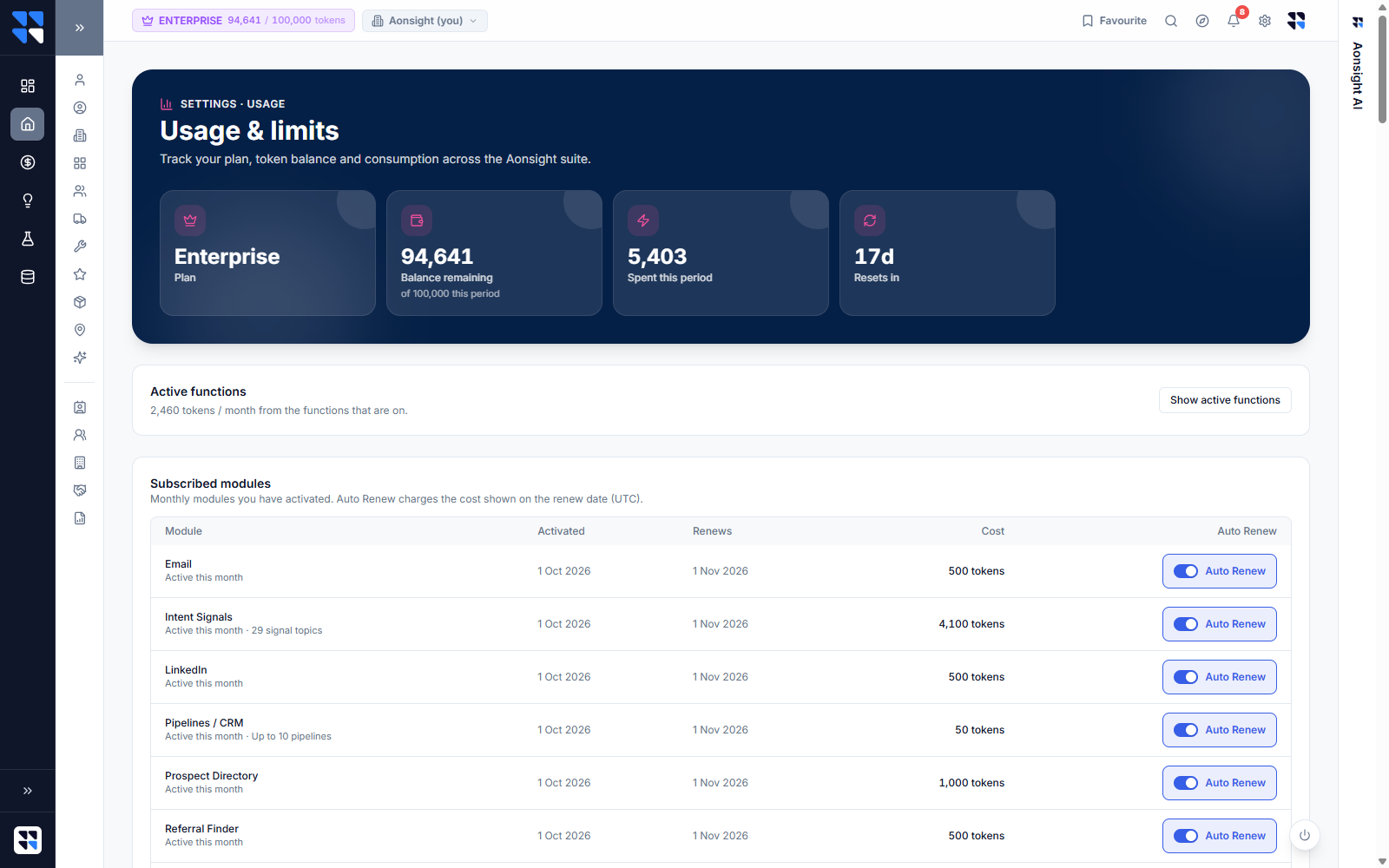
- Token balance and plan shown
- Days until the balance resets
- Modules with auto renew
- Export the token ledger to CSV
Each part opens its own trail
Balance summary
Shows the plan, the balance remaining, tokens spent this period and when the balance resets.
Subscribed modules
Lists the monthly modules you have activated, with renewal dates and an Auto Renew switch.
Daily token usage
Charts tokens spent per day for this period, the last 7, 30 or 90 days, or all time.
Token ledger
Lists every grant, charge and adjustment, with filters and a CSV export.
From a question to a finished result in three steps
Step 1
Open Usage and Limits
Go to Settings and open Usage to see the workspace balance for the current period.
Step 2
Read where tokens went
Aonsight breaks spending down by day and by action, and lists each ledger entry.
Step 3
Adjust plan or modules
Switch Auto Renew on a module, export the ledger, or open Billing to top up or change plan.
IN THE APP
Usage and Limits
- The balance is the workspace balance, shared by the web app and MCP.
- A report price is charged when you generate it. Re-opening is a separate rule and is often free.
- Open Billing if the plan itself needs to change.
One question, from first search to final list
The balance is shared by the web app and MCP, reports and actions draw on it, and plan changes happen in Billing.
Use Usage and Limits in your own market
Open it as the workspace owner or budget holder, and leave knowing the balance, what spent it and when it resets.
Usage and Limits shows the token balance, what the plan allows, and recent usage. Reports and actions spend tokens. Seats are not how Aonsight is priced.
What you can do with Usage and Limits
- The balance is the workspace balance, shared by the web app and MCP.
- A report price is charged when you generate it. Re-opening is a separate rule and is often free.
- Open Billing if the plan itself needs to change.
Where to find it
In app.aonsight, open Settings → Settings.
This sits with Pricing.
Where to go next
- Pricing: What each plan includes.
Questions
What is Usage and Limits in Aonsight?
Usage and Limits shows the token balance, what the plan allows, and recent usage.
Where do I open Usage and Limits?
In app.aonsight, open Settings → Settings.
Related
Pages and posts that share a category or tag.