FEATURE
People
Search and filter people, then use them in referrals and outreach.
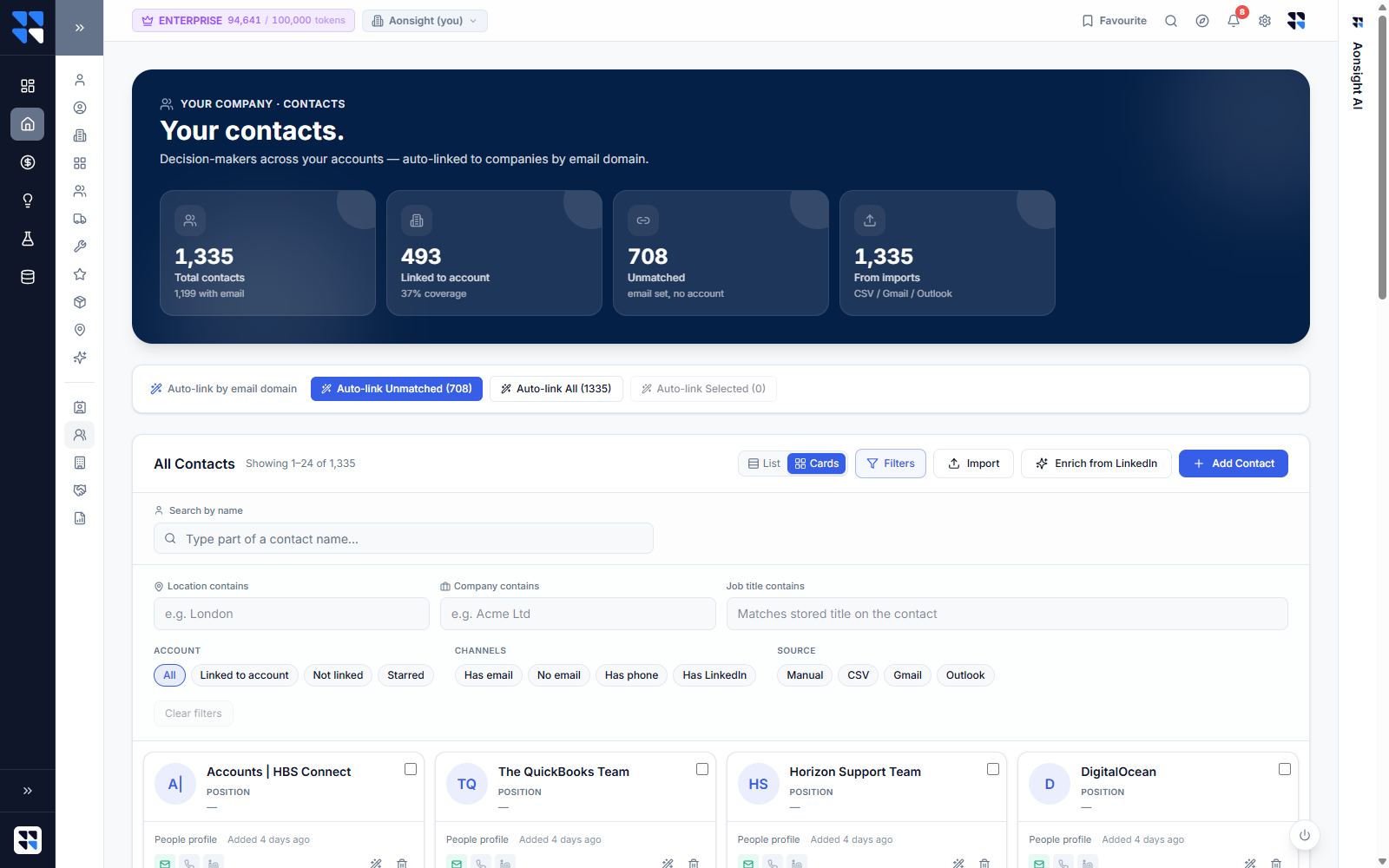
- Search contacts by name
- Filter by location and job title
- Import from CSV, Gmail or Outlook
- Auto-link by email domain
Each part opens its own trail
Search and filters
Finds people by name, location, company or job title, and by account link, channel or source.
List and card views
Switches between a sortable table and cards showing position, company and contact channels.
Import and add
Brings people in from a CSV file, Gmail, Outlook or an email marketing account, or adds one by hand.
Auto-link and enrich
Links contacts to companies by email domain and refreshes profile details from LinkedIn.
From a question to a finished result in three steps
Step 1
Search or filter
Type a name, or filter by location, company, job title, channel or source.
Step 2
Review the matches
Aonsight shows each person with position, company, seniority, location and available channels.
Step 3
Open and use the record
Open a contact for detail, link it to a company, then use it in referrals and outreach.
IN THE APP
People
- A person belongs to a contact company.
- Open the record for detail before you add them to a campaign.
- This is not the archive of every employee in the dataset.
One question, from first search to final list
People is filled by imports and manual entries, links each person to a contact company, and feeds Referral Finder and outreach.
Use People in your own market
Reps preparing outreach open People to find the right person and leave with a contact linked to a company and ready to use.
People is the person list in the address book. Search and filter, open a contact, and use the record with Referral Finder and outreach. Import more from onboarding or integrations.
What you can do with People
- A person belongs to a contact company.
- Open the record for detail before you add them to a campaign.
- This is not the archive of every employee in the dataset.
Where to find it
In app.aonsight, open Your Company → Contacts.
This sits with Contacts.
Where to go next
- Referral Finder: Who can introduce you.
- Contact Companies: Where those people work.
Questions
What is People in Aonsight?
People is the person list in the address book.
Where do I open People?
In app.aonsight, open Your Company → Contacts.
Related
Pages and posts that share a category or tag.