FEATURE
Outreach
Run email, LinkedIn, phone, events and referrals from one hub.
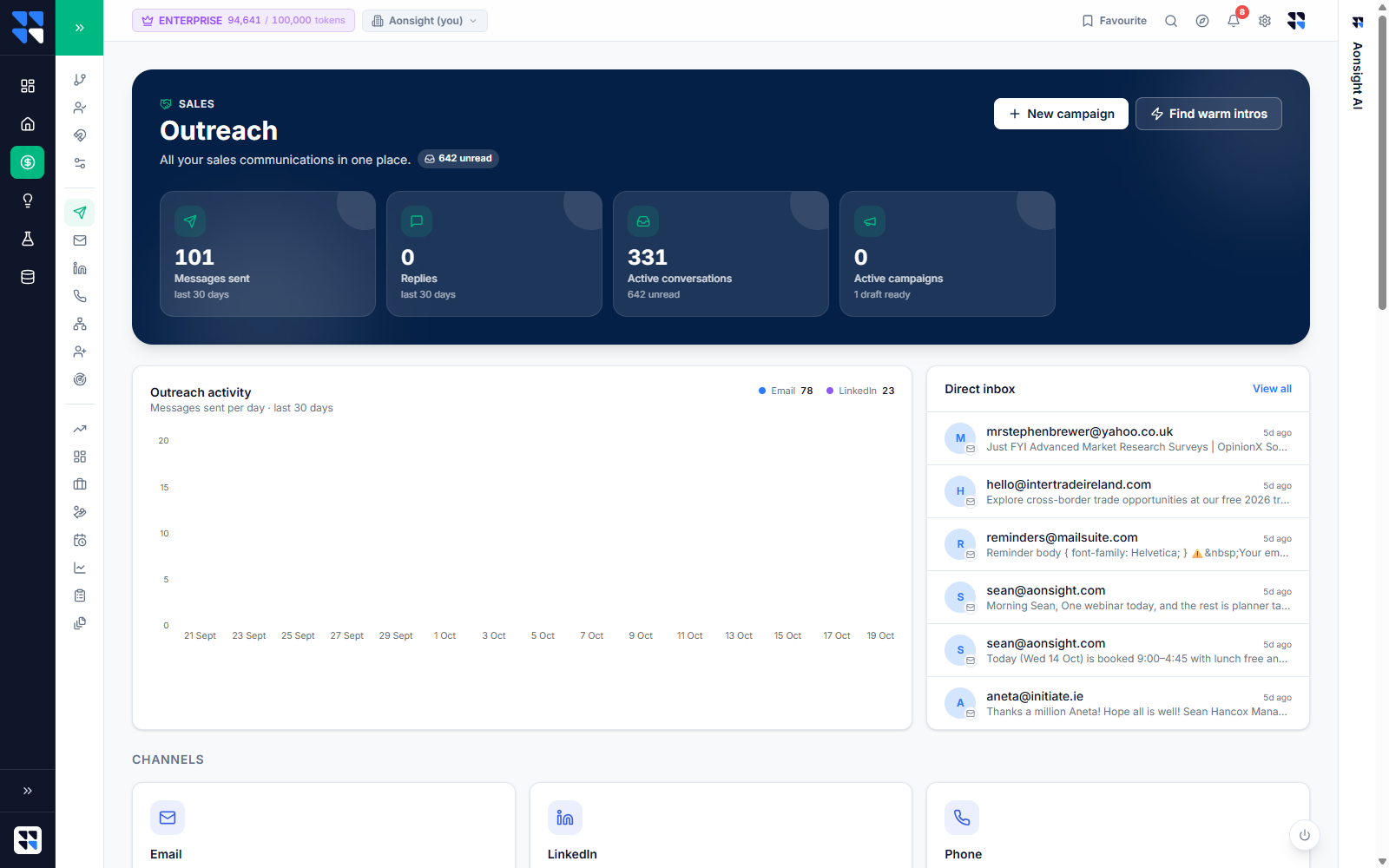
- Six channels from one hub
- Daily send activity chart
- Direct inbox for recent replies
- Recent campaigns with status
Each part opens its own trail
Email outreach
Run sequences, keep templates and work an inbox for the mailboxes you connect.
LinkedIn outreach
Work connections, prospect lists, messages and campaigns from a connected LinkedIn account.
Phone and events
Log calls with outcomes and notes, and track the conferences and meetups you attend.
Warm introductions
Find who can introduce you to a pipeline company, or start from the people you know.
From a question to a finished result in three steps
Step 1
Connect a channel
Connect a mailbox or your LinkedIn account so that sends can go out.
Step 2
Check activity and replies
Aonsight shows messages sent, replies, active conversations and campaigns across email and LinkedIn.
Step 3
Open the channel page
Go to the channel that needs attention to reply, launch a campaign, log a call or ask for an introduction.
IN THE APP
Outreach
- Pick a channel from the hub. Each page keeps its own history.
- Email and LinkedIn need a connected account.
- Referrals use your contacts and pipeline targets rather than a cold list.
One question, from first search to final list
Outreach uses your contacts and pipeline targets, and sends through the mailbox and LinkedIn accounts you connect.
Use Outreach in your own market
Open Outreach when you want all sales communication in one view, and leave knowing which channel and conversation to pick up next.
Outreach is the hub for reaching people. Email, LinkedIn, phone, events, Referral Finder and Referral Prospecting each have their own page. Connect the channel under Integrations before a send will go out.
What you can do with Outreach
- Pick a channel from the hub. Each page keeps its own history.
- Email and LinkedIn need a connected account.
- Referrals use your contacts and pipeline targets rather than a cold list.
Where to find it
In app.aonsight, open Sales.
Where to go next
- Email Outreach: Campaigns from a connected inbox.
- LinkedIn Outreach: LinkedIn lists and inbox.
- Phone Outreach: A call log on people and deals.
Questions
What is Outreach in Aonsight?
Outreach is the hub for reaching people.
Where do I open Outreach?
In app.aonsight, open Sales.
Related
Pages and posts that share a category or tag.