FEATURE
Prospecting
Search the business archive, run a Deep Search, and open featured companies from one hub.
- Quick search by name or domain
- Deep Search delivers a CSV
- Featured companies each day
- Top services and categories charts
Each part opens its own trail
Find a business
Type a business name or domain for a quick search, or open Advanced Search when you need filters.
Deep Search
Retrieves a larger set of matching businesses in the background and notifies you when the CSV is ready.
Featured companies
Shows daily picks with their services, a description and linked companies, each with an add to pipeline button.
Archive charts
Charts the top services, the top categories and company size by employee band across the archive.
From a question to a finished result in three steps
Step 1
Search or open filters
Type a name or domain in quick search, or open Advanced Search to filter by country, platform and services.
Step 2
See matching businesses
Aonsight returns matching businesses with their location, services and technology, each linked to a full profile.
Step 3
Add to a pipeline
Open a profile, add the business to a pipeline, or run Deep Search to download a larger list as a CSV.
IN THE APP
Prospecting
- Search by name or domain, or open Advanced search when you need filters.
- Review archive totals and featured companies before you build a list.
- Jump into Services, Brands, Product Types and Locations from the same section.
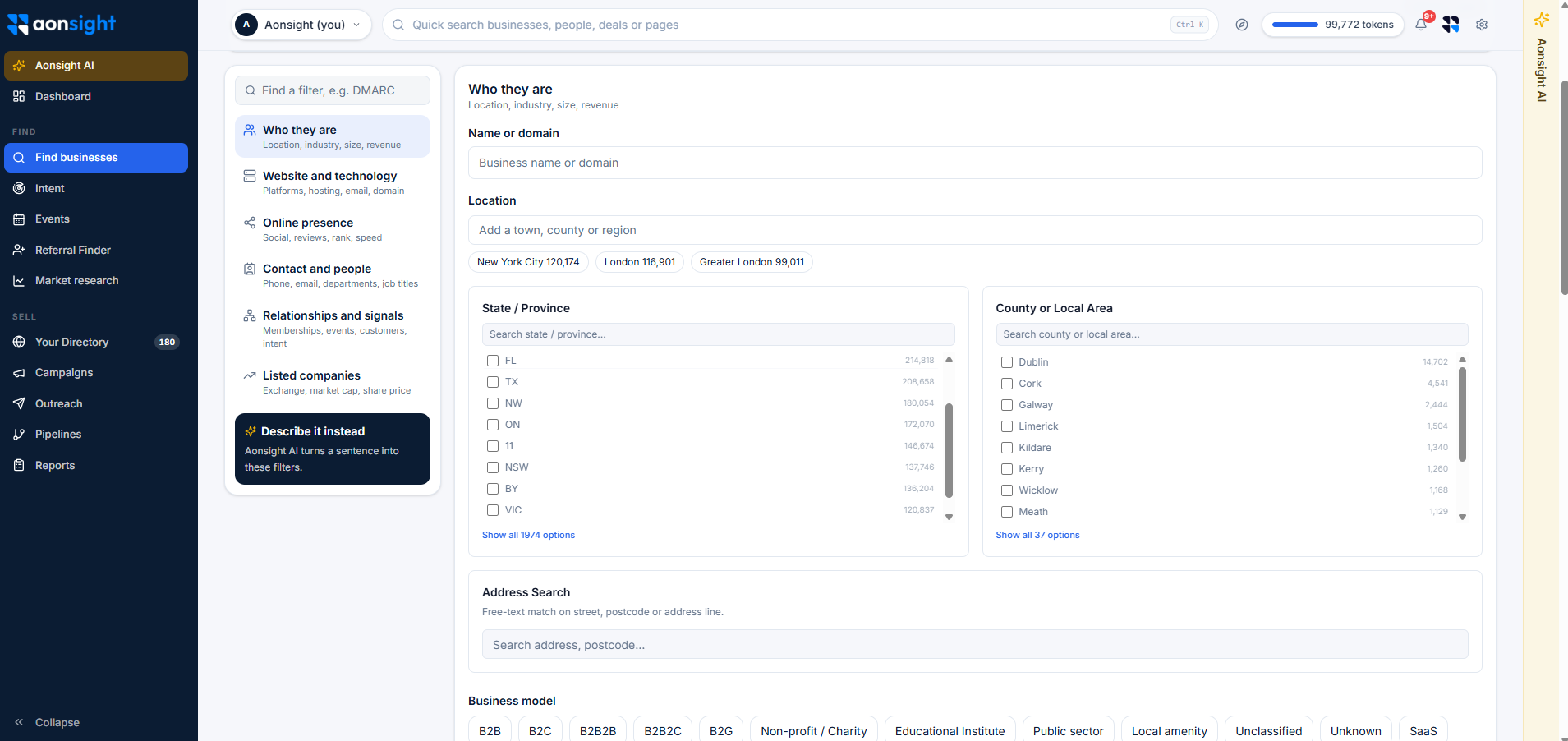
One question, from first search to final list
Prospecting leads into Search Archive, Saved Searches and the service, brand, product type and location browsers.
Use Prospecting in your own market
Open Prospecting when you start a new list and leave with a business profile to work or a filtered search to refine.
Prospecting is the start of research in Aonsight. It is the hub for the business archive: quick search, Deep Search, featured companies, and the live counts behind the dataset.
What you can do with Prospecting
- Search by name or domain, or open Advanced search when you need filters.
- Review archive totals and featured companies before you build a list.
- Jump into Services, Brands, Product Types and Locations from the same section.
Where to find it
In app.aonsight, open Research.
This sits with Research.
Where to go next
- Search Archive: Search by name, place, service and technology.
- Saved Searches: Run a filter set again.
Questions
What is Prospecting in Aonsight?
Prospecting is the start of research in Aonsight.
Where do I open Prospecting?
In app.aonsight, open Research.
Related
Pages and posts that share a category or tag.