FEATURE
Deals
Filter every deal by stage, owner and status, and watch velocity and win rate.
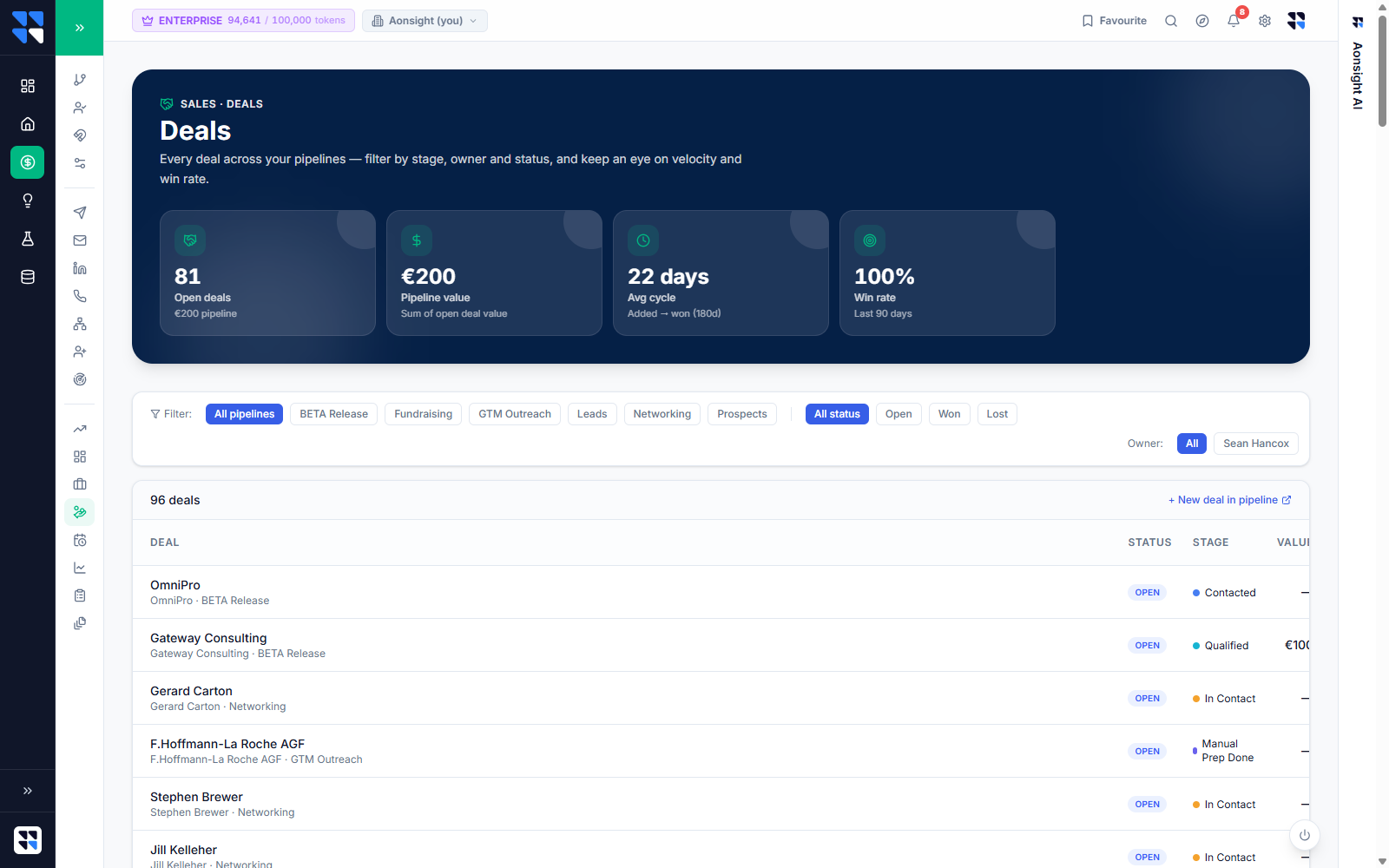
- Filter by pipeline and status
- Stage and owner filters
- Expected close and next reminder
- Loss reason on lost deals
Each part opens its own trail
Deal figures
Shows open deals, pipeline value, average cycle and win rate over the last 90 days.
Pipeline and status filters
Narrows the list to one pipeline and to open, won or lost deals.
Stage and owner filters
Adds stage filters once a pipeline is chosen, and owner filters when deals have owners.
Deal table
Shows value, probability, owner, expected close date and next reminder for each deal.
From a question to a finished result in three steps
Step 1
Filter the list
Pick a pipeline, a status, a stage or an owner to narrow the deals.
Step 2
Read the matching deals
Aonsight lists each match with stage, value, probability, close date and reminders.
Step 3
Open and update
Open a deal on its pipeline to set the value or close date, or add a new deal from the board.
IN THE APP
Deals
- One list covers Prospects, Leads and custom pipelines.
- Value and expected close date are what Forecasting uses.
- A deal with no close date still appears here, and is called out on the forecast.
One question, from first search to final list
Deals come from every Pipeline board, and their value, probability and close date feed Forecasting and Sales Reports.
Use Deals in your own market
Sales reps open Deals to review their own pipeline and leave with values, close dates and reminders up to date.
Deals is the full list across your pipelines. Filter by stage, owner and status, open a deal to update value and close date, and log activity as you go. Velocity and win rate sit on the same page.
What you can do with Deals
- One list covers Prospects, Leads and custom pipelines.
- Value and expected close date are what Forecasting uses.
- A deal with no close date still appears here, and is called out on the forecast.
Where to find it
In app.aonsight, open Sales → Sales.
This sits with Sales.
Where to go next
- Pipeline: The board a deal came from.
- Forecasting: How open deals roll into a forecast.
Questions
What is Deals in Aonsight?
Deals is the full list across your pipelines.
Where do I open Deals?
In app.aonsight, open Sales → Sales.
Related
Pages and posts that share a category or tag.